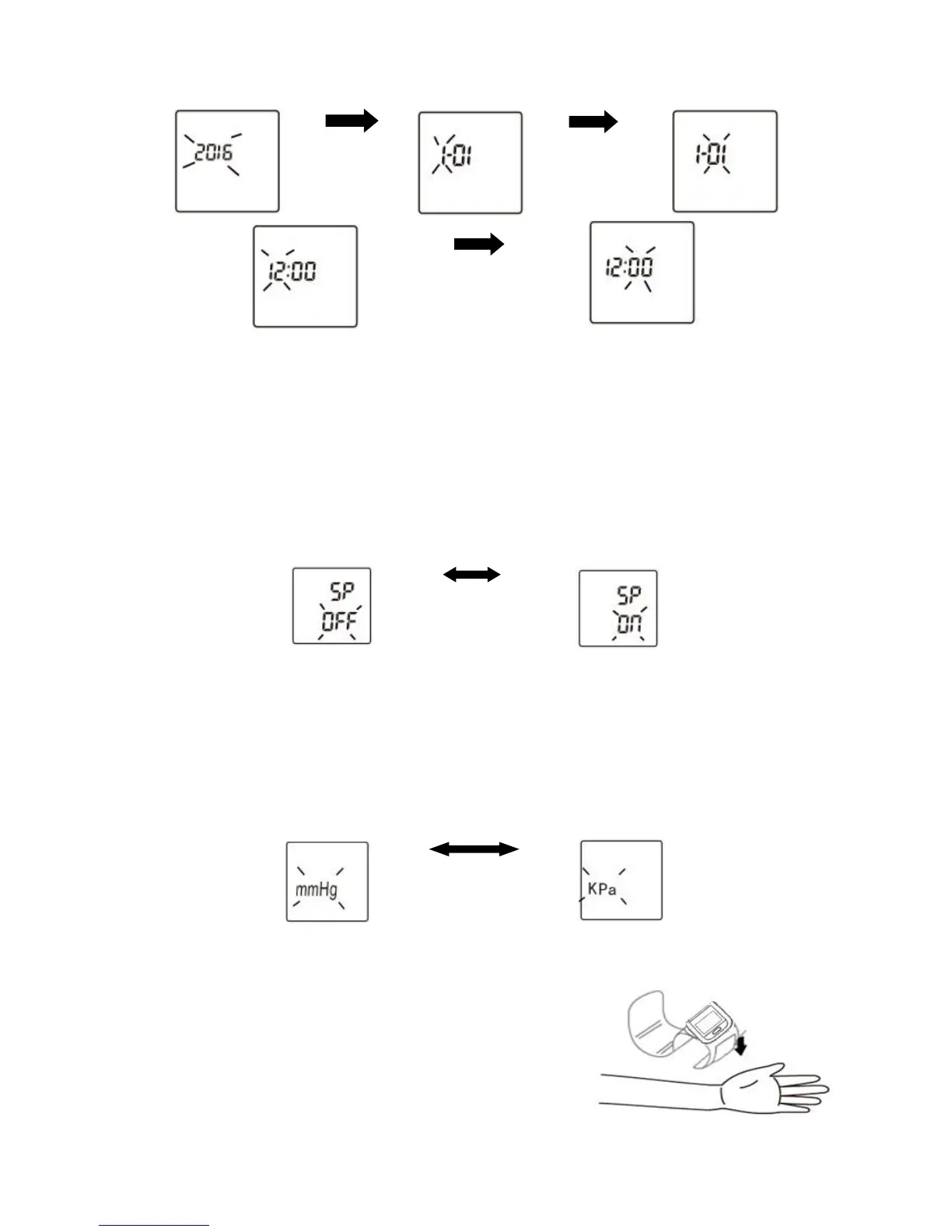
Press “MEMORY” key to switch hour
Press “SET” key to confirm
Note: Keep on pressing the MEMORY key,the number will increase fast.
3.3 Sound Setup
We can get known from 3.2, after setting up time, press SET key to confirm and switch to
"SP" mode at the same time, the "ON" or "OFF" is in a flashing state now. Press MEMORY key to
choose, when set to "ON", there is a voice prompt when BP monitor is under measurement and
viewing memory; when set to “OFF”, there is no voice prompt. After choosing it, press SET key
for confirming and switch to”BP Unit” mode at the same time. The system defaults “ON” if you
didn’t choose anything.
Press “MEMORY” key to switch
Press “SET” key to confirm
Note: If the instrument is optional without voice, no need to set the sound.
3.4 Blood Pressure Unit Setting
We can get known from 3.3, after setting up volume, press SET key to confirm and switch
to "BP Unit" mode at the same time, the "mmHg" or "KPa" is in a flashing state now. the system
defaults mmHg as blood pressure unit if there is no switch. After choosing it, press SET key for
confirming and it is shutdown at the same time.
Press “MEMORY” key to switch
Press “SET” key to confirm
4 Usage Methods of Wrist Strap
1) During measurement, the palm Should face upward.
Roll up sleeve, wrap the cuff directly against Your skin.
Do not apply over clothing.
2)Position the cuff leaving a clearance of approximately



 To Next Page