EasyManua.ls Logo

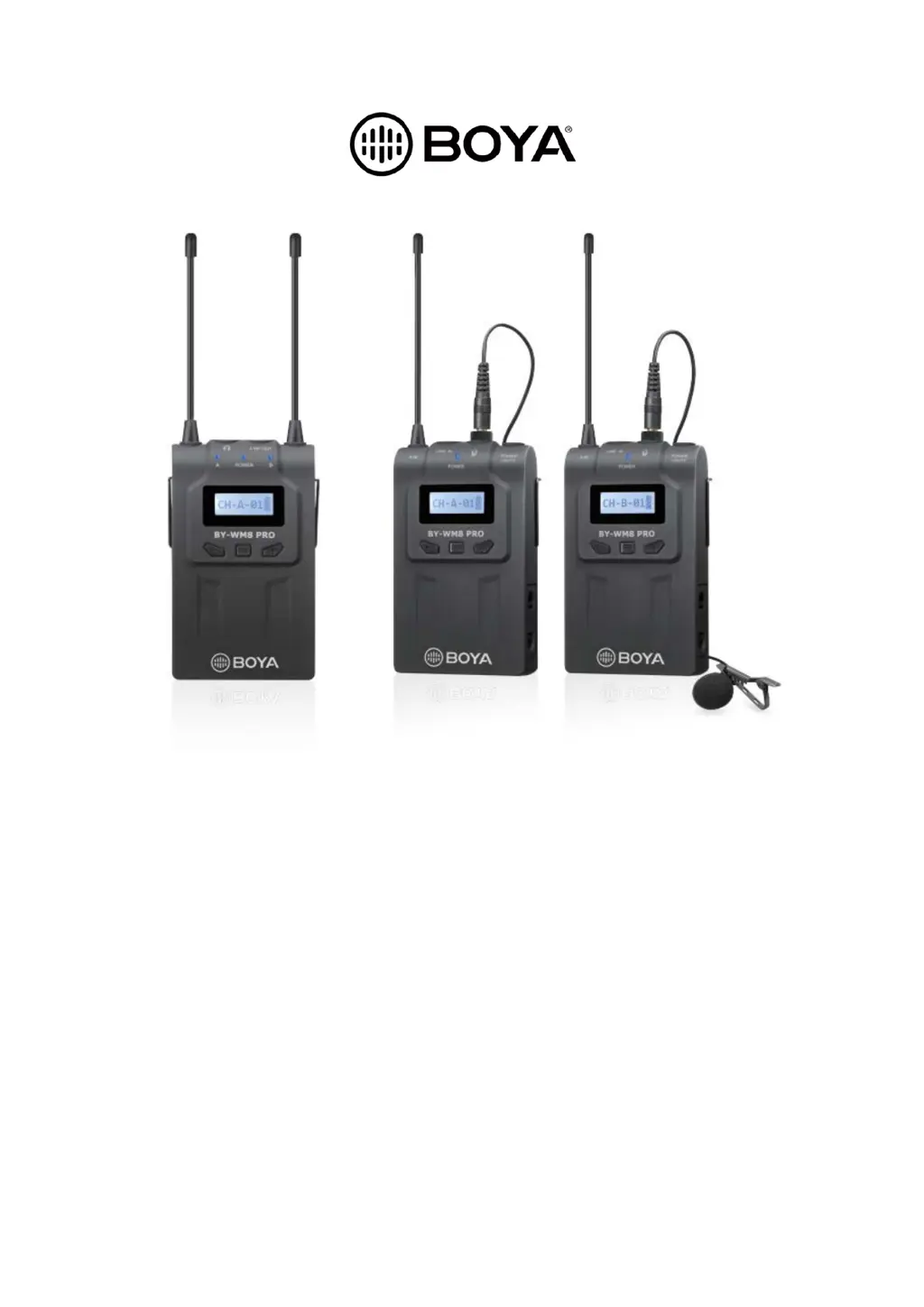
Boya BY-WM8 Pro-K1 - User Manual

Boya BY-WM8 Pro-K1
177 pages
Print Icon
To Next Page IconTo Next Page
Loading...
BY-WM8 Pro
User Manual • Uživatelský manuál •
Užívateľský manuál • Használati utasítás •
Benutzerhandbuch

Questions and Answers

  • S
    Stephen GonzalesAug 5, 2025
    Why is the audio noisy or distorted on my Boya BY-WM8 Pro-K1 Microphone system?
    • K
      Katie LarsonAug 6, 2025
      Noisy or distorted audio, including drop outs, white noise, bursts, pops, and clicks, can be caused by RF interference. Try switching to a different channel, ensuring both units are on the same channel. Position the antennas at a 45° angle to each other. Move indoors to reduce RF interference and keep the unit's antennas at least 2 feet (0.6m) away from conductive objects like metal and water. Also, overhead telephone lines, fluorescent lighting, and metal fences can cause interference. Turn off nearby computers and mobile phones.
  • D
    derrick05Aug 10, 2025
    Why is there distortion in the sound from my Boya Microphone system?
    • V
      Valerie JohnsonAug 10, 2025
      Sound distortion in your Boya microphone system can occur if the attenuation level on the transmitter is too low. Increase the attenuation level by pressing the + button on the transmitter in attenuation level setting mode. Also, ensure the transmitter and receiver are set to the same channel. Finally, if you're using headphones, make sure they have a stereo mini jack, not a monaural one.
  • R
    Robert GomezAug 14, 2025
    What to do if my Boya Microphone system does not turn on?
    • L
      Lori MaynardAug 14, 2025
      If your Boya microphone system doesn't turn on, make sure the batteries are inserted with the correct polarity. If they are correctly oriented, the batteries may be exhausted, so replace them with new ones. Also, check the battery terminals in the transmitter; if they're dirty, clean the + and – terminals with a cotton swab.
  • A
    Amber TaylorAug 19, 2025
    What to do if the audio is noisy or distorted on my Boya BY-WM8 Pro-K1 due to a weak RF signal?
    • M
      Michelle RodriguezAug 19, 2025
      If the audio from your Boya Microphone system is noisy or distorted due to a weak RF signal, ensure there's a clear line of sight between the transmitter and receiver antennas, avoiding obstructions like your body, clothes, or stage sets. Also, ensure the receiver and transmitter are within the 328' (100m) range.
  • J
    James ClaytonAug 22, 2025
    What to do if my Boya Microphone system batteries drain quickly?
    • X
      xruizAug 22, 2025
      If the batteries in your Boya microphone system are draining quickly, try these solutions: replace the batteries with new ones. If you're using manganese batteries, switch to alkaline batteries, as they last more than twice as long. Also, cold conditions can cause batteries to drain faster.
  • M
    Marie DunnAug 27, 2025
    What to do if the sound is weak with my Boya BY-WM8 Pro-K1?
    • C
      Cassidy FrostAug 27, 2025
      If the sound from your Boya microphone system is weak, it could be due to a high attenuation level on the transmitter. To fix this, decrease the attenuation level using the button on the transmitter in attenuation level setting mode. Another cause could be that a cable is plugged into the LINE IN; if so, pull the cable out.
  • K
    Kathleen PattersonAug 31, 2025
    Why is my Boya Microphone system picking up too much ambience?
    • D
      David PierceAug 31, 2025
      If your Boya microphone system is picking up too much ambience, especially when using the included omnidirectional microphone, ensure the microphone is as close to the subject as possible.

Summary

Transmitter Operation and Components

Receiver

LCD Display Operation Guide

Setting Audio Mode

Installing Batteries

Battery Installation Steps

Step-by-step guide for inserting batteries into the units.

Attachment and Installation Procedures

Connecting the Transmitters and the Receiver

Connection and Channel Synchronization

Guide to connecting units and setting matching channels for optimal performance.

Troubleshooting

Specifications

System Specifications

Technical details about the overall system.

Transmitter Specifications

Technical details of the transmitter unit.

Receiver Specifications

Technical details of the receiver unit.

Frequency Chart

Warranty Conditions

Warranty Conflict Conditions

Conditions that may void the product warranty.

Boya BY-WM8 Pro-K1 Specifications

General IconGeneral
BrandBoya
ModelBY-WM8 Pro-K1
CategoryMicrophone system
LanguageEnglish

Related product manuals