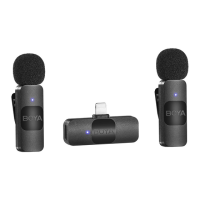
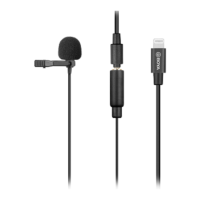
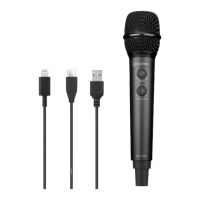
How to fix current noise in Boya BOYALINK?
- DDakota MasonAug 13, 2025
If you are experiencing current noise or other abnormal noise during monitoring with your Boya Microphone system, make sure there is no interference near the unit.
How to fix current noise in Boya BOYALINK?
If you are experiencing current noise or other abnormal noise during monitoring with your Boya Microphone system, make sure there is no interference near the unit.
What to do if there is no sound from Boya Microphone system?
If there is no sound from your Boya Microphone system, ensure the adapter on the receiver is securely connected to your device.
How to troubleshoot Boya BOYALINK when it fails to charge?
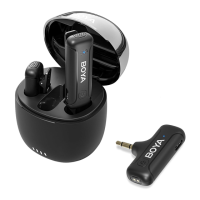
If your Boya Microphone system's transmitter or receiver fails to charge via the charging case: 1. Make sure the charging contacts of both the transmitter/receiver and the charging case are in full contact. 2. Wipe the charging contacts with a clean cloth and try again. 3. Check if the magnetic force is aging or whether the charging contacts are not in sufficient contact by pressing the transmitter/receiver placed in the charging box to see if it enters a charging state.
What to do if there is no sound from my Boya BOYALINK?
If you are experiencing a lack of sound from your unit, ensure the adapter on the receiver is securely connected to your device. If the issue persists, try removing the adapter and gently wiping the charging contacts with a clean cloth. Also, check that the mic gain isn't set to the minimum and verify that the unit is not muted.
Why is the operating range of my Boya Microphone system limited?
If you find that the operating range of your unit is limited and the sound is frequently intermittent, ensure there is no interference between the transmitter and receiver. If the intermittent sound still occurs frequently, please contact our customer service.
What to do if my Boya Microphone system sound is distorted?
If the sound from your unit is too low, too loud, or even distorted, adjust the mic gain to a suitable level for recording in the current environment to improve the recording effect.
Why is my Boya BOYALINK not charging?
If you're having trouble charging the transmitter(s) or receiver via the charging case, first make sure the charging contacts of both are making full contact. Try wiping the charging contacts with a clean cloth and attempt charging again. If you want to check whether the magnetic force is aging or whether the charging contacts of the two are not in sufficient contact, press the transmitter/receiver placed in the charging box to check whether it is in a charging state. If the transmitter(s) or the receiver is still failed to be charged, please contact our customer service.
What to do if I hear abnormal noise from my Boya BOYALINK Microphone system?
If you are experiencing current noise or other abnormal noise during monitoring, ensure there is no interference near the unit. If the noise still exists after changing the unit's position, please contact our customer service.
Essential warnings regarding device handling, heat, battery, cleaning, and microphone capsule.
Instructions on attaching the fur windshield and connecting the adapter to the receiver.
Steps to power on the transmitter and receiver, and confirmation of automatic pairing.
Instructions on enabling noise cancellation and charging the devices after use.
Steps to resolve problems related to the unit producing no sound or no sound when connected.
Guidance for addressing low/loud audio, distortion, noise, and intermittent sound.
Troubleshooting steps for the charging case failing to charge the transmitter or receiver.
Covers transmission type, modulation, distortion, frequency response, and SNR.
Includes operating range, antenna type, temperature limits, and battery specifications.
| Brand | Boya |
|---|---|
| Model | BOYALINK |
| Category | Microphone system |
| Language | English |