EasyManua.ls Logo

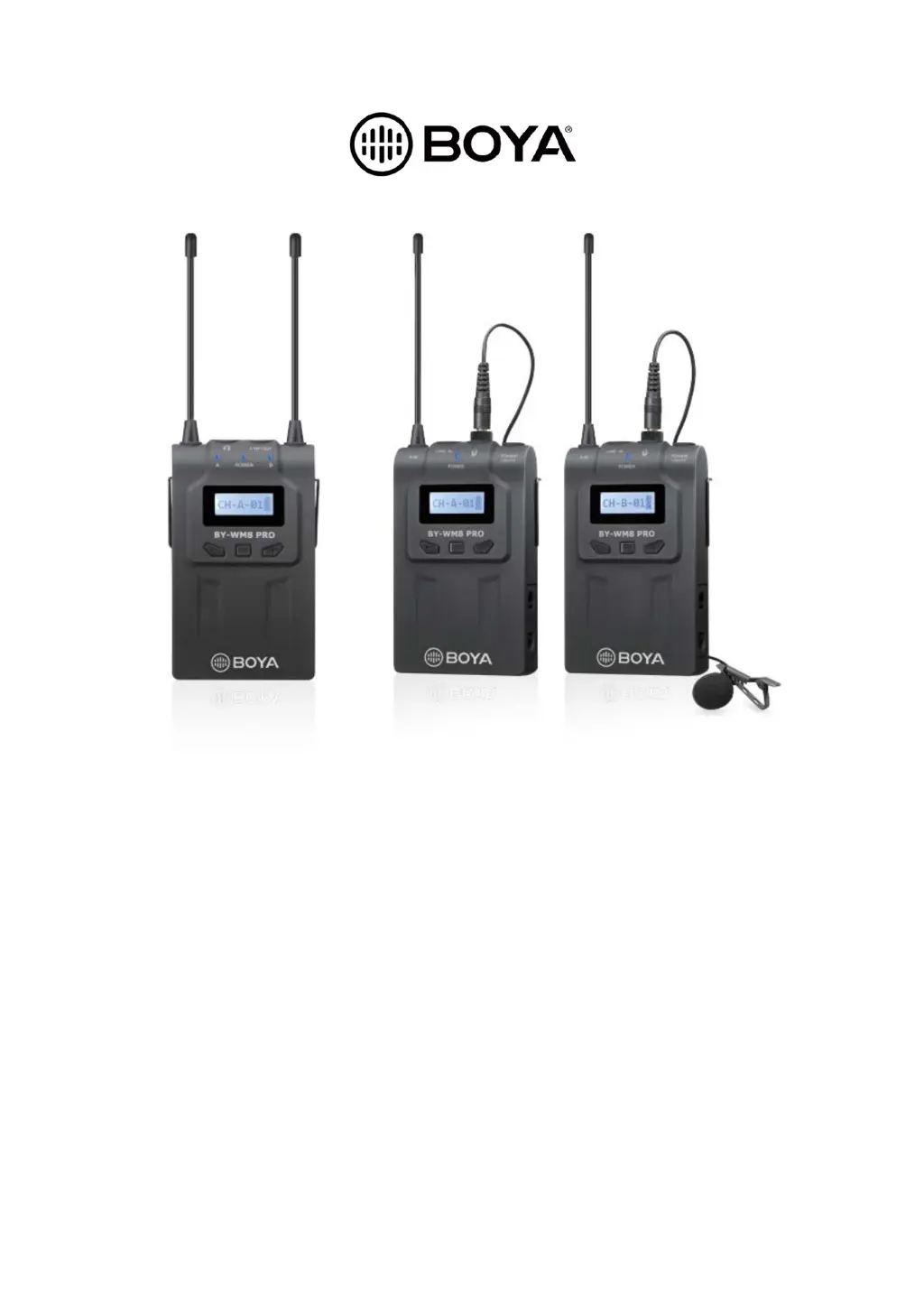
Boya BY-WM8 Pro-K2 - User Manual

Boya BY-WM8 Pro-K2
177 pages
Print Icon
To Next Page IconTo Next Page
Loading...
BY-WM8 Pro
User Manual • Uživatelský manuál •
Užívateľský manuál • Használati utasítás •
Benutzerhandbuch

Questions and Answers

  • B
    bthomasAug 6, 2025
    Why is the audio noisy or distorted on my Boya BY-WM8 Pro-K2 Microphone system?
    • R
      rshepherdAug 6, 2025
      Noisy or distorted audio, including drop outs, white noise, bursts, pops, and clicks, can be caused by RF interference. Try switching to a different channel, ensuring both units are on the same channel. Position the antennas at a 45° angle to each other. Move indoors to reduce RF interference and keep the unit's antennas at least 2 feet (0.6m) away from conductive objects like metal and water. Also, overhead telephone lines, fluorescent lighting, and metal fences can cause interference. Turn off nearby computers and mobile phones.
  • C
    Chad ThomasAug 10, 2025
    Why is there distortion in the sound from my Boya Microphone system?
    • C
      caseyrodriguezAug 10, 2025
      Sound distortion in your Boya microphone system can occur if the attenuation level on the transmitter is too low. Increase the attenuation level by pressing the + button on the transmitter in attenuation level setting mode. Also, ensure the transmitter and receiver are set to the same channel. Finally, if you're using headphones, make sure they have a stereo mini jack, not a monaural one.
  • B
    brownmelissaAug 14, 2025
    What to do if my Boya Microphone system does not turn on?
    • S
      Sabrina ThompsonAug 14, 2025
      If your Boya microphone system doesn't turn on, make sure the batteries are inserted with the correct polarity. If they are correctly oriented, the batteries may be exhausted, so replace them with new ones. Also, check the battery terminals in the transmitter; if they're dirty, clean the + and – terminals with a cotton swab.
  • T
    Tonya NguyenAug 19, 2025
    What to do if the audio is noisy or distorted on my Boya BY-WM8 Pro-K2 Microphone system due to a weak RF signal?
    • J
      Jay DouglasAug 19, 2025
      If the audio from your Boya Microphone system is noisy or distorted due to a weak RF signal, ensure there's a clear line of sight between the transmitter and receiver antennas, avoiding obstructions like your body, clothes, or stage sets. Also, ensure the receiver and transmitter are within the 328' (100m) range.
  • R
    Robert AdkinsAug 23, 2025
    What to do if my Boya BY-WM8 Pro-K2 Microphone system batteries drain quickly?
    • D
      Donald ColemanAug 23, 2025
      If the batteries in your Boya microphone system are draining quickly, try these solutions: replace the batteries with new ones. If you're using manganese batteries, switch to alkaline batteries, as they last more than twice as long. Also, cold conditions can cause batteries to drain faster.
  • A
    Amy HillAug 27, 2025
    What to do if the sound is weak with my Boya BY-WM8 Pro-K2 Microphone system?
    • R
      Rachel LivingstonAug 27, 2025
      If the sound from your Boya microphone system is weak, it could be due to a high attenuation level on the transmitter. To fix this, decrease the attenuation level using the button on the transmitter in attenuation level setting mode. Another cause could be that a cable is plugged into the LINE IN; if so, pull the cable out.
  • D
    Dustin WeberAug 31, 2025
    Why is my Boya BY-WM8 Pro-K2 Microphone system picking up too much ambience?
    • B
      brandonwestSep 1, 2025
      If your Boya microphone system is picking up too much ambience, especially when using the included omnidirectional microphone, ensure the microphone is as close to the subject as possible.

Summary

Transmitter Controls

Power and Mute Button

Controls power ON/OFF and muting functions.

Receiver Controls and Connectors

Monitor;Earphone Connector

For listening to audio output with headphones.

Line Out Connector

Outputs audio to external devices.

Setting Audio Mode and LCD Lock

Setting MONO or STEREO Mode

Guide on how to set the audio output mode.

Battery Installation Guide

Step-by-Step Battery Insertion

Instructions for inserting AA batteries into the units.

Battery Handling and Safety Precautions

Battery Safety Guidelines

Instructions on correct usage, storage, and disposal of batteries.

Transmitter Accessory Attachment

Attaching Microphone to Transmitter

Connect the microphone securely to the body-pack transmitter.

System Connection and Setup

Connecting System Components

Steps to connect transmitters and receiver for operation.

Channel Setup Procedure

Setting Channel A

Step-by-step guide to configure Channel A.

Setting Channel B

Step-by-step guide to configure Channel B.

Troubleshooting Common Issues

Unit Power and Battery Problems

Solutions for units not turning on or batteries draining quickly.

Channel and Sound Issues

Remedies for channel change failures or no sound.

Weak Sound and Distortion Troubleshooting

Troubleshooting for low volume or distorted audio.

Troubleshooting Audio Quality

Resolving Sound Distortion

Addresses issues causing sound distortion.

Mitigating Noise and Interference

Solutions for noisy audio, dropouts, and RF interference.

Improving RF Signal Strength

Tips to enhance RF signal reception.

System Specifications

General System Parameters

Details on oscillator, frequency range, channels, and operation.

Transmitter Technical Specifications

RF output, antenna, audio inputs, and distortion levels.

Receiver and Microphone Specifications

Receiver Technical Specifications

Antenna, audio outputs, signal-to-noise, and power details.

Boya BY-WM8 Pro-K2 Specifications

General IconGeneral
TypeWireless Microphone System
RF Output Power10mW
Modulation ModeFM
MicrophoneCondenser
Distortion<0.5%
Operating Range100m (open space)
Audio Input Connector3.5mm
Audio Output Connector3.5mm
Operating TimeApprox. 6 hours

Related product manuals