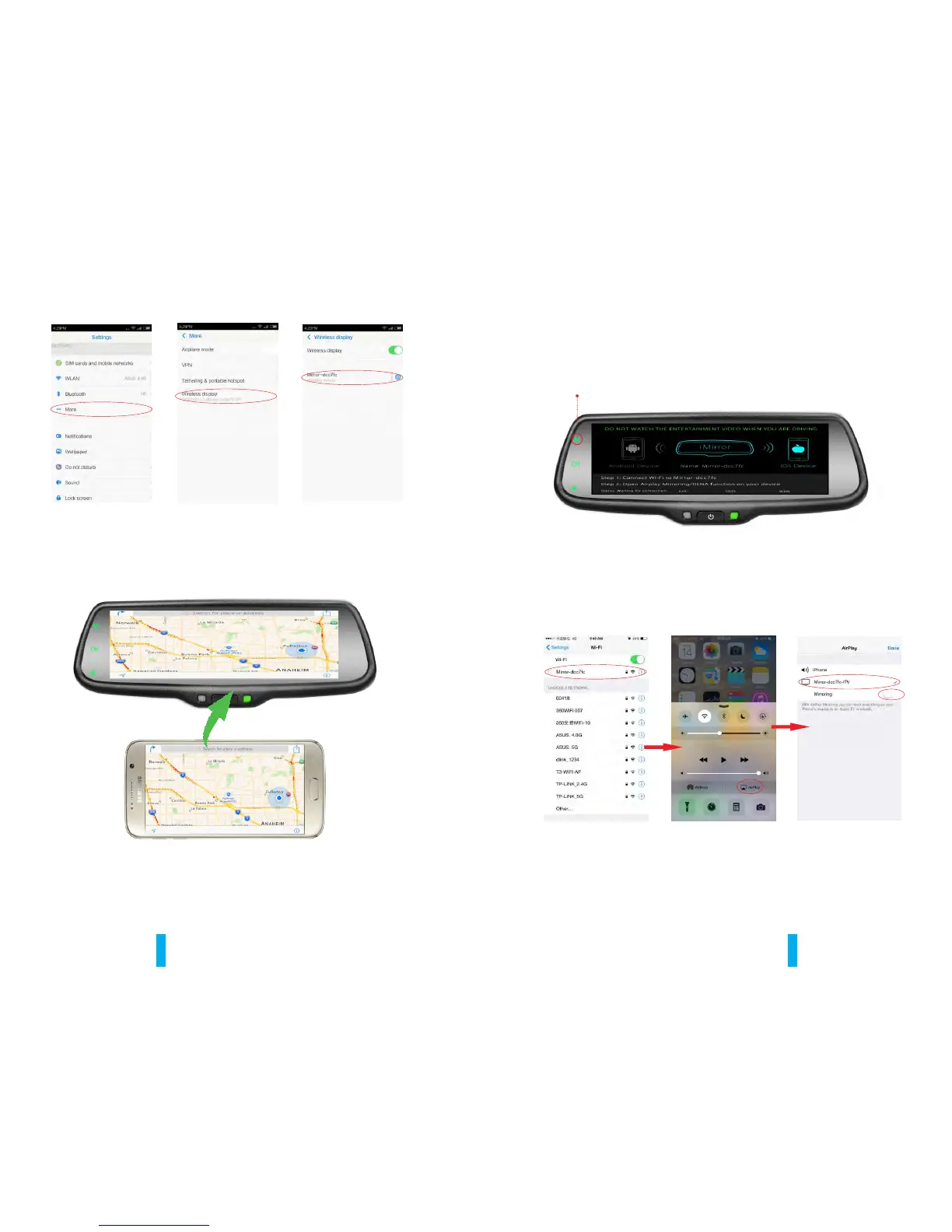
WIFI name
tap here
tap here
15 16
After finishing the connection, then the phone screen is projected to the
rear view mirror, you can press “CH” on TP button to choose "double mobile
dual mode" or "single-screen mode".
“M”button
1: Click the “M” button on TP button, switch the wireless mode to iOS mode.
5.1.2 How to connect with iPhone
2: Using iPhone search Wi-Fi (Wi-Fi name is displayed on the screen and
shown as below), then enter the default password: 12345678. After
finishing WIFI connection, bring up the shortcut menu, click on the AirPlay
function, select the device name, and open the mirroring.
tap here
Tap here
Turn it on
Tap here


 To Next Page