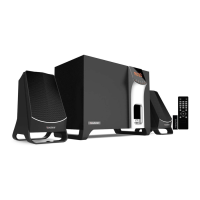
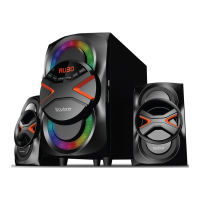
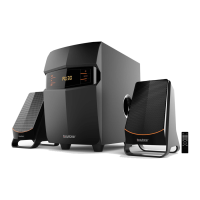
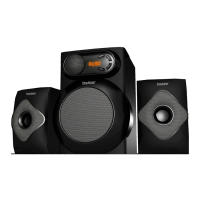
PC, TV, DVD
AUX
USB, SD/MMC MP3
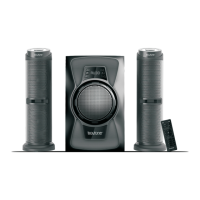
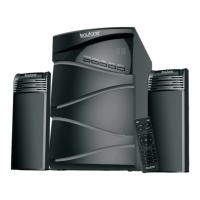
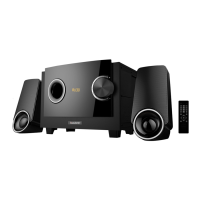
BT-3129F
//FEATURES
//SPECS
• 2200 W PMPO
• Analog audio input.
• MP3 playback on USB or
SD/MMC.
• Stereo FM radio.
• Buillt-in 3 channel power
amplifier.
• Connect via Analog to
your PC, DVD, TV etc.
• Remote Control
Output Power :116W+6Wx2
Frequency response:
40Hz-20KHz
Impedance : Subwoofer 4
Ohm. Satellite 8 Ohm
SIN Ratio: > 80dB
Isolation sensitivity: > 45dB
Distortion: < 0.3% at 1W
output @1KHz
Subwoofer speaker 4 "system
Satellite speaker 3 "system
Power. AC110·120V 50/60Hz
QUICK START GUIDE
A
SETUP
SELECT BLUETOOTH MODE USING THE
“INPUT” BUTTON ON THE UNIT (5) OR ON
THE REMOTE (11).
YOU WILL SEE “BT” FLASHING ON THE
DISPLAY.
SEARCH FOR DEVICES FROM YOUR
PHONE/TABLET/PC/LAPTOP
LOOK FOR “BLUETOOTH SPEAKER” IN
YOUR SEARCHED DEVICES.
CONNECT AND PAIR. VOILA!
B
SETUP
SELECT RADIO MODE USING THE “INPUT”
BUTTON.
TO SCAN - HOLD DOWN THE PLAY/PAUSE
BUTTON ON THE UNIT OR REMOTE.
THE UNIT WILL AUTO SCAN AND SET
YOUR STATIONS IN ORDER AND
DESIGNATE AS “CH1, CH2, ETC.”
BROWSE USING PREVIOUS/NEXT
1.Input
2.Previous
3.Volume+/- adjustment
4.Next
5.Play/pause
6.USB card reader
7.SD card reader
1. STANDBY: turn unit on or off
2.1-0: enter radio station or track number
3. EQ MODE: choose audio output sound field effect
4.INPUT: cycle selection between input
USB/SD/FM/AUX/BT.
5. VOLUME+,-: increase volume or reduce the volume
6. PREV: skip to the previous track
7. MUTE: mute the sound
8.100+: select music track after 100
9. RPT : repeat an audio track
10. NEXT: skip to the next track
11. PLAY/PAUSE: begin play or pause the USB or
SD/MMC. Hold down to scan radio stations.


 To Previous Page