1
2
3
4
5
6
5
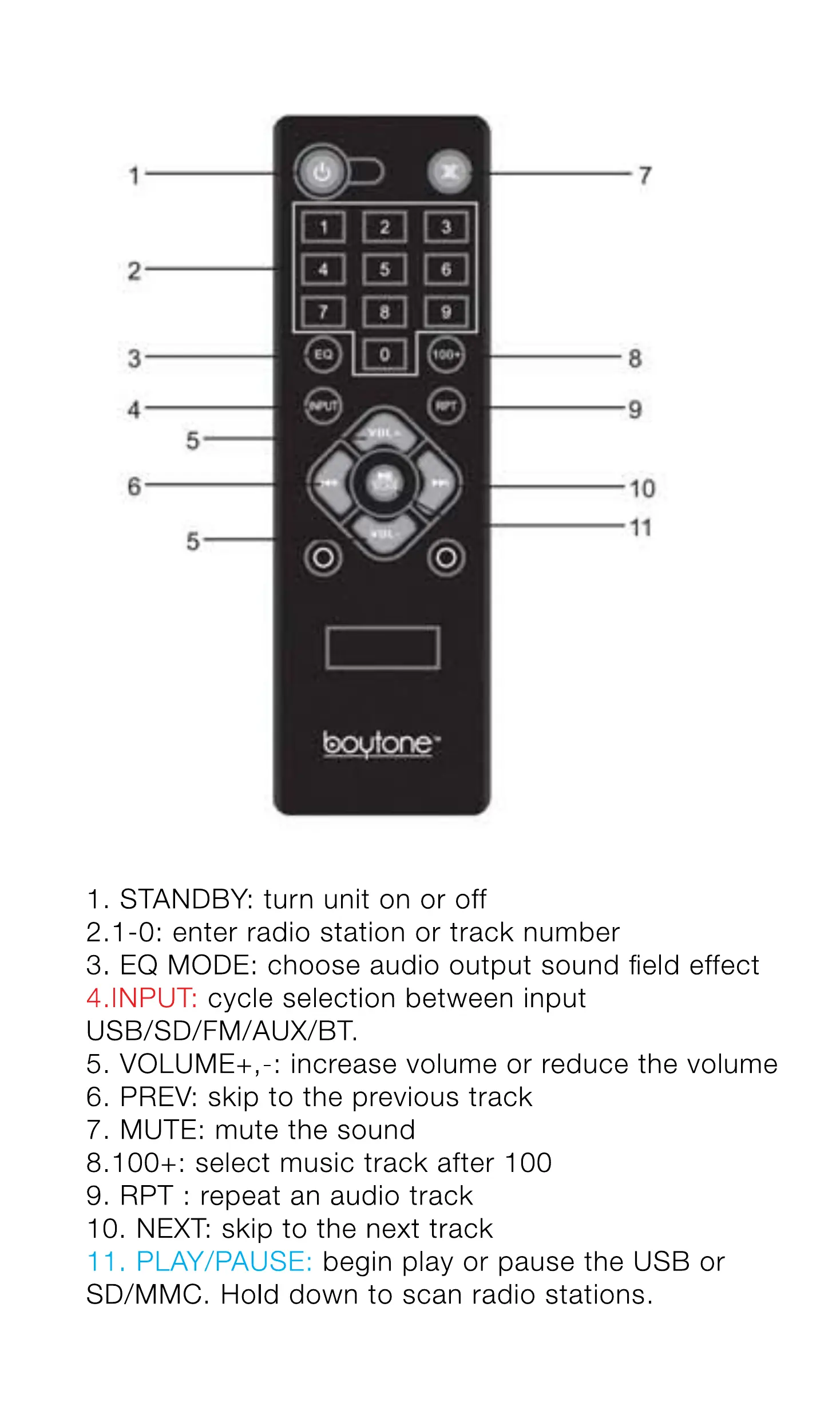
1. STANDBY: turn unit on or off
7
8
9
10
11
2.1 -O: enter radio station or track number
3. EQ MODE: choose audio output sound field effect
cycle selection between input
4. INPUT:
USB/SD/FM/AUX/BT.
5. VOLUME+,-: increase volume or reduce the volume
6. PREV: skip to the previous track
7. MUTE: mute the sound
8.100+: select music track after 100
9. RPT : repeat an audio track
10. NEXT: skip to the next track
11. PLAY/PAUSE:
begin play or pause the USB or
SD/MMC. Hold down to scan radio stations.


 To Next Page