MUSIC / MOVIE / CALENDAR
7
MOVIE
CALENDAR
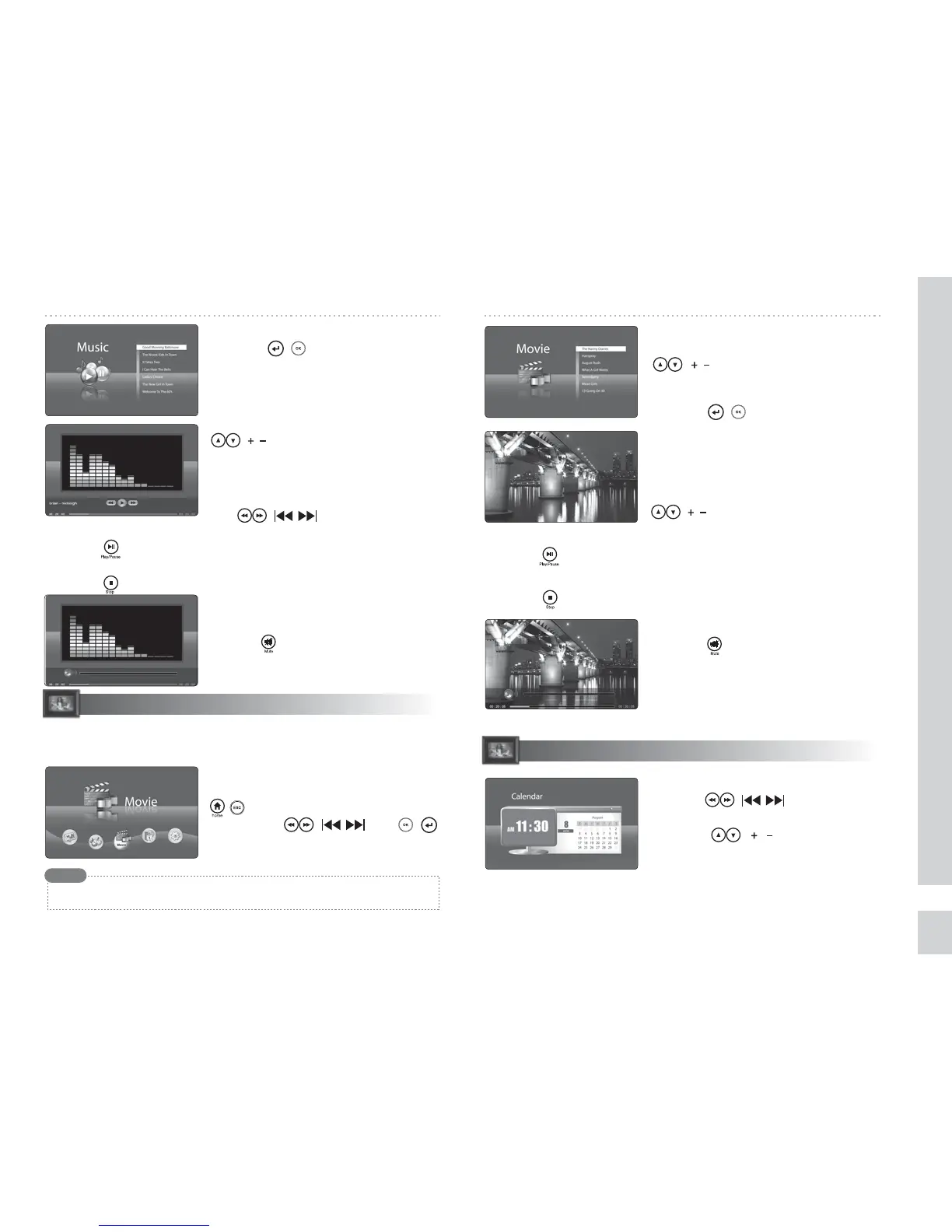
◈ Viewing the calendar and time
Press the ( ) buttons to view
calendar for dierent years.
Press the ( ) buttons to view
calendar for dierent months.
◈ Turning o the sound
Press the button to turn o the sound
during playback.
◈ Playing back the selected music le
Press the ( ) button after selecting
the desired music le.
◈ Playing back previous/next music le
During playback, you can move to the
previous or next music by pressing the
( ) button.
◈ Pausing the music
Press the button during playback.
◈ Stopping the music
Press the button during playback.
◈ Mute the sound
Press the button to turn o the sound
during playback.
◈ Playing back the selected movie le
Press the ( ) button after selecting
the desired music le.
◈ Playing back the previous/next movie
During playback, you can move to the
previous or next music by pressing the
( ) button.
◈ Pausing the movie
Press the button during playback.
◈ Stopping the movie
Press the button during playback.
◈ Selecting the desired movie le
Select the desired music le using the
( ) buttons.
◈ Fast Forward/Reverse music
During playback, you can move forward
or reverse through music by pressing
the ( ) buttons.
※Parenthesis( ) is the button of the main body.
Using this menu, you can play back movies such as digital camera movies,
music albums, etc.
◈ Moving to the Movie menu
Move to the MENU screen by pressing the
( ) button. Select the MOVIE menu
by using the ( ) and ( )
buttons. Movie format supportable
→ AVI (mjpg), MP4 (SP TYPE)
According to the file codec or type, playback supporting is restrictive.
Note
Time and date settings can be congured in Setup.
Supported calendars are years 2006 ~ 2030.


 To Next Page