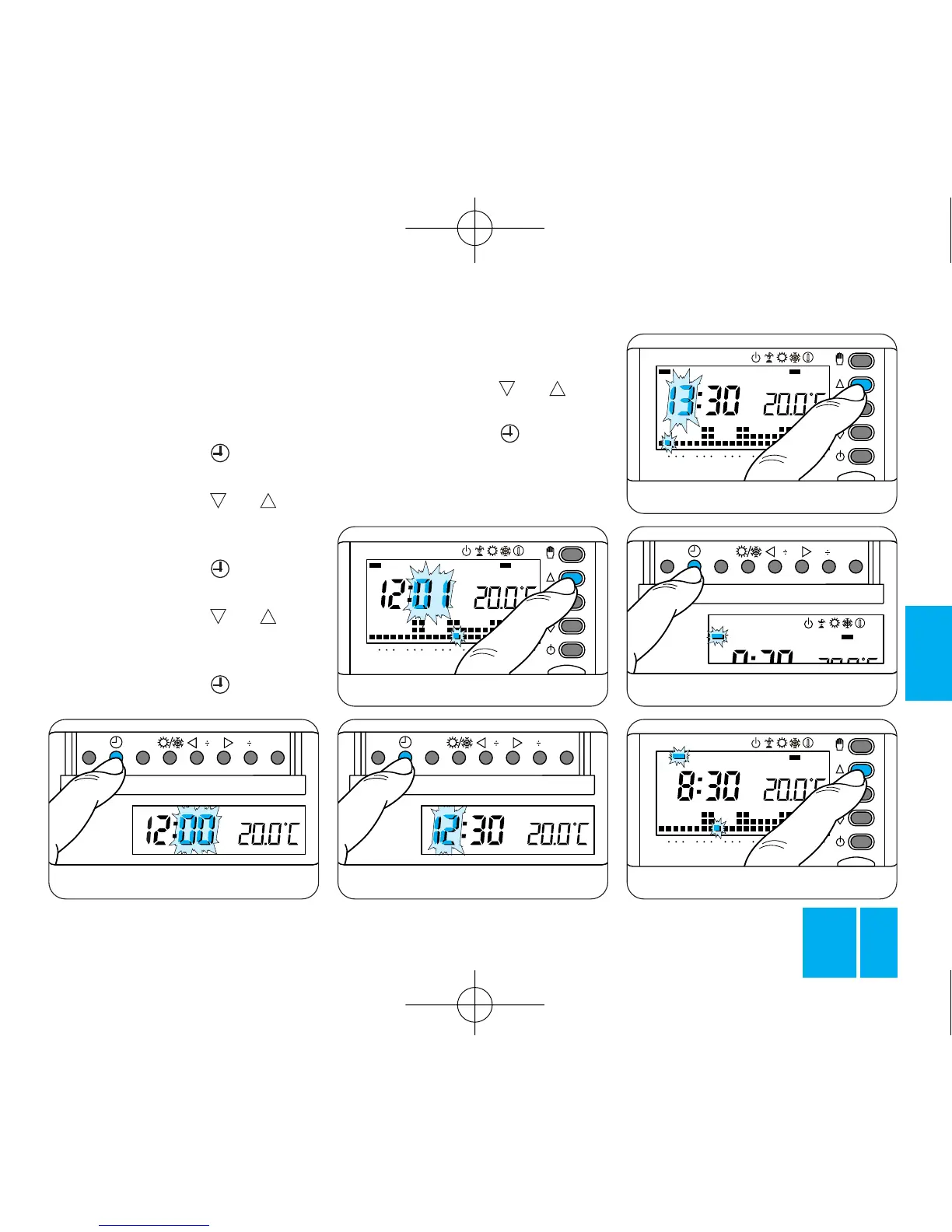
Fig. 13
Fig. 14
The indicator for the days of the
week flashes.
3.7 - Press button or until
the right day is displayed, figure 18.
3.8 - Press button to end the
procedure for setting the actual
day and time, figure 19.
The dots separating the hours
Fig. 16
3 - SETTING
THE CLOCK
3.1 - Remove the body from the
housing.
3.2 - Press button
,
figure 13.
The minute digits flash.
3.3 - Press button or until
the required value for the minutes
is displayed, figure 14.
3.4 - Press button
,
figure 15.
The hour digits flash.
3.5 - Press button or until
the required value for the hours is
displayed, figure 16.
3.6 - Press button
,
figure 17.



 To Next Page