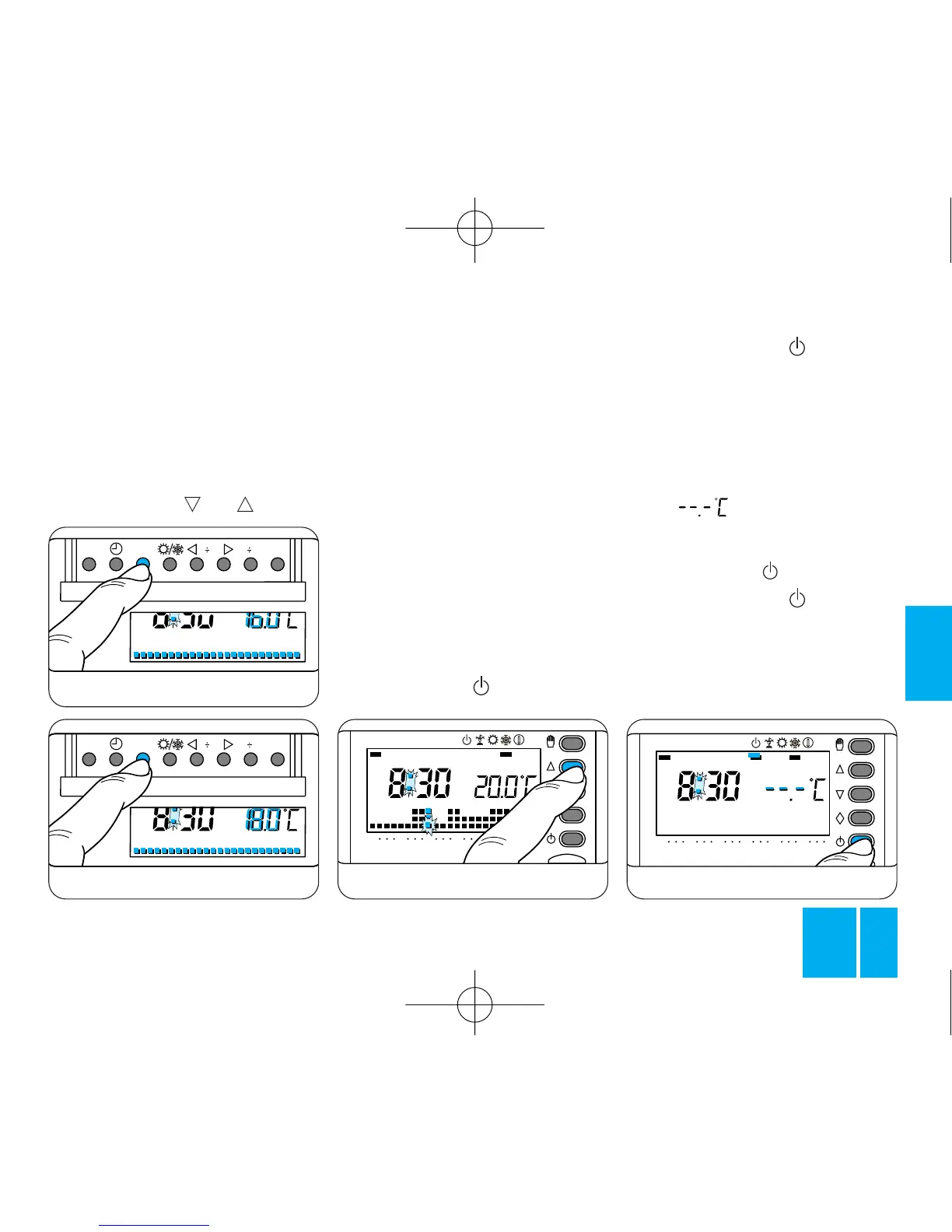
Fig. 60
Fig. 61
button T to end the procedure.
12.5 - Replace the thermostat in
its housing.
Note. The same result can be
achieved as follows: first make
sure that the thermostat is in
AUTOMATIC mode.
If you press the or button,
the display shows the temperature
values assigned to the various
levels, figure 62.
If necessary, restore the tempera-
ture level of the current time.
13 - STAND-BY MODE
This position is useful during win-
ter cleaning and maintenance ope-
rations, while away in the summer,
etc.. The thermostat simply works
as a clock and room thermometer,
without affecting the plant.
In the HEATING program
13.1 - Press the button twice.
The bar under the symbol is
enabled to confirm the fact that the
THERMOPROGRAM is not control-
ling the plant and the program
graph disappears, figure 63.
For 5 s the room temperature rea-
ding disappears and the display
reads .
In the COOLING programm
13.2 - Press the button once.
The bar under the symbol is
enabled to confirm the fact that the
THERMOPROGRAM is not control-
ling the plant and the program
graph disappears, figure 64.



 To Next Page