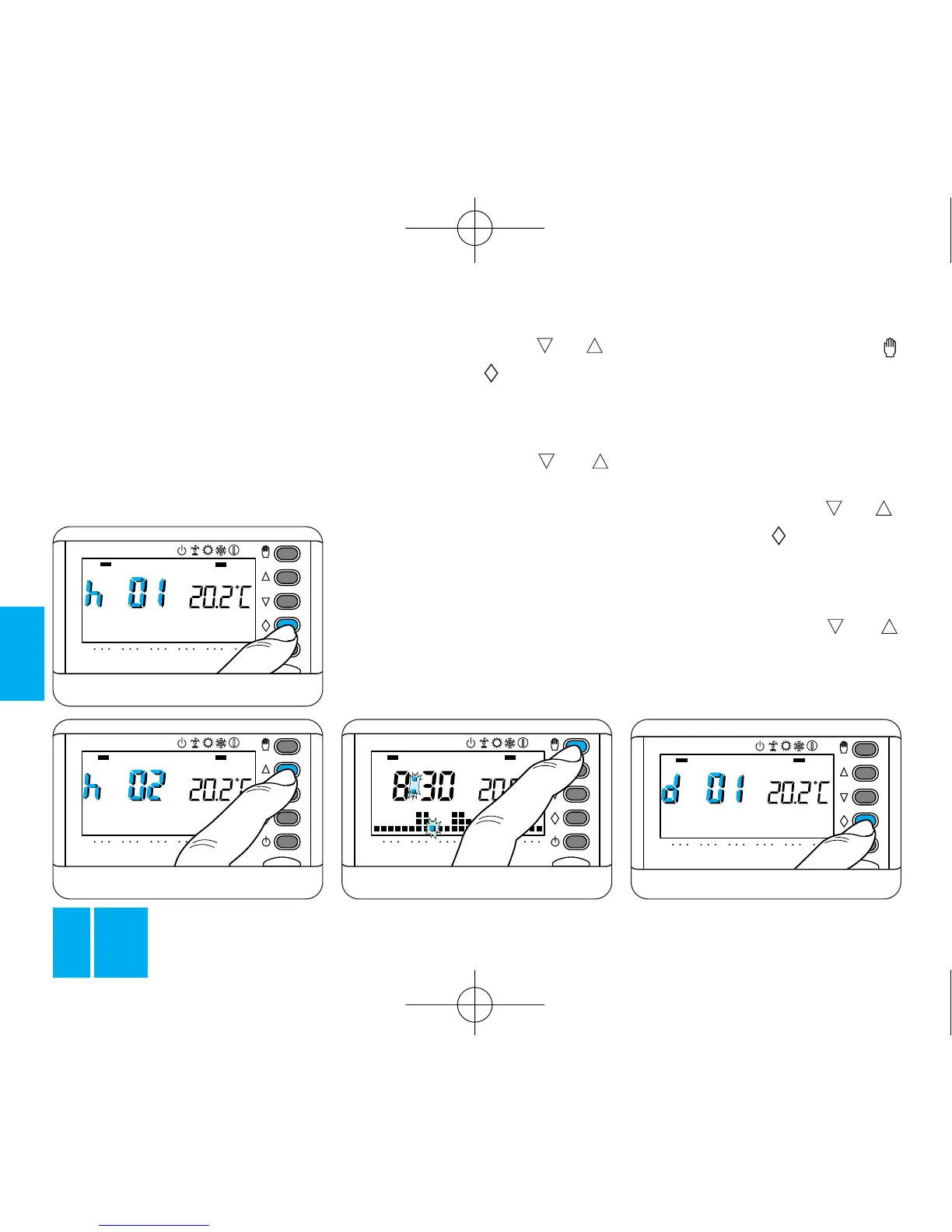
Fig. 26
AUTOMATIC mode, running the
system according to the preset
program.
Programming in hours
5.1 - Make sure that you are in
MANUAL mode.
5.2 - Set the value of the required
temperature by pressing or .
5.3 - Press the button once,
figure 25.
The display shows the wording
h01 instead of the actual time.
5.4 - Press the button or
until you reach the number of
hours required, which can range
from 1 to 99, figure 26.
The hours are counted including the
hour during which the programming
options is used (so the remainder of
the hour when the setting is made
counts as a whole hour).
Note. To return to AUTOMATIC
mode before the expiry of the pro-
grammed interval, press the
button, figure 27.
Programming in days
5.5 - Make sure that you are
MANUAL mode.
5.6 - Set the value of the required
temperature by pressing or .
5.7 - Press the button twice,
figure 28.
The display shows the wording
d01 instead of the actual time.
5.8 - Press the button or
until you reach the number of days
required, which can range from 1
to 99.



 To Next Page