Remote Mounting the Setback Control
-65-
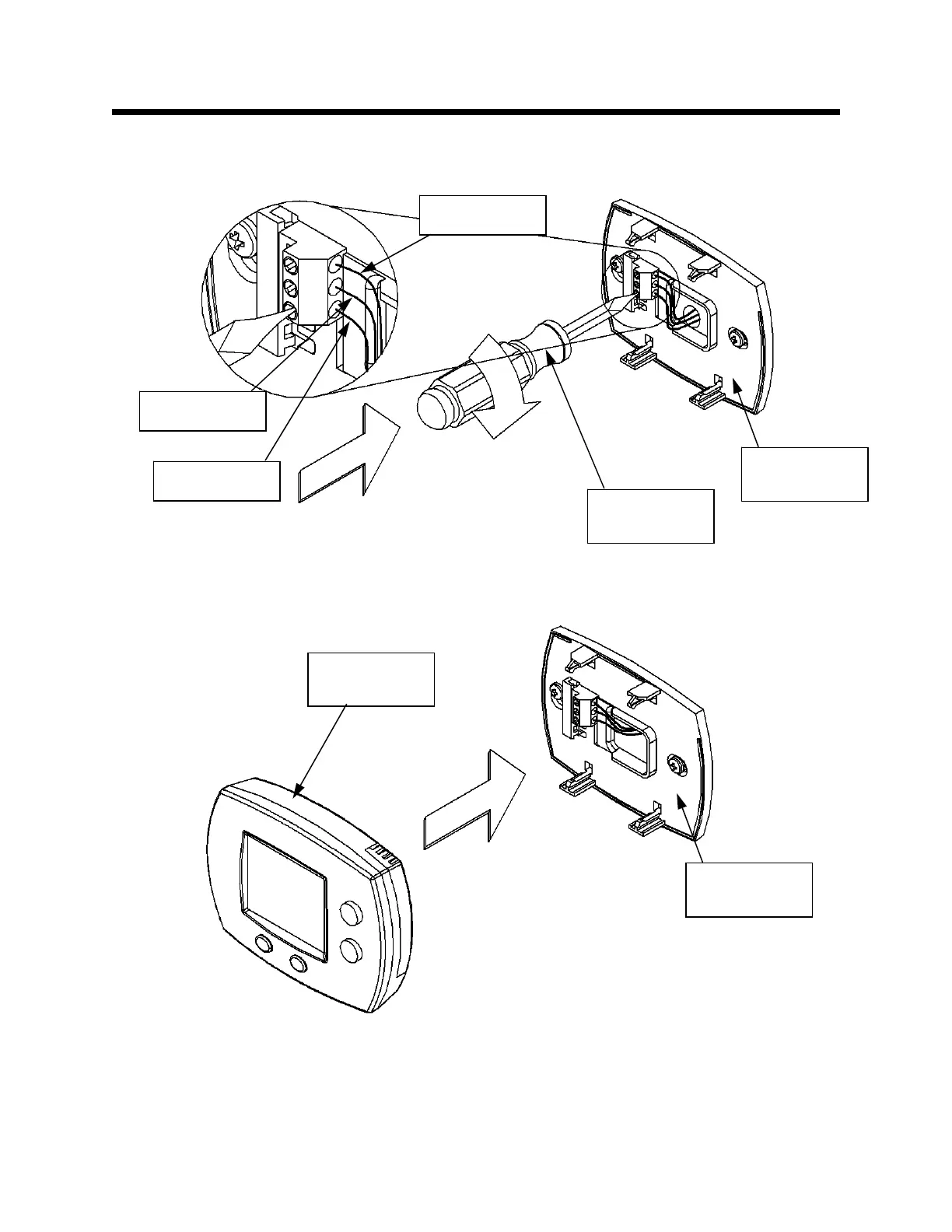
Fasten Wire (C) into its Designated Location – Protective Plate
Step 19: Tighten the slotted screw in the bottom terminal location on the Protective Plate. This is shown
in Figure 99.
Install Setback Control
Step 20: Snap the Setback Control into the Protective Plate. Align the Setback Control to the Protective
Plate, and press until it is fully seated. This is shown in Figure 100.
Figure 100
Figure 99
Protective
Plate
Slotted head
screwdriver
Wire (A)
Wire (B)
Wire (C)
Protective
Plate
Setback
Control


 To Next Page