8 Bradyprinter 200MVP and 300MVP User’s Guide
&KRRVLQJWKH3ULQW0RGH
•In tear-off mode, each label (or a strip of labels) can be torn off after it is printed.
•In peel-off mode, backing material is peeled away from the label as it is printed.
After this label is removed from the printer, the next one is printed.
•In cutter mode, the printer automatically cuts the label after it is printed (only if
optional cutter unit is installed).
•In rewind mode, the media and/or backing are rewound onto a core as the labels
are printed (only if optional rewind unit is installed).
/RDGLQJWKH0HGLD
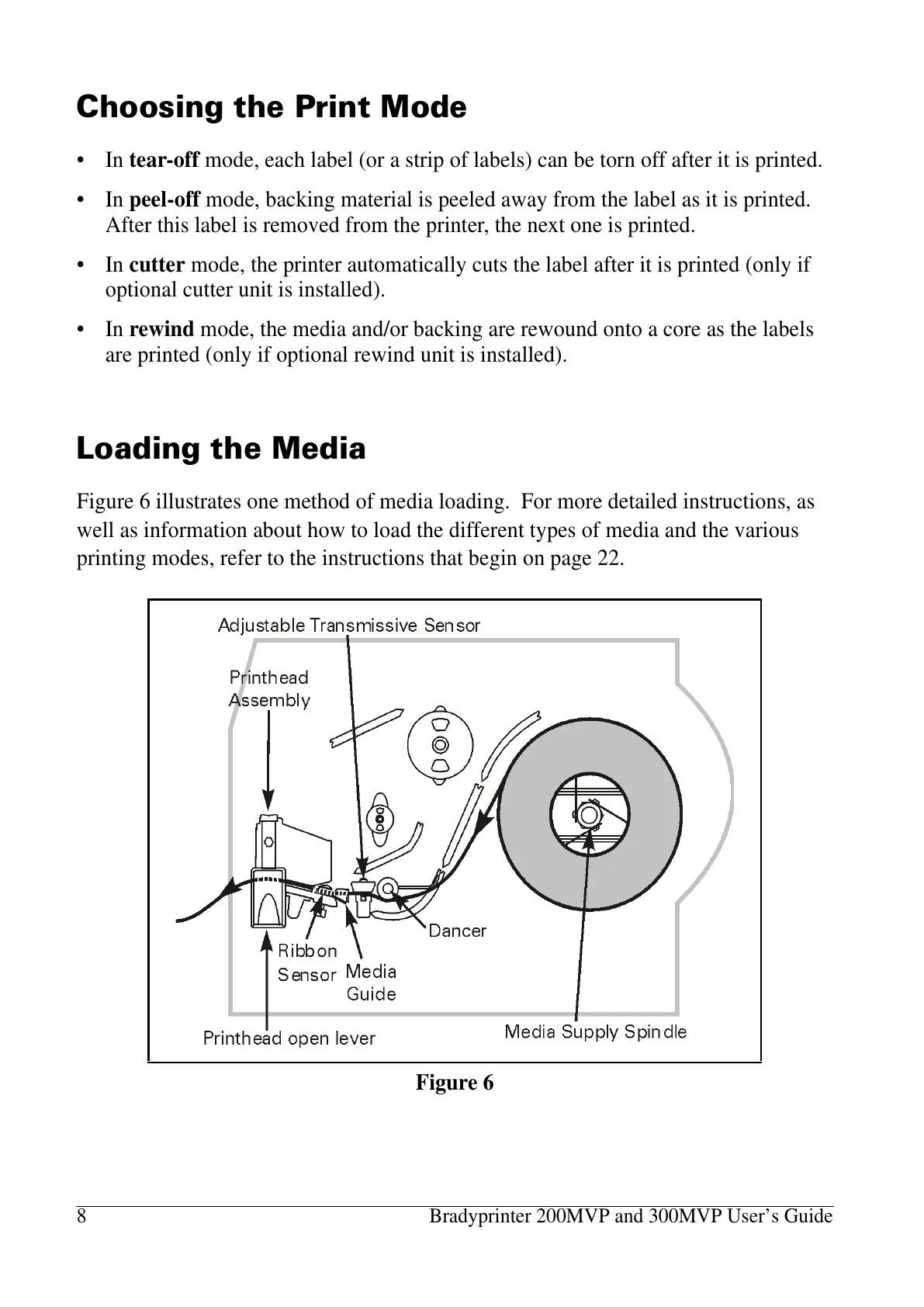
Figure 6 illustrates one method of media loading. For more detailed instructions, as
well as information about how to load the different types of media and the various
printing modes, refer to the instructions that begin on page 22.
Figure 6















 To Next Page