Bradyprinter 200MVP and 300MVP User’s Guide 17
ÆÏAOÆÍØYAÏ
6\VWHP&RQVLGHUDWLRQV
,QWHUIDFHV
The method of interfacing this printer to a data source depends on the
communication options installed in the printer. The standard interfaces are an
RS-232/RS-422/RS-485 serial data port and a bi-directional parallel port. The
optional ZebraNet
®
PrintServer II enables printers to be connected to 10Base-T
Ethernet networks.
'DWD6SHFLILFDWLRQV
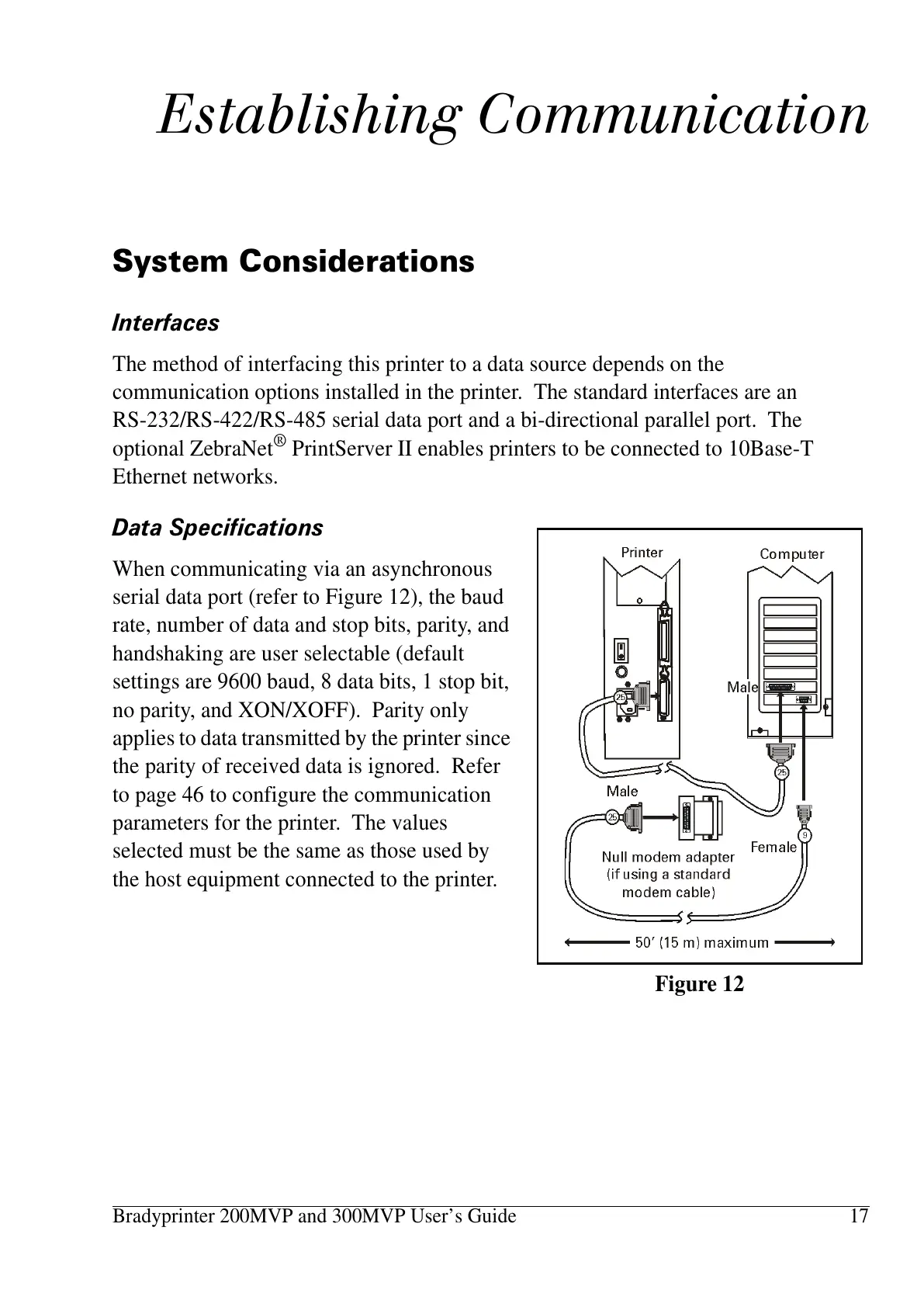
When communicating via an asynchronous
serial data port (refer to Figure 12), the baud
rate, number of data and stop bits, parity, and
handshaking are user selectable (default
settings are 9600 baud, 8 data bits, 1 stop bit,
no parity, and XON/XOFF). Parity only
applies to data transmitted by the printer since
the parity of received data is ignored. Refer
to page 46 to configure the communication
parameters for the printer. The values
selected must be the same as those used by
the host equipment connected to the printer.
Figure 12















 To Next Page