Bradyprinter 200MVP and 300MVP User’s Guide 57
&OHDQLQJWKH6HQVRUV
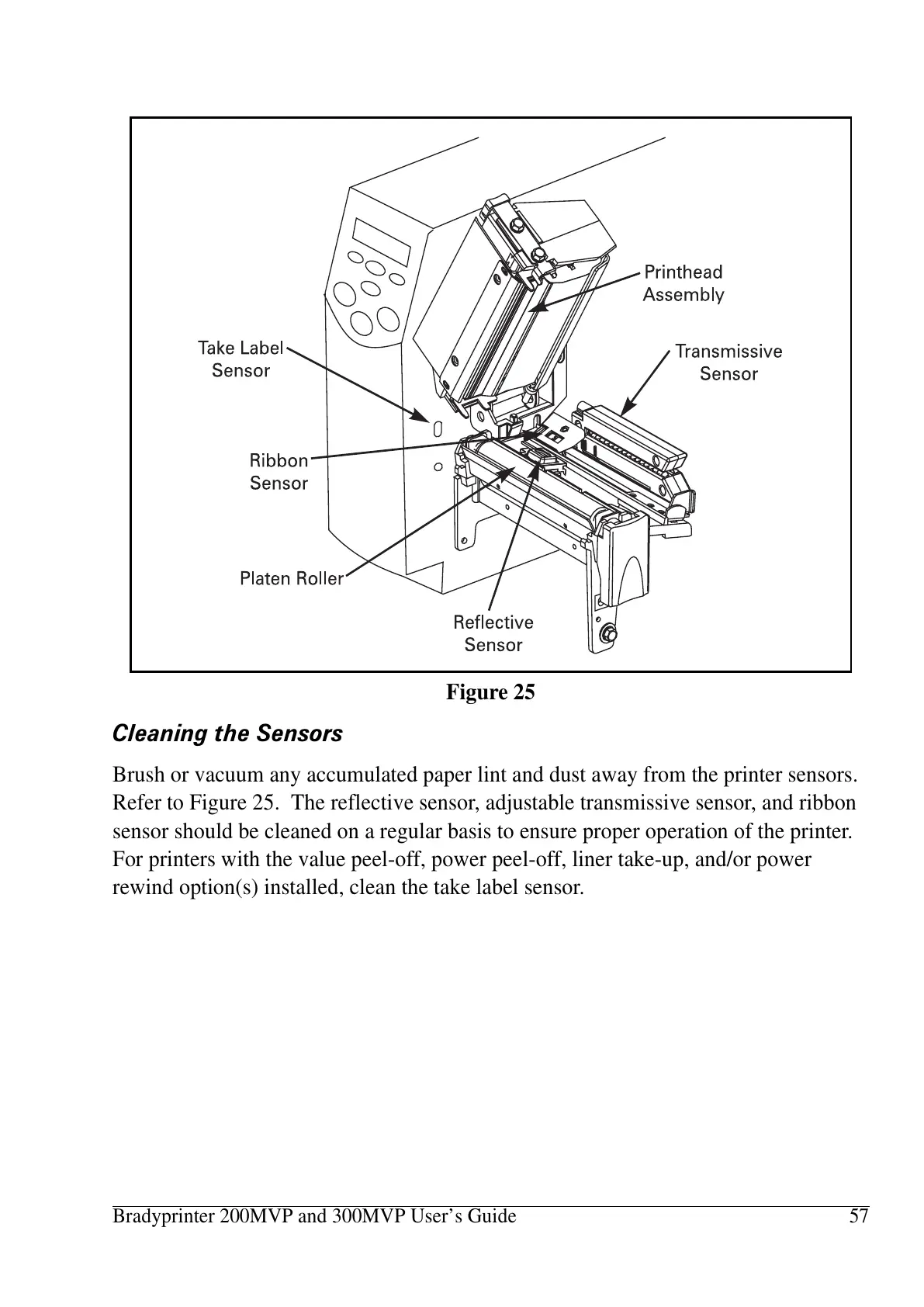
Brush or vacuum any accumulated paper lint and dust away from the printer sensors.
Refer to Figure 25. The reflective sensor, adjustable transmissive sensor, and ribbon
sensor should be cleaned on a regular basis to ensure proper operation of the printer.
For printers with the value peel-off, power peel-off, liner take-up, and/or power
rewind option(s) installed, clean the take label sensor.
Figure 25















 To Next Page