58 Bradyprinter 200MVP and 300MVP User’s Guide
&OHDQLQJWKH3RZHU3HHO2II0RGXOH
(Power peel-off option required)
Perform the following procedure if adhesive buildup begins to affect peel
performance.
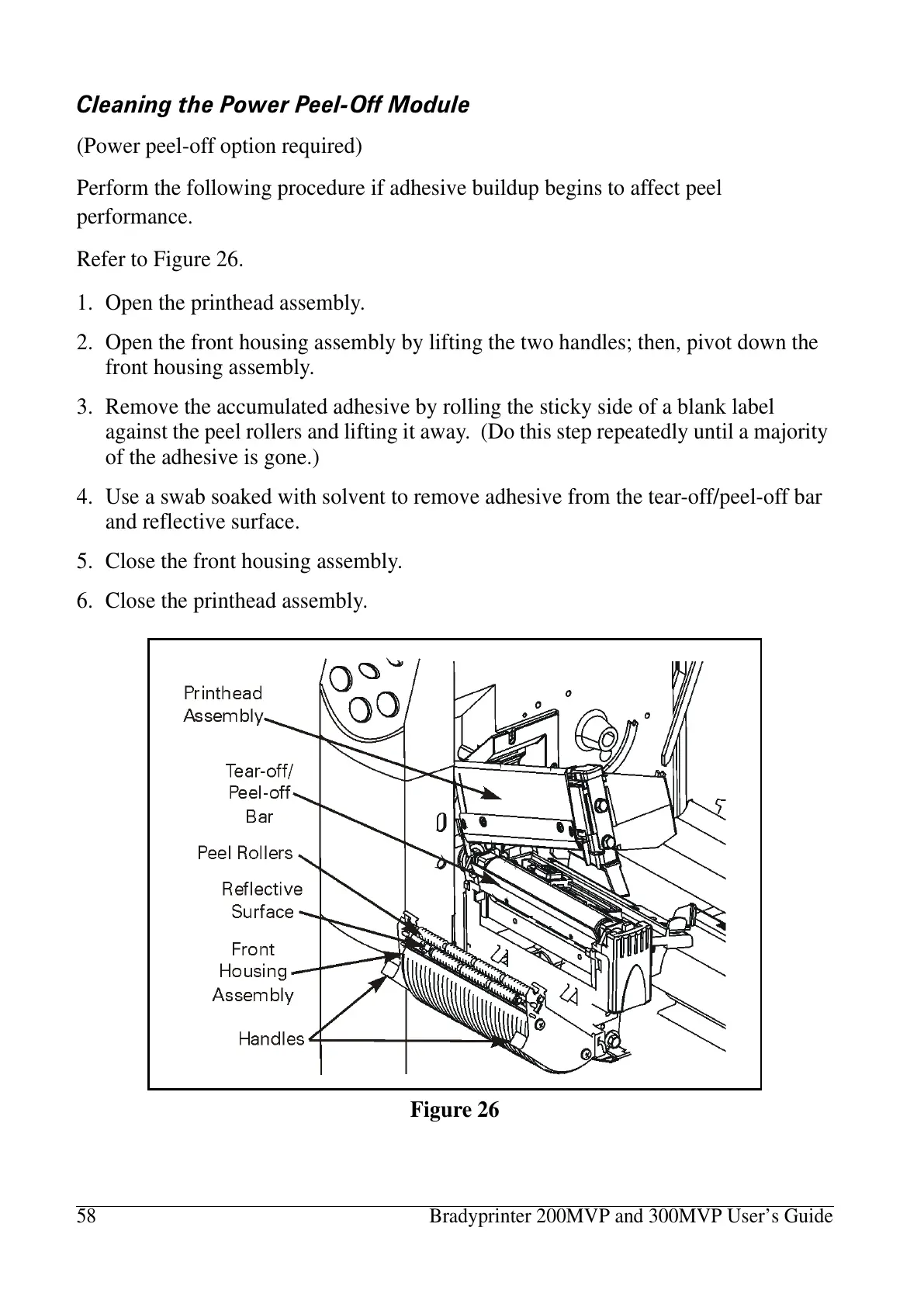
Refer to Figure 26.
1. Open the printhead assembly.
2. Open the front housing assembly by lifting the two handles; then, pivot down the
front housing assembly.
3. Remove the accumulated adhesive by rolling the sticky side of a blank label
against the peel rollers and lifting it away. (Do this step repeatedly until a majority
of the adhesive is gone.)
4. Use a swab soaked with solvent to remove adhesive from the tear-off/peel-off bar
and reflective surface.
5. Close the front housing assembly.
6. Close the printhead assembly.
Figure 26















 To Next Page