Bradyprinter 200MVP and 300MVP User’s Guide 59
&OHDQLQJWKH9DOXH3HHO2II0RGXOH
(Value peel-off option required)
Perform the following procedure if adhesive buildup begins to affect peel-off
performance.
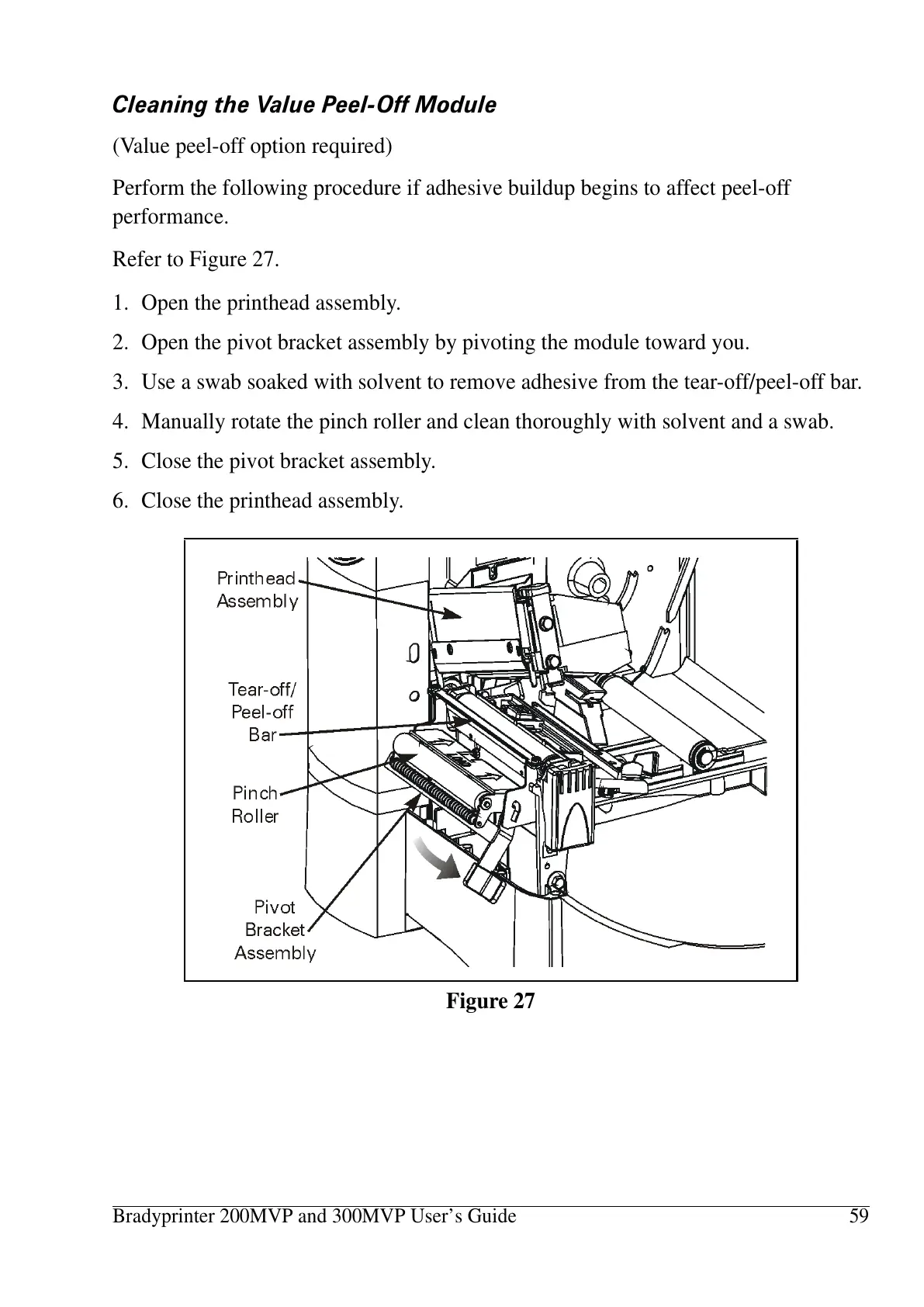
Refer to Figure 27.
1. Open the printhead assembly.
2. Open the pivot bracket assembly by pivoting the module toward you.
3. Use a swab soaked with solvent to remove adhesive from the tear-off/peel-off bar.
4. Manually rotate the pinch roller and clean thoroughly with solvent and a swab.
5. Close the pivot bracket assembly.
6. Close the printhead assembly.
Figure 27















 To Next Page