Outdoor Remote Sensing
Outdoor remote sensing is enabled by installing a Braeburn
®
remote outdoor sensor. No additional configuration is required.
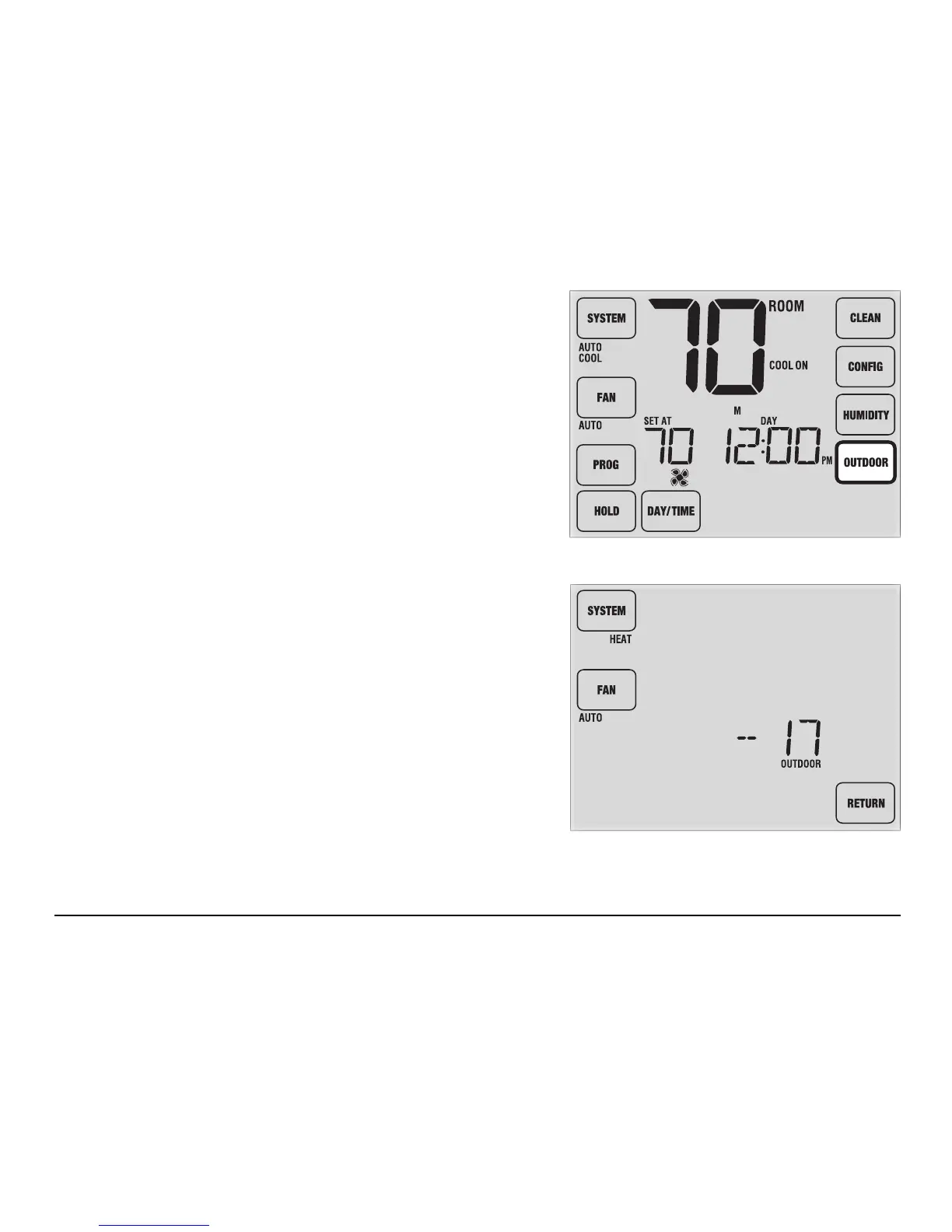
If a Braeburn outdoor remote sensor was installed you will see the
OUTDOOR TouchPad
™
on the right side of the main display screen
(Figure 1). To view the outdoor temperature, touch OUTDOOR.
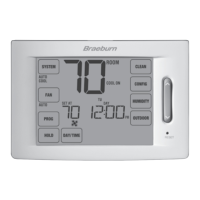
The current outdoor temperature will be displayed for 5 seconds
(Figure 2).
The outdoor sensor can also be congured in the Installer Settings
(See Installer Manual) to automatically control advanced thermostat
functions.
User Manual 32
Figure 1
Figure 2



 To Next Page