EasyManua.ls Logo

Brandt TI2FSOFT - User Manual

Brandt TI2FSOFT
29 pages
Go to English
Print Icon
To Next Page IconTo Next Page
Loading...
FR MANUEL D’INSTRUCTION
EN INSTRUCTION MANUAL
Table à induction
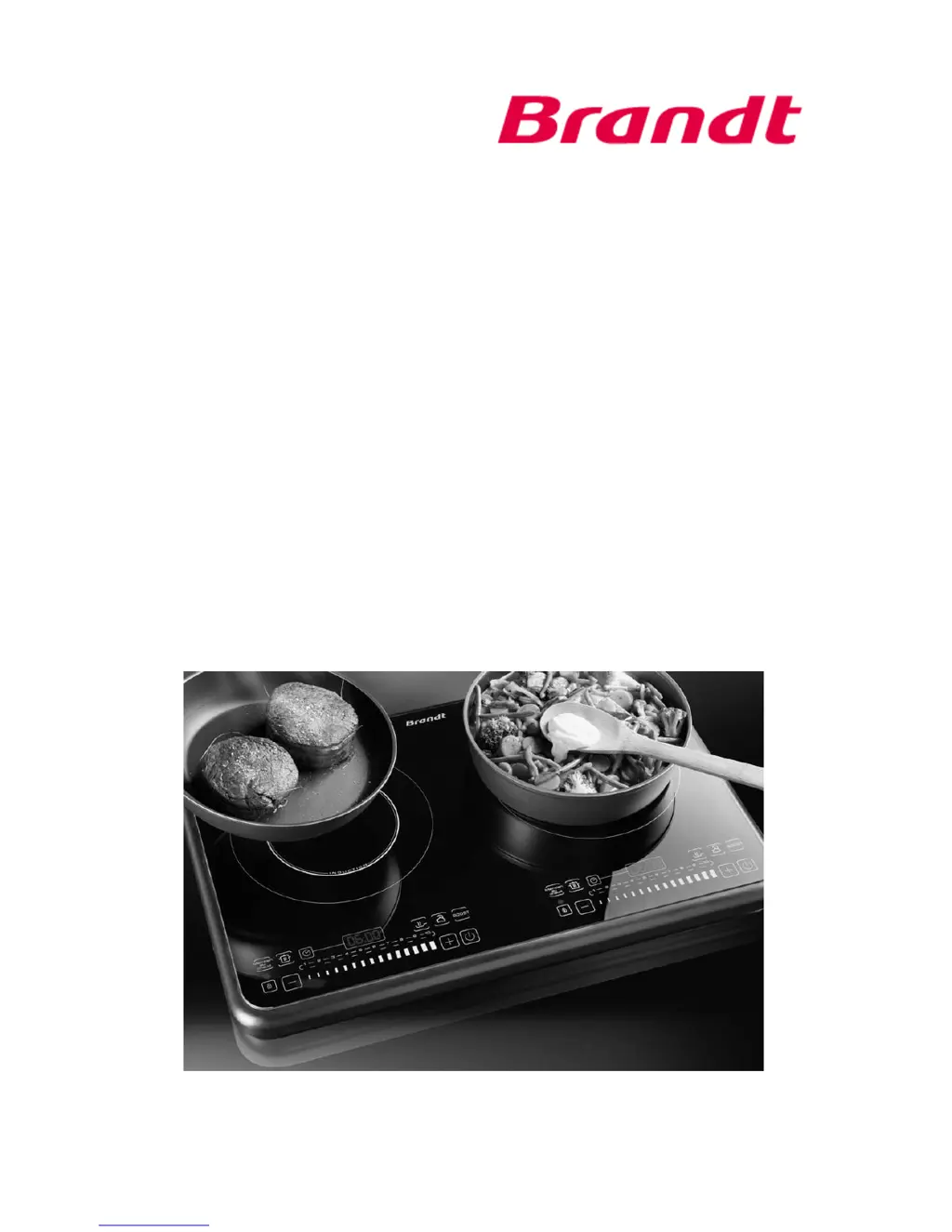
Induction cooker
TI2FSOFT

Questions and Answers

Summary

Information for the User

Safety Recommendations

Crucial safety guidelines for installation, operation, and maintenance to ensure user safety and prevent hazards.

Technical Data

Specifications of the induction cooker, including model, power, dimensions, and electrical requirements.

Environmental Protection

Guidance on proper disposal of the appliance at its end of life to protect the environment.

Appliance Presentation

Induction Cooker Description

Overview of the induction cooker's physical components and design.

Control Panel Overview

Explanation of the induction cooker's control panel layout and button functions.

Before First Use

Instructions and precautions for initial setup and preparation before operating the induction cooker.

Suitable and Unsuitable Pots and Containers

Guidelines on selecting appropriate cookware for induction cooking based on material and size.

Using Your Appliance

Safety Pack Features

Details on built-in safety mechanisms like over-temperature, container detection, and auto-shutdown.

Control Panel Operation

How to interact with the touch-sensitive control panel for adjusting settings and functions.

Starting the Appliance

Steps to power on the induction cooker and prepare it for cooking.

Using Different Functions

Explanation of various cooking modes like Simmer, Fry, Boil, Boost, Keep Warm, and their specific operations.

Timer Functionality

How to set and adjust the cooking timer for precise control over cooking duration.

Child Lock Mode

Enables locking the control panel to prevent accidental changes or use by children.

Switching Off the Appliance

Procedure for safely turning off the induction cooker after use.

Cleaning and Maintenance

Cleaning the Induction Cooker

Instructions for cleaning the glass-ceramic surface and control panel, including recommended methods and materials.

Troubleshooting Common Failures

Guidance on diagnosing and resolving common problems with the induction cooker, including error codes.

Warranty and Customer Relations

Warranty Information

Details on product warranty coverage, service calls, and required information for repairs.

Customer Contact Information

Methods to contact customer support for product inquiries, assistance, and feedback.

Summary

Information for the User

Safety Recommendations

Crucial safety guidelines for installation, operation, and maintenance to ensure user safety and prevent hazards.

Technical Data

Specifications of the induction cooker, including model, power, dimensions, and electrical requirements.

Environmental Protection

Guidance on proper disposal of the appliance at its end of life to protect the environment.

Appliance Presentation

Induction Cooker Description

Overview of the induction cooker's physical components and design.

Control Panel Overview

Explanation of the induction cooker's control panel layout and button functions.

Before First Use

Instructions and precautions for initial setup and preparation before operating the induction cooker.

Suitable and Unsuitable Pots and Containers

Guidelines on selecting appropriate cookware for induction cooking based on material and size.

Using Your Appliance

Safety Pack Features

Details on built-in safety mechanisms like over-temperature, container detection, and auto-shutdown.

Control Panel Operation

How to interact with the touch-sensitive control panel for adjusting settings and functions.

Starting the Appliance

Steps to power on the induction cooker and prepare it for cooking.

Using Different Functions

Explanation of various cooking modes like Simmer, Fry, Boil, Boost, Keep Warm, and their specific operations.

Timer Functionality

How to set and adjust the cooking timer for precise control over cooking duration.

Child Lock Mode

Enables locking the control panel to prevent accidental changes or use by children.

Switching Off the Appliance

Procedure for safely turning off the induction cooker after use.

Cleaning and Maintenance

Cleaning the Induction Cooker

Instructions for cleaning the glass-ceramic surface and control panel, including recommended methods and materials.

Troubleshooting Common Failures

Guidance on diagnosing and resolving common problems with the induction cooker, including error codes.

Warranty and Customer Relations

Warranty Information

Details on product warranty coverage, service calls, and required information for repairs.

Customer Contact Information

Methods to contact customer support for product inquiries, assistance, and feedback.

Brandt TI2FSOFT Specifications

General IconGeneral
BrandBrandt
ModelTI2FSOFT
CategoryCookers
LanguageEnglish

Related product manuals