6
OPERATION
How to Turn on the Fridge
1. Connect to power
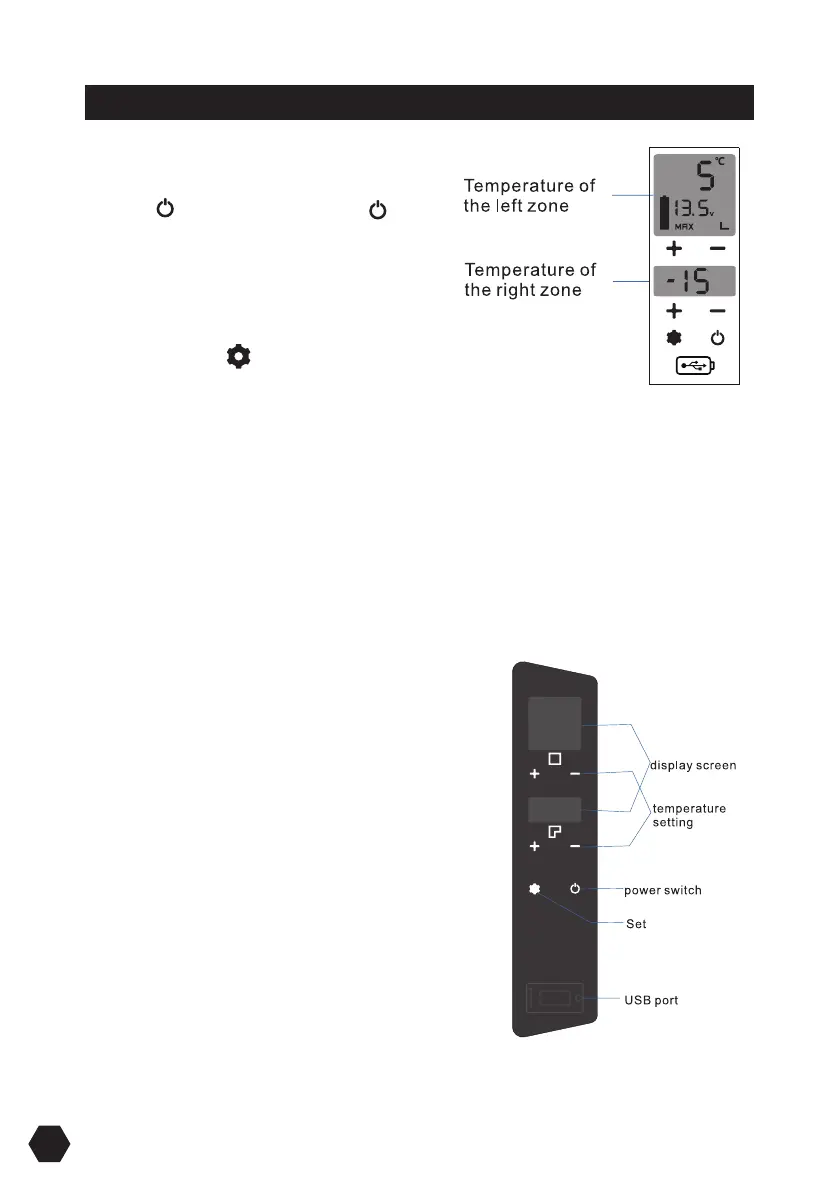
2. Press to switch ON, long press for
three seconds to switch OFF.
3. The internal temperature will display and
the compressor will start
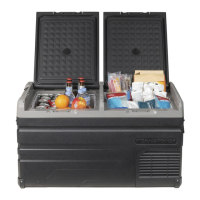
4. Only one internal temperature will display
if the zone divider is removed.
SET: Press button to enter dierent
modes, ECO (Energy Saving Mode), and MAX
(Fast Cooling Mode). Factory setting is MAX
Press button + or - and set the temperature
to 20°C ~ -20°C
Setting temperature of the product
Left zone (Fridge): 5°C / Right Zone (Freezer): -15°C
Left zone (Fridge): 5°C / Right Zone (Fridge): 5°C
Left zone (Freezer): -15°C / Right Zone (Freezer): -15°C
The temperature of left zone can not be set lower than it of the right zone.
Turning the left zone ON or OFF
To conserve energy, the square (left) zone can be
turned o by pressing and holding down the +
and - buttons simultaneously for 3 seconds. Do
the same to turn the square (left) zone back on.
Please be noted: Ensure that the left zone is on
before the partition is removed to operate in
single zone mode.
If the left zone is turned o and the partition is
removed then the compressor will not turn on.


 To Next Page