EasyManua.ls Logo

Braun 5696 - User Manual

Braun 5696
31 pages
Print Icon
To Next Page IconTo Next Page
Loading...
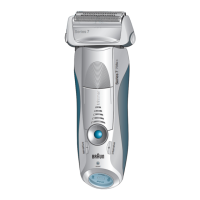
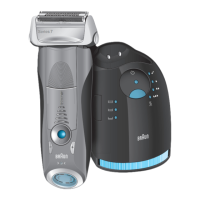
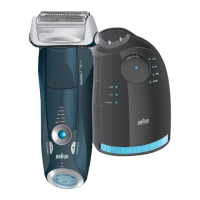
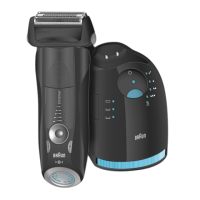
Type 5696
y
pe 569
6
7899cc w&d
7898cc w&d
7897cc w&d
Series 7
www.braun.com/jp
90796256/III-16
90796256_7899cc7898cc7897cc_Japan.indd 190796256_7899cc7898cc7897cc_Japan.indd 1 23.03.16 14:2223.03.16 14:22
Stapled booklet, 120 x 170 mm, 36 pages, 2/2c = black + cyan
CSS APPROVED Effective Date 29Mar2016 GMT - Printed 29Jun2016 Page 1 of 36

Other manuals for Braun 5696

Questions and Answers

  • L
    lwilliamsSep 1, 2025
    Why has my Braun 5696 Electric Shaver shaving performance dropped?
    • T
      Tammy TorresSep 2, 2025
      If the shaving performance of your Braun Electric Shaver has significantly decreased, several factors could be responsible. First, the foil and cutter may be worn and need replacement. Second, the personal setting for shaving performance might have been changed. For a thorough and fast shave, the green (intensive) setting is recommended. Third, the shaving system could be clogged. To resolve this, soak the Foil & Cutter cassette in hot water with a drop of dish liquid, then rinse it properly, tap it out, and apply a drop of light machine oil once it's dry.
  • J
    jenningsmonicaAug 31, 2025
    Why are battery segments skipped on my Braun 5696 Electric Shaver?
    • L
      lawrencenicholasAug 31, 2025
      If the battery segments in the display of your Braun Electric Shaver are skipped as the battery capacity decreases, it's usually because the foil and cutter are worn, which increases the power needed for each shave. Replace the Foil & Cutter cassette and regularly oil the shaving system, especially if you clean it with water.
  • B
    Bryan PhillipsAug 29, 2025
    Why is my Braun Electric Shaver cleaning fluid consumption increased?
    • J
      James EverettAug 29, 2025
      Increased cleaning fluid consumption in your Braun Electric Shaver's Clean&Renew station is often due to a clogged drain. Try cleaning the drain with a wooden toothpick and regularly wipe the tub clean.
  • D
    djonesAug 27, 2025
    What to do if my Braun Electric Shaver head is damp?
    • J
      Jonathan SmithAug 27, 2025
      A damp shaver head on your Braun Electric Shaver can occur for a few reasons: * Insufficient drying time after automatic cleaning. Try cleaning directly after shaving to allow more drying time. * A clogged Clean&Renew station drain. Clean the drain with a wooden toothpick and regularly wipe the tub clean. * Prolonged use of the cleaning cartridge. The ethanol/isopropanol proportion decreases while the oil proportion increases. Remove residue with a cloth.
  • C
    Carlos MathisAug 26, 2025
    Why is my Braun 5696 Electric Shaver head damp?
    • C
      Christina RichardsonAug 26, 2025
      If your Braun Electric Shaver head is damp, it could be due to a few reasons. The drying time after automatic cleaning might have been too short, so clean directly after shaving to allow enough time for drying. The drain of the Clean&Renew station could be clogged, so clean the drain with a wooden toothpick and regularly wipe the tub clean. Alternatively, the cleaning cartridge might have been used for quite a while, decreasing the ethanol/isopropanol proportion while increasing the oil proportion; remove residue with a cloth.
  • M
    Mariah CastanedaAug 25, 2025
    What to do if cleaning doesn't start on my Braun 5696 Electric Shaver?
    • E
      Eric McgeeAug 25, 2025
      If your Braun Electric Shaver cleaning does not start when you press the start button, there are a few possible reasons. First, the shaver might not be placed properly in the Clean&Renew station; ensure the contacts of the shaver align with the contacts in the station. Second, the cleaning cartridge may not contain enough cleaning fluid, indicated by a red light on the display; insert a new cleaning cartridge. Third, the appliance might be in standby mode; press the start button again.
  • E
    Erin GilmoreAug 22, 2025
    What to do if cleaning does not start when pressing the start button on my Braun 5696?
    • S
      Sandra RamirezAug 22, 2025
      If the cleaning cycle doesn't start when you press the start button on your Braun Electric Shaver, consider these possibilities: * The shaver might not be properly placed in the Clean&Renew station. Ensure the shaver's contacts align with the station's contacts. * The cleaning cartridge may not contain enough cleaning fluid. If the display lights red, insert a new cleaning cartridge. * The appliance could be in stand-by mode. Press the start button again.

Summary

Description of Components

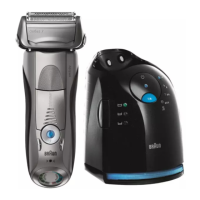
Clean&Renew Station

Lists and describes parts of the Clean&Renew station.

Shaver

Lists and describes parts of the shaver.

Before Shaving

Installing the Clean&Renew Station

Step-by-step guide to setting up the Clean&Renew station.

Charging and Cleaning the Shaver

Instructions for charging the shaver and initiating cleaning cycles.

Shaver Display

Explains the shaver's display indicators for battery and hygiene.

Charging Information

Details charging time and usage duration.

Using the Shaver

How to Use

Basic steps for operating the shaver.

Tips for the Perfect Dry Shave

Provides advice for optimal dry shaving results.

Personalizing Your Shaver

Explains how to adjust shaving power and settings.

Automatic Cleaning

Instructions for using the Clean&Renew station for automatic cleaning.

Manual Cleaning

Details how to clean the shaver manually under water or with a brush.

Cleaning the Housing

Instructions for cleaning the shaver and Clean&Renew station housing.

Replacing the Cleaning Cartridge

Steps for safely removing and replacing the cleaning fluid cartridge.

Replacing the Foil & Cutter Cassette;Reset

Guide to replacing the foil and cutter and resetting the replacement indicator.

Accessories

Environmental Notice

Trouble-Shooting

Braun 5696 Specifications

General IconGeneral
Model5696
Wet & DryYes
Charging Time1 hour
Corded UseYes
Precision TrimmerYes
AutoSensing MotorYes
WaterproofYes
Charging StandYes
Travel CaseYes
Battery TypeLi-Ion

Related product manuals