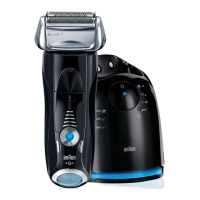
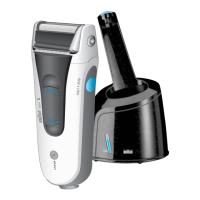
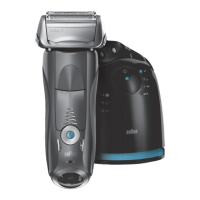
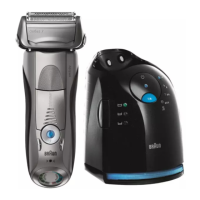
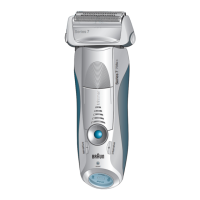
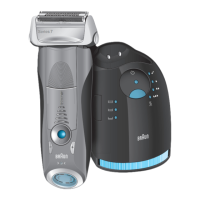
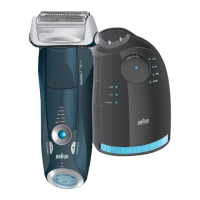
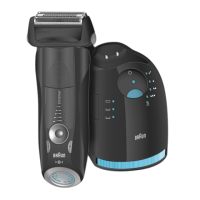
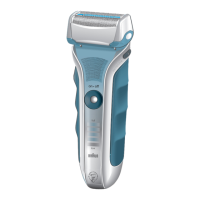
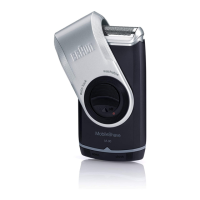
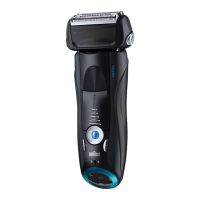
The Braun Series 7 shaver is a sophisticated grooming system designed for high-quality, functional, and ergonomic shaving. This system includes a shaver and a Clean&Renew station, offering both automatic cleaning and charging capabilities.
Function Description:
The Braun Series 7 shaver is primarily designed for dry shaving, but it is also suitable for wet use in a bath or shower, operating cordlessly for safety. It features a pivoting shaver head and flexible foils that automatically adjust to facial contours, ensuring an optimal shave. For precise trimming of sideburns, mustaches, or beards, a pop-out long hair trimmer is integrated. The shaver offers personalized settings, allowing users to adjust shaving power from sensitive to intensive based on individual needs and facial areas.
The Clean&Renew station serves multiple functions: charging, cleaning, and drying the shaver. It automatically analyzes the shaver's hygiene status and selects one of three cleaning programs (short economical, normal, or high intensive) or indicates if the shaver is clean. The station uses a cleaning cartridge containing a highly flammable liquid (ethanol or isopropanol) for hygienic cleaning and lubrication.
Important Technical Specifications:
- Power Supply: The shaver system uses a special cord set with an integrated Safety Extra Low Voltage power supply. If the appliance is marked with "C 492," it is compatible with any Braun power supply coded 492-XXXX.
- Battery: A full charge takes approximately 1 hour and provides up to 50 minutes of cordless shaving time. A 5-minute quick charge is sufficient for one shave.
- Charging Temperature: Recommended ambient temperature for charging is 5 °C to 35 °C.
- Shaving Temperature: Recommended ambient temperature for shaving is 15 °C to 35 °C. The shaver should not be exposed to temperatures higher than 50 °C for extended periods.
- Cleaning Cartridge: Contains a highly flammable liquid. Each cartridge, if not used daily, should be replaced after approximately 8 weeks to ensure optimal disinfection. A cartridge is sufficient for about 30 cleaning cycles with daily use.
- Foil & Cutter Cassette: The Foil & Cutter cassette (model 70S/70B) should be replaced approximately every 18 months or when the replacement symbol (16c) lights up on the shaver display.
- Water Resistance: The shaver is suitable for cleaning under running water and for use in a bath or shower.
Usage Features:
- On/Off Switch (12): Activates and deactivates the shaver.
- Shaver Head Lock Switch (10): Allows locking the pivoting head at a specific angle for shaving hard-to-reach areas, such as under the nose.
- Pop-out Long Hair Trimmer (11): Slides upwards for trimming.
- Setting Buttons (-/+ 13, 14): Adjust shaving power from sensitive (light blue, dark blue, green indicator) to intensive (green indicator). The last used setting is automatically activated upon next use.
- Reset Button (15): Used to manually reset the replacement symbol after changing the Foil & Cutter cassette.
- Shaver Display (16): Shows battery charge status (green charging lights 16a), low-charge warning (red light 16b), and replacement symbol (16c).
- Clean&Renew Station Operation:
- Lift Button (2): Opens the housing for cartridge exchange.
- Start Button (4): Initiates the selected cleaning program.
- Cleaning Fluid Display (1): Indicates the remaining cleaning fluid in the cartridge (up to 30 cycles, up to 7 cycles remaining, or new cartridge required).
- Cleaning Program Indicators (5): LEDs show the selected cleaning program (clean, short economical, normal, high intensive).
- Stand-by Mode: The station enters stand-by mode 10 minutes after charging or cleaning, turning off its indicators.
Maintenance Features:
- Automatic Cleaning (via Clean&Renew Station): After each shave, placing the shaver in the station initiates automatic charging and cleaning based on the shaver's hygiene status. The cleaning process flushes the shaver head with cleaning fluid and then dries it.
- Manual Cleaning (under running water): The shaver can be switched on (cordless) and rinsed under hot running water to remove residues. Liquid soap without abrasive substances can be used occasionally. After rinsing, the Foil & Cutter cassette (8) should be removed by pressing the release button (9) and allowed to dry.
- Lubrication: If regularly cleaned under water, a drop of light machine oil should be applied to the Foil & Cutter cassette and the long hair trimmer once a week.
- Cleaning with a Brush: The inner area of the pivoting head can be cleaned with a brush after removing the Foil & Cutter cassette. The cassette itself should not be cleaned with a brush.
- Housing Cleaning: The shaver and Clean&Renew station housing can be wiped with a damp cloth, especially the cleaning chamber.
- Cleaning Cartridge Replacement: After pressing the lift button (2), wait a few seconds before removing the used cartridge to avoid dripping. Close the openings of the used cartridge with the lid of the new one before discarding.
- Foil & Cutter Cassette Replacement: Replace the Foil & Cutter cassette (8) when the replacement symbol (16c) lights up or after approximately 18 months. After replacement, press the reset button (15) for at least 3 seconds to reset the counter.
- Troubleshooting: The manual provides solutions for common issues such as unpleasant smell, decreased battery performance, reduced shaving performance, shaver turning off, skipped battery segments, and cleaning station malfunctions.
The Braun Series 7 is designed for convenience and longevity, with features that ensure optimal shaving performance and hygiene through both manual and automated maintenance.


 To Next Page
 General