EasyManua.ls Logo

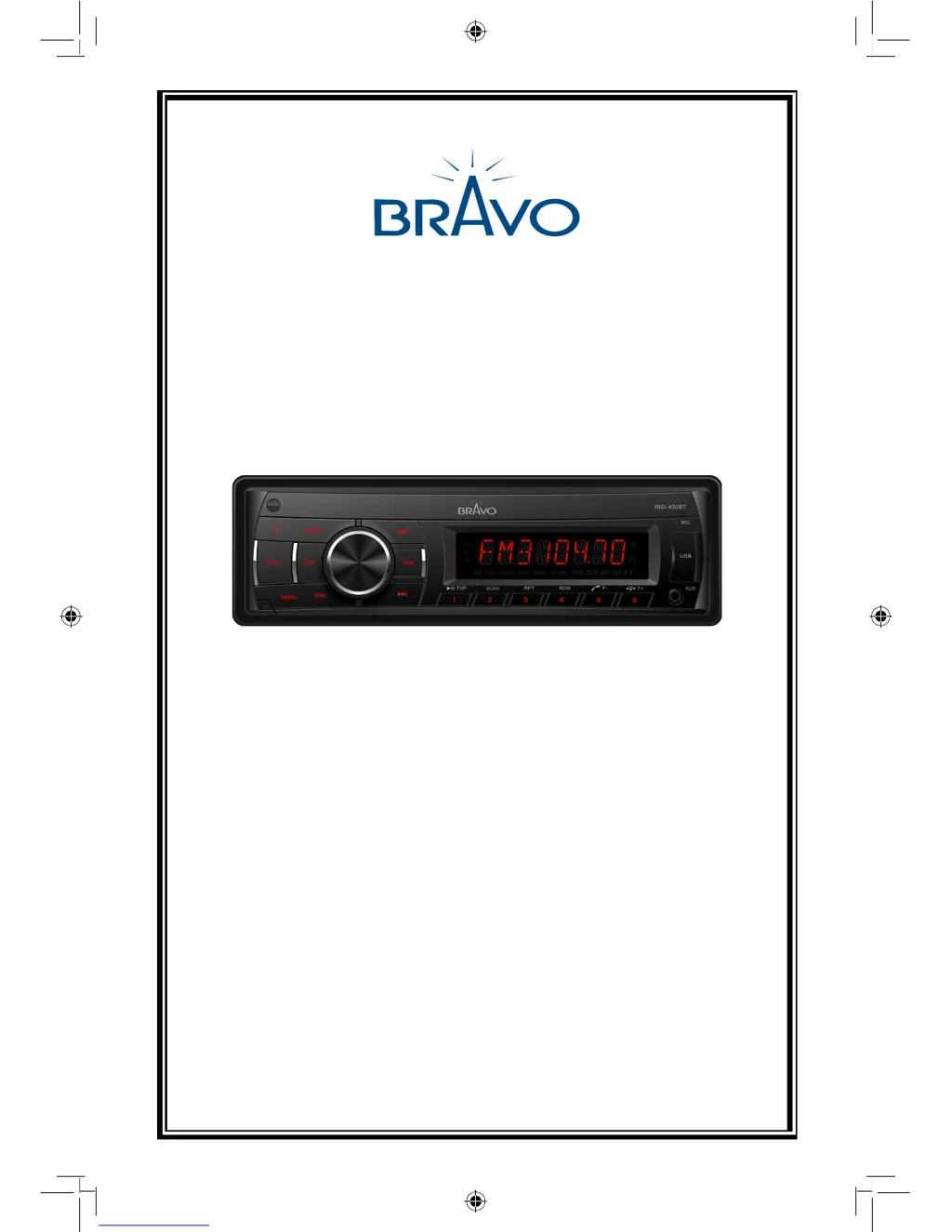
Bravo IND-400BT - User Manual

Default Icon
19 pages
Print Icon
To Next Page IconTo Next Page
Loading...
USER MANUAL
VERSION 1.0
Bravo View Technology
20153 Paseo Del Prado
Walnut, CA 91789
United States of America
www.bravoview.com
Thank You for purchasing the
IND-400BT
IN-DASH DIGITAL MEDIA RECEIVER
WITH BLUETOOTH AND USB/SD/AUX-IN

Questions and Answers

Summary

Safety Precautions

Power Supply and Installation Safety

Ensures correct power connection and safe installation for driving.

Environmental Protection Warnings

Advises against exposing the unit to moisture or water.

Fuse and Volume Safety

Cautionary notes on fuse replacement and volume adjustment for safety.

Features and Compatibility

WMA and MP3 File Support

Confirms the unit's ability to play WMA and MP3 audio files.

WMA Playback Information

Details on WMA data playback and associated trademarks.

MP3 Usage Licensing

Information on licensing for private and commercial MP3 usage.

Panel Controls Overview

Power Button

Press to turn the unit on or off.

Mute Button

Press to mute or unmute the audio volume.

Mode and Function Buttons

Selects mode (SD/MMC, USB, Radio) or specific functions.

Panel Unlock Button

Button used to unlock and detach the front panel.

Display Switch Button

Toggles display information or accesses system setup.

Scan;Preset Buttons

Performs scan play, preset scan, or auto memory store.

Volume and Confirm Knob

Adjusts volume level or confirms selections.

Playback and Preset Buttons

Controls playback, preset stations, and Bluetooth calls.

Aux-in Jack

Input port for connecting external audio devices.

USB Connector

Port for connecting USB flash drives.

Track Navigation Buttons

Navigates through tracks and seeks stations.

Audio Source Toggle Button

Cycles through different audio source modes.

Remote Controls Operation

Remote Operating Range

Specifies the effective range and angle for remote control.

Source;Power Control

Toggles audio source and powers the unit on/off.

Band and Bluetooth Controls

Switches radio bands and manages Bluetooth call functions.

Tuner and Track Seek

Tunes radio stations or seeks tracks within media.

Playback Control

Pauses and resumes audio playback.

Display Control

Toggles information displayed on the unit.

Preset and Function Buttons

Controls preset stations and various playback functions.

Volume Control Buttons

Adjusts the audio volume up or down.

Menu and Call Management

Enters menu mode or rejects/hangs up calls.

Scan and Memory Store

Performs scan play or auto memory store.

Repeat Play Function

Repeats the current track or folder.

Random Play Function

Plays tracks in random order.

Mute Volume Button

Mutes or unmutes the audio volume.

EQ Adjustment Button

Adjusts the equalizer settings.

Remote Battery Replacement

Instructions for replacing the remote control's battery.

Battery Safety Precautions

Important warnings regarding battery handling and storage.

General Operation

Power On;Off Operation

How to turn the unit on when ignition is on and turn off.

Adjust Volume Level

How to increase or decrease the audio volume.

Audio Mute Function

How to mute and unmute the audio output.

Mode Selection (SRC)

Selects audio source mode (Radio, USB, SD/MMC, A2DP, AUX).

Auxiliary Input Usage

Connects and selects an auxiliary audio device.

Display Selector (DISP)

Toggles the display between clock and previous mode.

Sound Settings

Equalizer (EQ) Settings

Adjusts preset EQs or custom EQ bands.

User Presets (BALANCE;FADER;LOUD)

Sets user presets for balance, fader, and loudness.

Tuner Operation

Band Selection

Switches between FM and AM radio bands.

Up Tuning Stations

Tunes to stations by seeking upwards.

Down Tuning Stations

Tunes to stations by seeking downwards.

Auto Memory Store (AMS)

Automatically stores up to six stations for the current band.

USB;SD;MMC;MP3 Playback

Loading and Ejecting SD;MMC Card

Instructions for inserting and removing SD/MMC cards.

Loading and Ejecting USB Device

Instructions for connecting and removing USB storage devices.

USB;SD;MMC Playback Notes

Compatibility notes for devices, file formats, and naming.

MP3;WMA Operations

WMA Playback Notes

Information on DRM and WMA file playback.

MP3;WMA File Creation Guidelines

Requirements for sampling rates, bit rates, and file extensions.

File System and Naming Conventions

Rules for folder/file naming and quantity limits.

Playback Control Functions

How to pause, resume, fast forward, and reverse playback.

Track and Folder Navigation

How to select the next/previous track or folder.

Advanced MP3;WMA Operations

Search Functions

Search for specific tracks or folders by number or name.

Direct Song;File Access

Access files directly by entering track number.

Folder-Based Searching

Navigate and search within folders for tracks.

Top Function

Resets playback to the first track of the current folder.

Scan Play Function

Plays the first 10 seconds of each track.

Repeat and Random Play

Options to repeat tracks or play them in random order.

Anti-Theft System

Detachable Panel Removal

Instructions for safely removing the detachable front panel.

Detachable Panel Installation

Instructions for securely reattaching the front panel.

Unit Removal Procedure

Steps for removing the entire unit from the dashboard.

Bluetooth Operations

Driving Safety Advisory

Advises minimizing phone use while driving.

Bluetooth Connectivity Basics

Explains Bluetooth wireless connection for mobile phones.

Pairing Mobile Phones

Steps to establish a Bluetooth connection with a mobile phone.

Receiving and Managing Calls

How to answer, reject, and transfer calls via Bluetooth.

Bluetooth Audio Streaming (A2 DP)

Plays audio from a Bluetooth device and controls playback.

Bluetooth Track Navigation

Navigates tracks during Bluetooth audio playback.

A2 DP Music Mode Explained

Details on A2DP profile for stereo audio transmission.

General Bluetooth Usage Notes

Provides important tips and considerations for Bluetooth connectivity.

Advanced Bluetooth Operations

Bluetooth Connection Troubleshooting

Addresses potential connection issues and solutions.

Verifying Bluetooth Stereo Audio

Ensures Bluetooth stereo audio is enabled on the connected phone.

Menu Functions and Settings

Entering System Setup

Procedure to access the system setup menu.

Radio Function Settings (AF;TA;REG)

Controls AF, TA, and REG functions for radio reception.

Radio Reception Modes (DX;LO)

Selects between local (LO) and distant (DX) radio reception.

FM Reception Mode (Stereo;Mono)

Selects FM reception mode between Stereo and Mono.

Display Scroll and Beep Settings

Controls display scrolling and button beep sounds.

Clock and Bluetooth Settings

Sets clock format, clock time, and Bluetooth auto-connect.

Device Connections

Wiring Diagram Overview

Visual guide showing unit connections and pin layouts.

Connection Pin Definitions

Details the function of each pin in the connection compartments.

Installation Guide

Dashboard Opening Requirements

Specifies dashboard opening dimensions for unit installation.

Step-by-Step Installation Procedures

Instructions for installing the unit into the vehicle dashboard.

Resetting the Unit

Procedure to reset the unit to its original factory settings.

Troubleshooting Common Issues

General Unit Problems

Solutions for power, sound, and system stability issues.

Tuner Mode Troubleshooting

Solutions for reception and station preset problems.

USB;SD;MMC Mode Problems

Solutions for issues with device insertion and file reading.

Product Specifications

General Technical Specifications

Details power, output, dimensions, and weight.

FM Stereo Radio Performance

Technical metrics for FM band reception and audio quality.

AM Radio Performance

Technical metrics for AM band reception.

Included Components List

Lists all items provided with the unit.

Limited Warranty Information

Warranty Coverage Details

Details the 1-year parts and labor warranty coverage.

Warranty Exclusions and Limitations

Lists conditions not covered by the warranty.

Warranty Claim Procedure

Steps to follow when requesting warranty service.

Contacting for Warranty Service

Information on how to obtain warranty service.

Bravo IND-400BT Specifications

General IconGeneral
BrandBravo
ModelIND-400BT
CategoryCar Receiver
LanguageEnglish

Related product manuals