10
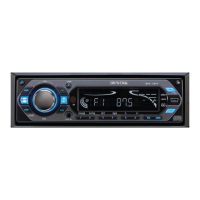
BASIC OPERATION
1.
Press this button to turn on or off the unit. You can also turn on the unit by pressing any button.
2. MODE
Press this button to select one of the following sources: CD / AUX/ Radio / USB/SD (USB device or SD/MMC card is available).
3. MUTE
Press to shut off the sound output, press it again to resume previous sound level.
4. BAND/LOUD
Press this button to select the band in the following sequence: FM1, FM2, FM3, and AM.
Press and hold to turn on/off the loudness function.
5. VOL/SEL
Rotate to adjust the volume level. Press it briefly and repeatedly to select the sound settings in the following sequence:
Volume Bass Treble Balance Fader
Hold down to select:
TA ALARM/SEEK
PI MUTE/SOUND/ RETUNE S/L MASK DPI/ALL BEEP 2nd/ALL/ OFF
Rotate to adjust the setting. The Bass and Treble settings can be adjusted only in DSP (Digital Sound Processor) OFF mode.
6. TA
In FM radio mode, press briefly to turn the TA function on/off.
7. AF
In radio mode, press the button to turn the AF function on/off. Hold down the button to turn the REG (regional) function on/off.
8. DISP
Press repeatedly to display the information such as ID3 tag, radio frequency and PTY.
9. INFRARED SENSOR (IR)
Reception of infrared signal from remote control.
BVX-C910_V3_Final_090808A.pmd 8/9/2008, 9:19 PM10


 To Next Page