17
RADIO OPERATION
Listening to the radio
1. Press the [MODE] button to select the radio mode.
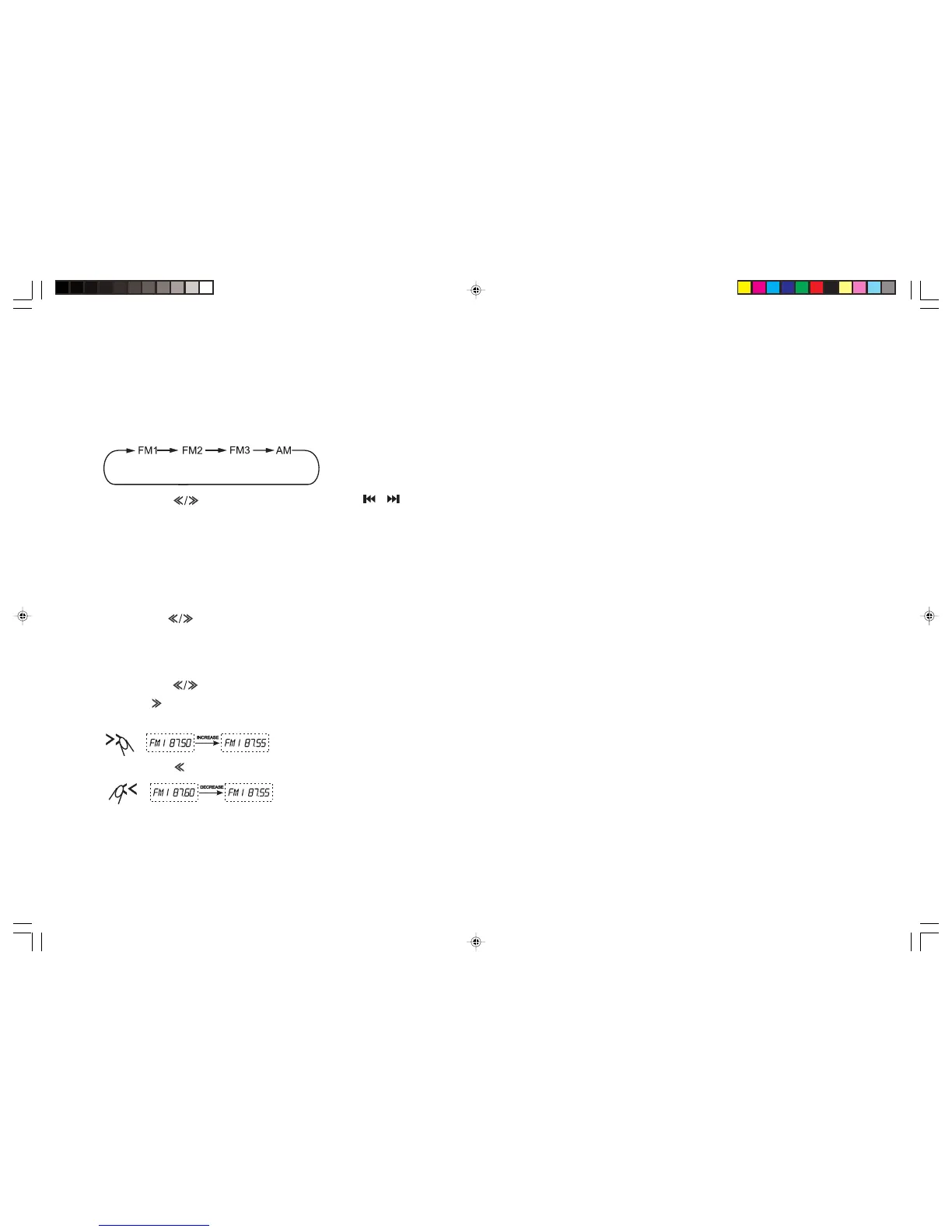
2. Press the [BAND] button repeatedly to select the radio band in the following sequence:
3. Press the [ ] buttons on the unit or the / buttons on the remote control to tune in a station automatically.
Tuning
There are 3 types of tuning mode available, seek tuning, manual tuning and preset tuning.
Seek tuning
1. Press the [BAND] button to select the desired band.
2. Press the [ ] buttons on the unit to tune in a station automatically.
Manual tuning
1. Press the [BAND] button to select the desired band.
2. Press the [
] button on the unit for a few moments to switch to manual tuning and “MANUAL” will be displayed on the screen.
Press [ ] to increase the frequency. When it is not pressed for few seconds, “MANUAL” will disappear and the manual tuning
function is cancelled.
Press the [
] button to reduce the frequency.
Preset tuning - Recalling a preset station
6 preset stations on each band are available in the unit’s memory. Press the digit [1-6] to recall a preset station.
BVX-C910_V3_Final_090808A.pmd 8/9/2008, 9:19 PM17


 To Next Page