13
REMOTE CONTROL
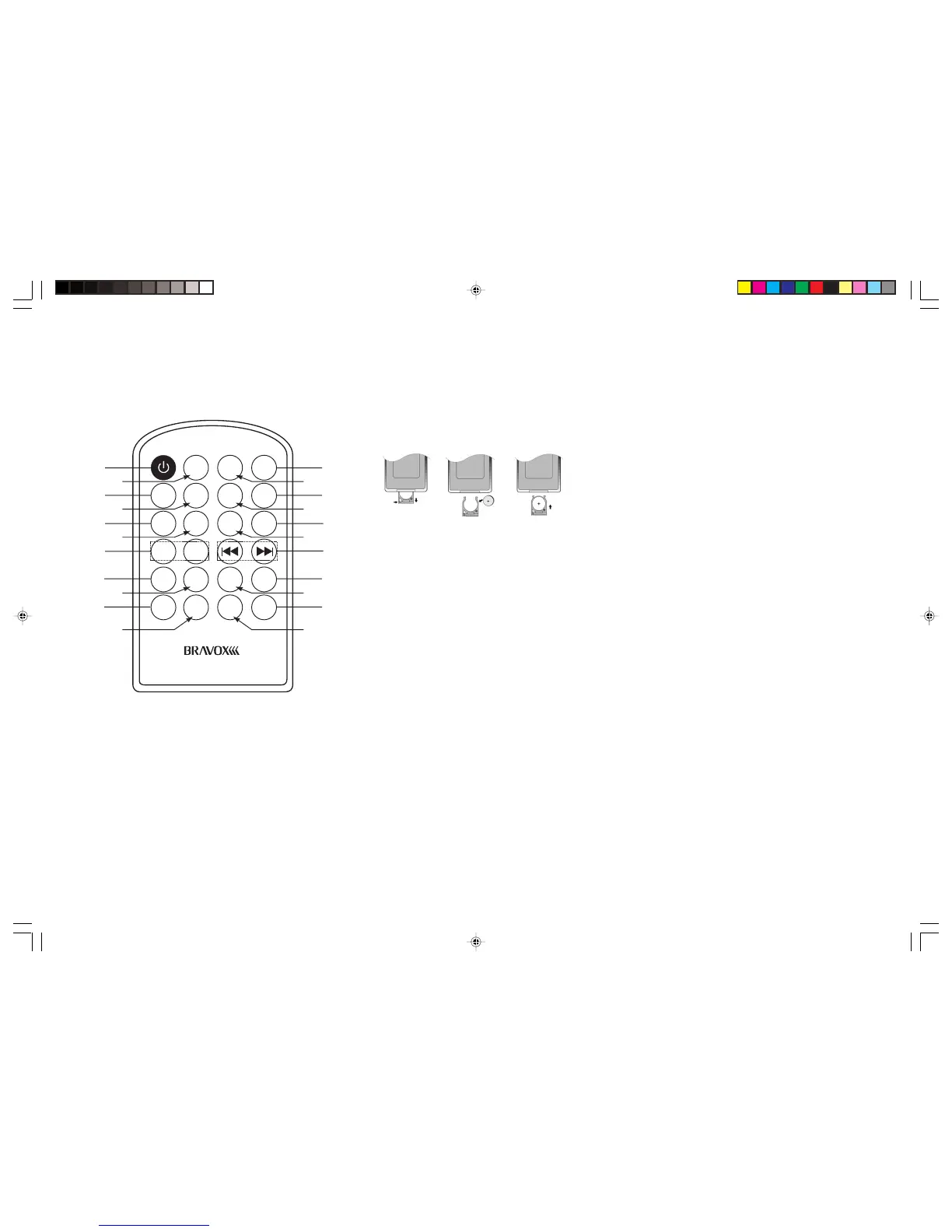
Installing the battery
Slide the tray out on the back of the remote control and insert the battery with polarity
(+) on top as shown.
Use and care of the remote control
Point the remote control to the IR window on the front panel for operation.
Notes:
Using the battery incorrectly can cause malfunctions. Take note of the following
points for the remote control:
• Keep the battery out of the reach of children. Should the battery be swallowed,
immediately consult a doctor.
• Use one CR2025 (3V) lithium battery
• Remove the battery if the remote control is not to be used for a month or longer.
MONO
POWER
SEL
MUTE
AMS
MODE
TAAF
VOL+
PTY BAND
VOL-
2
INTRO
DISP
SCAN
1
PAUSE
4
RDM
3
RPT
5
F-
6
F+
LOC
EQ
112
13
14
15
16
17
18
19
20
22
21
2
3
4
6
11
5
7
8
9
10
BVX-C910
BVX-C910_V3_Final_090808A.pmd 8/9/2008, 9:19 PM13


 To Next Page