12
Battery Backup Unit (BBU) — Installation & Maintenance Manual Continued
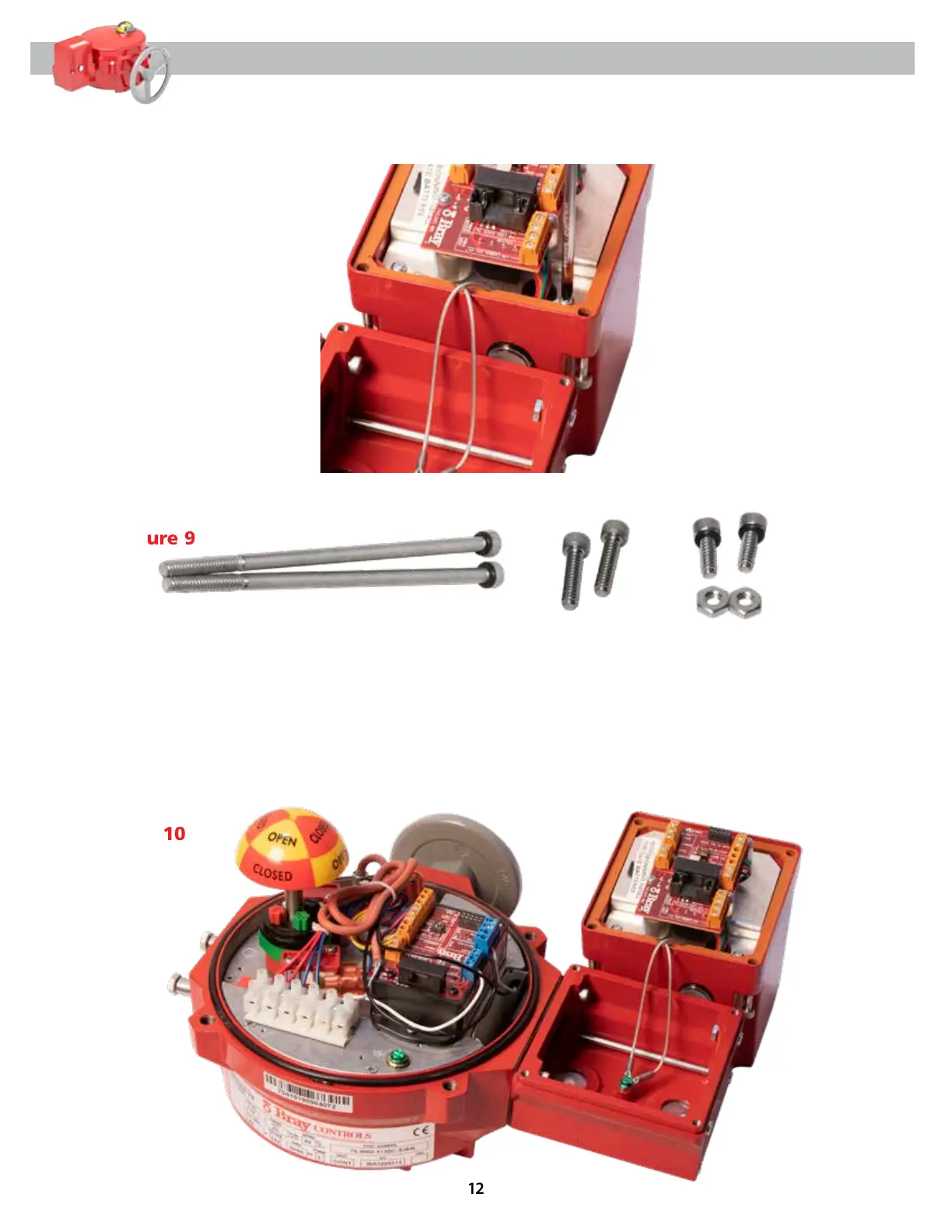
3.9 Re-attach BBU card plate using two (2) screws previously removed with silver holding strips
crisscrossed like before [Figure 8].
4.0 Add four (4) O-rings to two (2) Long Cap Screws and two (2) Small Cap-Screws [Figure 9].
Figure 8
Figure 9
Figure 10
4.1 Insert these two (2) Long Cap Screws with O-rings into the bottom two (2) holes of BBU base
and assemble to S70 actuator.
4.2 Install the Medium Cap Screws on the top two (2) holes of BBU base that attach to S70 actuator.
4.3 Install two (2) Small Cap Screws with O-rings on top two (2) holes of BBU base [opposite side of
Medium Cap Screws] and secure using Hex Screw Nuts. See [Figure 10] for final BBU attachment
to S70 actuator.


 To Next Page