7
Battery Backup Unit (BBU) — Installation & Maintenance Manual Continued
Activating BBU
The BBU is shipped from the factory with the bat-
tery power disconnected to preserve the battery life.
To connect the batteries and activate the BBU do the
following:
1. Ensure that the underlying valve and configura-
tion of the Series 70 Actuator is complete before
connecting the power to the BBU. This also includes
all field wiring.
The Input Power should be OFF at this time.
2. Set the fail position switch as described on page 6
to either “open” or “close”. This will be the position
that the actuator will seek during a power outage.
3. Insert the fuse supplied under the white label.
WARNING – ONCE BATTERY POWER
IS APPLIED TO THE BBU, THE UNIT IS
OPERATIONAL AND MAY CAUSE THE
ACTUATOR TO SEEK THE FAIL POSITION
IF THE MAIN POWER IS NOT CONNECTED
TO THE BBU.
Replacing Batteries
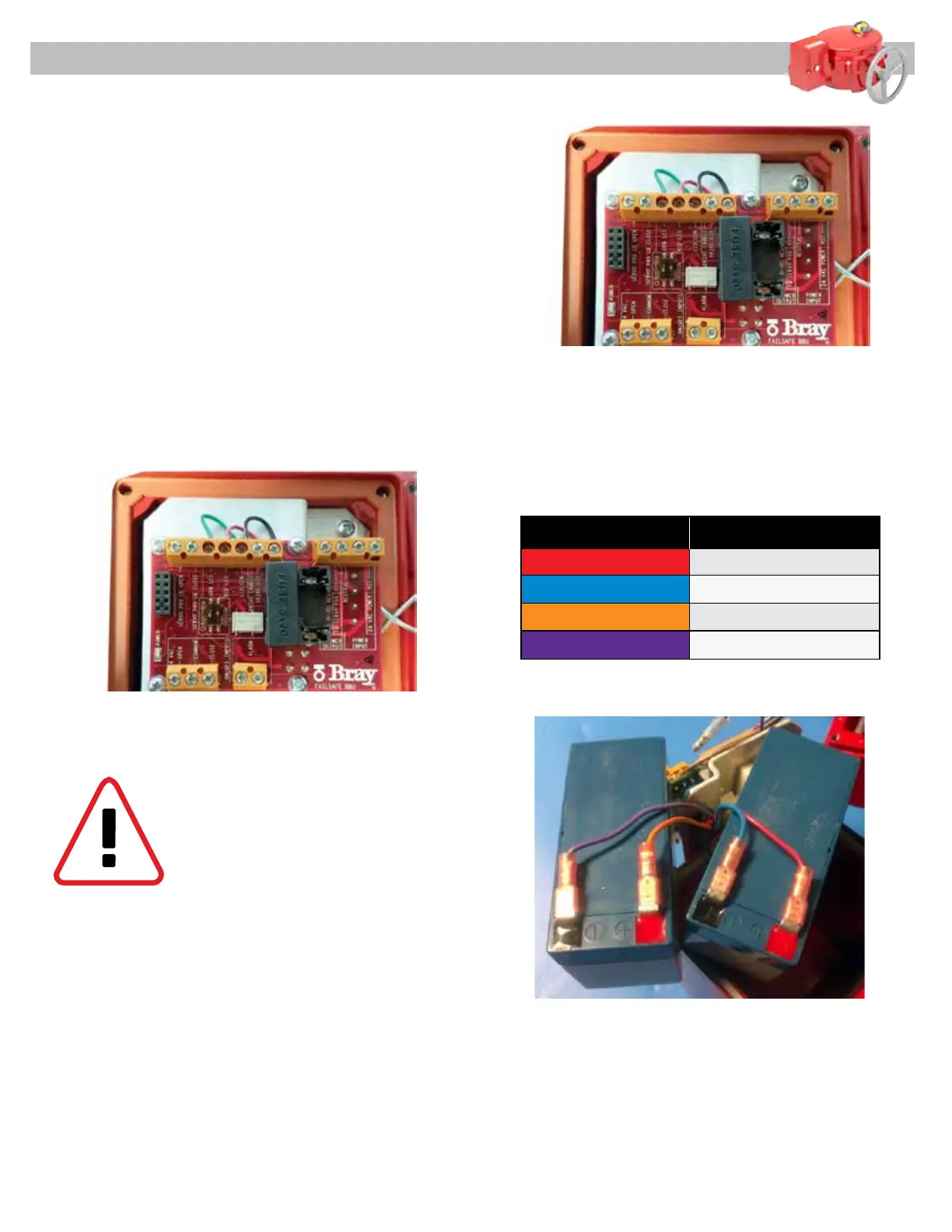
Disconnect the fuse on the right (Figure 6) before at-
tempting to remove the batteries. The BBU batteries
are replaced by loosening the 4 screws which hold the
battery housing to the battery housing cover (Figure
1). Extreme care is required when separating the bat-
tery housing cover from the battery housing to prevent
damage to the electronics circuit board.
Once the battery housing is open, remove the two
screws which hold the electronics mounting plate and
battery holder as shown in Figure 9.
Figure 6 - Battery activation connection
Figure 9 - Mounting plate screw removal
Table 2 - Battery Wiring Color Code Chart
Figure 10 - Batteries removed from BBU housing
Carefully remove the mounting plate to gain access
to the batteries. Remove the batteries and disconnect
the spade type connectors from the batteries as shown
in Figure 10. Connect the new batteries following the
connection chart in TABLE 2
Reverse the disassembly process to re-install the bat-
teries. Ensure that the batteries are installed with the
terminals facing toward the bottom of the housing to
avoid interference between the battery terminals and
the mounting plate.
Wire Color Description
Red Battery 1 - POSITIVE
Blue Battery 1 - NEGATIVE
Orange Battery 2 - POSITIVE
Purple Battery 2 - NEGATIVE


 To Next Page