
EasyManua.ls Logo

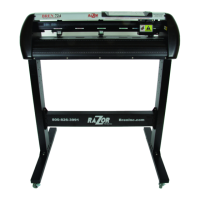
BREN Razor 700 Series - User Manual

BREN Razor 700 Series
62 pages
Print Icon
To Next Page IconTo Next Page
Loading...
V1 NOV 2016
BREN 700-Series Razor
User Manual
BREN Inc.
1-800-826-3991
8256 Horton Highway
College Grove, TN 37046
www.BrenInc.com
All rights reserved. 2016
Quality Marking Products Since 1972

Questions and Answers

  • M
    Meghan PerezAug 11, 2025
    What to do if my BREN Razor 700 cutting exceeds the cutting limit?
    • M
      melindachungAug 11, 2025
      If the BREN Cutter exceeds the cutting limit, reload larger media or rescale the plot to a smaller size. Then, press the key followed by the display of LCM to continue.
  • A
    Alexandria ColonAug 21, 2025
    What to do if I have a communication error with my BREN Razor 700?
    • P
      pgreenAug 21, 2025
      To resolve a communication error between your BREN Cutter and computer, first try re-establishing the communication. If the issue persists, have your cutting plotter serviced.
  • A
    Anna SmithAug 31, 2025
    What to do if the blade sensor malfunctions on my BREN Razor 700?
    • J
      jody75Aug 31, 2025
      If the blade up/down sensor malfunctions on your BREN Cutter, re-power on to reboot the system. Also, check the blade extension.

BREN Razor 700 Series Specifications

General IconGeneral
BrandBREN
ModelRazor 700 Series
CategoryCutter
LanguageEnglish