8
POWER SUPPLY
Remote sensor
1. Open the battery compartment door.
2. Install 2 batteries (AAA size 1.5V) strictly
according to the polarities shown.
3. Reinsert the battery compartment door.
Main unit
1. Open the battery compartment door.
2. Install 2 batteries (AAA size 1.5V) strictly
according to the polarities shown.
3. Reinsert the battery compartment door.
Low battery warning
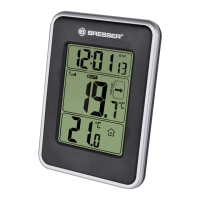
When it is time to replace the batteries, the
respective low battery indicator will be shown
next to the indoor temperature display (batteries
for main unit) or near to the outdoor temperature
(batteries for remote sensor).
USING TABLE STAND OR WALL MOUNTING
The main unit can be placed on a flat surface. The
remote unit also can be placed on a flat surface or
mounted on a wall using the recessed screw hole.
OPERATION
Receiving measurements and time signal
Once batteries are placed in the remote unit, it
will start transmitting temperature readings at
roughly 45 second intervals. As soon as batteries







 To Next Page