EasyManua.ls Logo

Bresser 7003230 - User Manual

Bresser 7003230
84 pages
Print Icon
To Next Page IconTo Next Page
Loading...
DE
BEDIENUNGSANLEITUNG
EN
INSTRUCTION MANUAL
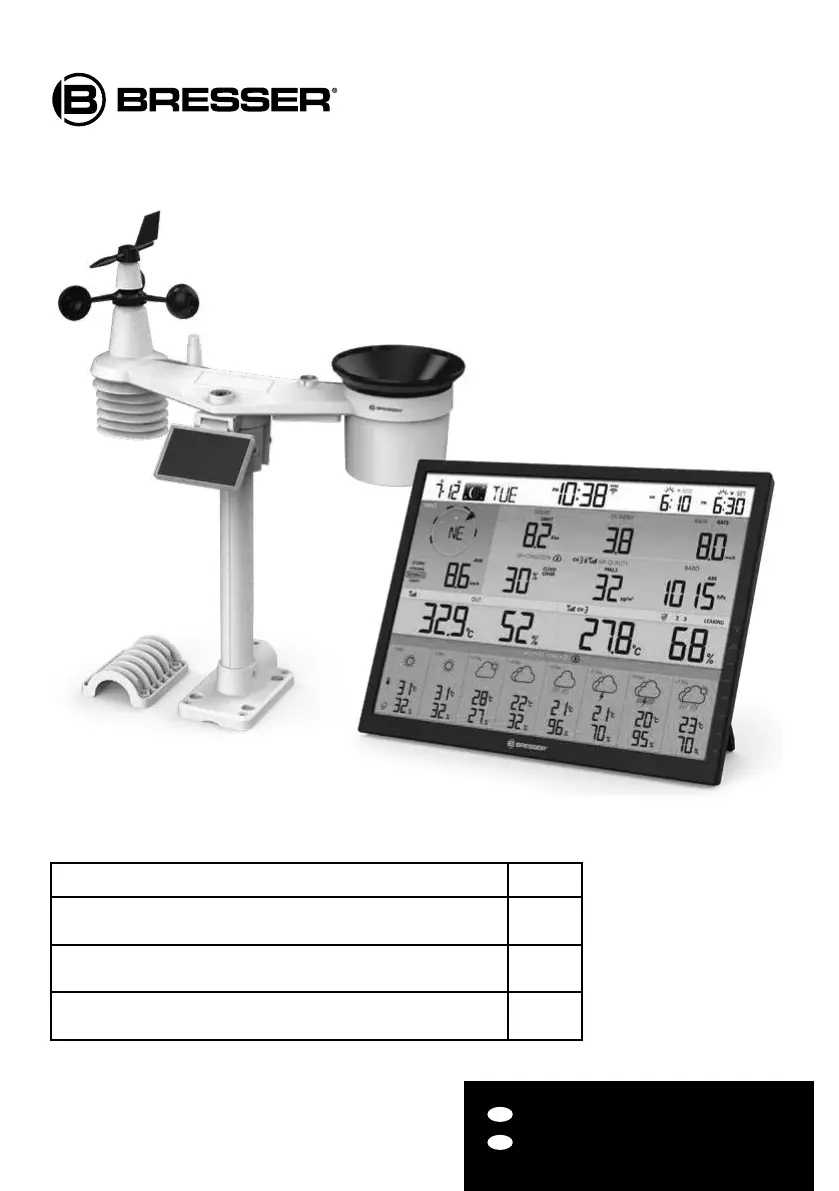
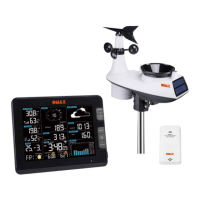
4Cast XL WIFI Weather Center
with wireless 7-in-1 sensor
mit 7in1 Funksensor
Art. No. 7003230
7803230
7903230
Product/Produkt Art.No.
Base station + wireless 7-in-1 sensor (basic set)
Basisstation + 7in1 Funksensor (Basis-Set)
7003230
Single wireless 7-in-1 Sensor (aditional device for 7003230)
Einzelner 7in1 Funksensor (Zusatzgerät für 7003230)
7803230
Single base station (aditional device for 7003230)
Einzelne Basisstation (Zusatzgerät für 7003230)
7903230

Table of Contents

Questions and Answers

  • E
    epriceAug 13, 2025
    How to fix no WI-FI connection on Bresser 7003230 Weather Station?
    • M
      Michael ThompsonAug 13, 2025
      If your Bresser Weather Station has no WI-FI connection, first check the WI-FI icon on the display to ensure it's on. Then, in the console SETUP page, verify that the WI-FI settings (router's name, security type, password) are correct. Also, ensure you are connecting to the 2.4G band of the WI-FI router, as 5G is not supported.
  • C
    Crystal CastilloAug 16, 2025
    What to do if additional wireless sensors have connection issues on Bresser 7003230 Weather Station?
    • M
      Marissa GardnerAug 16, 2025
      If additional wireless sensors on your Bresser Weather Station have an intermittent connection or no connection, make sure the sensors are within the transmission range. Also, ensure the channel displayed matches the channel selection on the sensor. If it still does not work, reset the sensor and resynchronize it with the console.
  • C
    crystal57Aug 20, 2025
    How to solve high temperature readings on Bresser Weather Station?
    • E
      Edward FarrellAug 20, 2025
      If the temperature reading on your Bresser Weather Station is too high, place the sensor in an open area and at least 1.5m off the ground.
  • M
    Martin MartinAug 25, 2025
    What to do if Bresser 7003230 Weather Station data is not reporting to ProWeatherLive?
    • T
      Tanya HarrisAug 25, 2025
      If data from your Bresser Weather Station is not reporting to ProWeatherLive, go to the console SETUP page and ensure your Station ID and Station Key are correct. Also, in the 'Edit Devices' section of the console on PWL, verify that the Device Mac address is entered correctly.
  • A
    Amber BrownAug 27, 2025
    Why are multi-day forecast details inaccurate on my Bresser 7003230 Weather Station?
    • J
      Justin RollinsAug 27, 2025
      If the multi-day forecast, cloud cover, visibility, sunrise/sunset, and moon rise/moon set times are not accurate on your Bresser Weather Station, ensure your console is connected to PWL. Also, verify that the latitude, longitude, and time zone in the 'Edit Devices' section of the console on PWL are correct. You can also press the [ REFRESH ] key to update the data instantly.
  • T
    Tommy SimonAug 31, 2025
    How to fix intermittent connection of 7-in-1 wireless sensor on Bresser 7003230?
    • C
      codyhendersonAug 31, 2025
      If the 7-in-1 wireless sensor on your Bresser Weather Station has an intermittent connection or no connection, first make sure the sensor is within the transmission range. If the issue persists, reset the sensor and resynchronize it with the console.
  • F
    Felicia McconnellSep 4, 2025
    Why are sunrise/sunset times wrong on my Bresser Weather Station compared to PWL?
    • C
      clarkjamesSep 4, 2025
      If the sunrise/sunset and moon rise/moon set times on your Bresser Weather Station differ from those on PWL, ensure your console is connected to PWL. Also, make sure the console Time Sync is set to ON.
  • M
    Michael SnyderSep 8, 2025
    Why is rainfall incorrect on my Bresser 7003230 Weather Station?
    • S
      Samantha JacksonSep 8, 2025
      If the rainfall readings are not correct on your Bresser Weather Station: 1. Make sure the rain collector is clean, allowing the tipping bucket to tip smoothly. 2. Ensure the sensor has stable and level mounting to ensure correct tipping.

Summary

Quick Start Guide

Wireless 7-in-1 Sensor

Install Wind Vane

Instructions for aligning and securing the wind vane shaft to the sensor.

Install Rechargeable Batteries

Adjust the Solar Panel

Install Mounting Pole

Plastic Mounting Installation

Direction Alignment

Setup the Console

Power Up the Display Console

Connect the display console to AC power after installing the backup battery.

Setup Display Console

Outdoor Temperature, Humidity & Temperature Index

Indoor; Channels Temperature & Humidity

Wind

Barometric Pressure

Rain

Air Quality

Wireless Sensor Signal Receiving

Time, Date and General Setting

Unit Setting

Connect Console to Wi-Fi

Setup the Weather Server Connection

Calibration

Maintenance

Battery Replacement

Troubleshooting

Bresser 7003230 Specifications

General IconGeneral
Model7003230
CategoryWeather Station
DisplayLCD
Indoor TemperatureYes
Outdoor TemperatureYes
Indoor HumidityYes
Outdoor HumidityYes
Weather ForecastYes
Radio controlled clock (DCF)Yes
Battery TypeAA
Alarm FunctionYes
Memory FunctionYes
TypeWireless Weather Station
Humidity Range20% to 95%
Power SupplyBatteries

Related product manuals