EasyManua.ls Logo

Breville Barista Touch Impress - User Manual

Breville Barista Touch Impress
28 pages
Print Icon
To Next Page IconTo Next Page
Loading...
the Instraction Book
Instruction Book B#####
the Barista Touch
Impress
Instruction Book – BES881
Question and Answer IconNeed help?

Do you have a question about the Breville Barista Touch Impress and is the answer not in the manual?

Summary

IMPORTANT SAFEGUARDS

BREVILLE RECOMMENDS SAFETY FIRST

NOTICE TO CUSTOMERS REGARDING MEMORY STORAGE

Features

Heating and Grinding

Rapid heat up and precision conical burr grinder for optimal espresso.

Guidance and Customisation

Step-by-step guidance, adjustable grind size/amount, PID control for tailored coffee.

Milk and Water Functions

Automatic milk texturing and dedicated hot water spout for versatile drinks.

Convenience Features

Less mess design and puck system simplify operation.

Components

ACCESSORIES

Assembly

Machine Preparation

Remove and discard labels and packaging, clean parts and accessories using warm water and dish washing liquid.

INSTALLING THE WATER FILTER

Soak, rinse, and insert the water filter into the holder and water tank, set reminder.

Functions

Filling the Water Tank

Ensure water filter is fitted, lift and fill water tank to MAX mark, and reattach.

Attaching the Hopper

Insert bean hopper, turn dial to lock, and fill with fresh beans.

Attaching the Drip Tray

Place drip tray grill and optional protection guard on drip tray, then slide into machine.

Drink Selection

Swipe and select your choice of drink from the screen.

Drink Screen Customisation

Customise your drink by touching icons for grind, brew, and milk settings.

Setting Grind Size and Dosing

Adjust grind size using the dial and follow screen prompts for grind and dose settings.

Assisted Tamping

Push the lever down to tamp coffee grounds, release slowly upwards.

Correcting Grind Dose

Adjust grind and dose based on screen indicators for optimal extraction.

Trimming the Dose

Use the Razor tool to trim the puck to the right level for consistent extraction.

Inserting the Portafilter

Align portafilter under group head, insert and rotate handle towards centre until resistance is felt.

Espresso Extraction

Select cafe size, custom volume, and tap coffee cup icon to start extraction.

Manual Extraction Override

Press and hold coffee image to enter manual extraction, touch again to stop.

Automatic Milk Texturing

Use cold milk, insert steam wand, select temperature/froth level, and start.

Manual Milk Texturing

Disable auto features, start frothing by tapping milk jug image, stop when jug is hot.

USING HOT WATER

FILTER BASKETS

THE GRIND

Extracting Espresso

CUSTOMISED DRINKS

Adding A New Drink

Customise a drink, tap disc icon to rename and save with max 15 characters.

Editing Or Deleting A Saved Drink

Select saved drink, tap and hold image to edit or delete.

SETTINGS

Maintenance Procedures

Guides for cleaning steam wand, group head, grinder, descaling, and changing water filter.

Drink Settings Configuration

Configure Intelligent Dose, Default Milk, and access Coffee Tutorial.

Other Settings Management

Manage notifications, guidance tips, date/time, units, language, demo mode, appliance info, and factory reset.

ADJUSTING CONICAL BURRS

Care & Cleaning

REPLACING THE WATER FILTER

Steps to soak, rinse, and install a new water filter, and set replacement reminder.

CLEANING CYCLE

Follow on-screen prompts for back-flushing cycle when prompted.

DESCALING

Descale the machine via settings to prevent mineral build-up, especially in hard water areas.

CLEANING CONICAL BURRS

Regular Burr Cleaning

Steps for regular cleaning of burrs to achieve consistent grinding results.

Advanced Grinder Burr Cleaning

Procedure for unblocking the grinder if there is a blockage between burrs and outlet.

ADDITIONAL CLEANING TASKS

Tamp System & Steam Wand Cleaning

Clean the tamp system and steam wand regularly for optimal performance.

Filter, Shower Screen & Drip Tray Cleaning

Maintain filter baskets, shower screen, drip tray, and storage tray for hygiene.

ADDITIONAL MAINTENANCE

Housing, Tray & Shower Screen Cleaning

Clean outer housing, cup warming tray, and shower screen following specific procedures.

Machine Storage

Steps to power off, unplug, clean, and store the machine and accessories properly for storage.

Troubleshooting

Water Flow Issues

Addresses problems with water not flowing from the group head or no hot water.

Steam and Operation Issues

Troubleshoots no steam, machine ceasing to operate, or coffee running out too quickly.

Temperature and Crema Issues

Solutions for coffee being too cold or having no crema, including bean freshness.

Breville Customer Service

Summary

IMPORTANT SAFEGUARDS

BREVILLE RECOMMENDS SAFETY FIRST

NOTICE TO CUSTOMERS REGARDING MEMORY STORAGE

Features

Heating and Grinding

Rapid heat up and precision conical burr grinder for optimal espresso.

Guidance and Customisation

Step-by-step guidance, adjustable grind size/amount, PID control for tailored coffee.

Milk and Water Functions

Automatic milk texturing and dedicated hot water spout for versatile drinks.

Convenience Features

Less mess design and puck system simplify operation.

Components

ACCESSORIES

Assembly

Machine Preparation

Remove and discard labels and packaging, clean parts and accessories using warm water and dish washing liquid.

INSTALLING THE WATER FILTER

Soak, rinse, and insert the water filter into the holder and water tank, set reminder.

Functions

Filling the Water Tank

Ensure water filter is fitted, lift and fill water tank to MAX mark, and reattach.

Attaching the Hopper

Insert bean hopper, turn dial to lock, and fill with fresh beans.

Attaching the Drip Tray

Place drip tray grill and optional protection guard on drip tray, then slide into machine.

Drink Selection

Swipe and select your choice of drink from the screen.

Drink Screen Customisation

Customise your drink by touching icons for grind, brew, and milk settings.

Setting Grind Size and Dosing

Adjust grind size using the dial and follow screen prompts for grind and dose settings.

Assisted Tamping

Push the lever down to tamp coffee grounds, release slowly upwards.

Correcting Grind Dose

Adjust grind and dose based on screen indicators for optimal extraction.

Trimming the Dose

Use the Razor tool to trim the puck to the right level for consistent extraction.

Inserting the Portafilter

Align portafilter under group head, insert and rotate handle towards centre until resistance is felt.

Espresso Extraction

Select cafe size, custom volume, and tap coffee cup icon to start extraction.

Manual Extraction Override

Press and hold coffee image to enter manual extraction, touch again to stop.

Automatic Milk Texturing

Use cold milk, insert steam wand, select temperature/froth level, and start.

Manual Milk Texturing

Disable auto features, start frothing by tapping milk jug image, stop when jug is hot.

USING HOT WATER

FILTER BASKETS

THE GRIND

Extracting Espresso

CUSTOMISED DRINKS

Adding A New Drink

Customise a drink, tap disc icon to rename and save with max 15 characters.

Editing Or Deleting A Saved Drink

Select saved drink, tap and hold image to edit or delete.

SETTINGS

Maintenance Procedures

Guides for cleaning steam wand, group head, grinder, descaling, and changing water filter.

Drink Settings Configuration

Configure Intelligent Dose, Default Milk, and access Coffee Tutorial.

Other Settings Management

Manage notifications, guidance tips, date/time, units, language, demo mode, appliance info, and factory reset.

ADJUSTING CONICAL BURRS

Care & Cleaning

REPLACING THE WATER FILTER

Steps to soak, rinse, and install a new water filter, and set replacement reminder.

CLEANING CYCLE

Follow on-screen prompts for back-flushing cycle when prompted.

DESCALING

Descale the machine via settings to prevent mineral build-up, especially in hard water areas.

CLEANING CONICAL BURRS

Regular Burr Cleaning

Steps for regular cleaning of burrs to achieve consistent grinding results.

Advanced Grinder Burr Cleaning

Procedure for unblocking the grinder if there is a blockage between burrs and outlet.

ADDITIONAL CLEANING TASKS

Tamp System & Steam Wand Cleaning

Clean the tamp system and steam wand regularly for optimal performance.

Filter, Shower Screen & Drip Tray Cleaning

Maintain filter baskets, shower screen, drip tray, and storage tray for hygiene.

ADDITIONAL MAINTENANCE

Housing, Tray & Shower Screen Cleaning

Clean outer housing, cup warming tray, and shower screen following specific procedures.

Machine Storage

Steps to power off, unplug, clean, and store the machine and accessories properly for storage.

Troubleshooting

Water Flow Issues

Addresses problems with water not flowing from the group head or no hot water.

Steam and Operation Issues

Troubleshoots no steam, machine ceasing to operate, or coffee running out too quickly.

Temperature and Crema Issues

Solutions for coffee being too cold or having no crema, including bean freshness.

Breville Customer Service

Overview

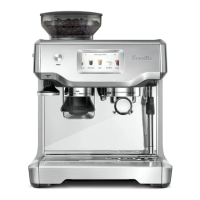
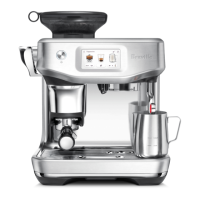
The Breville Barista Touch™ Impress (BES881) is an advanced espresso machine designed to simplify the coffee-making process while delivering professional-quality results. It offers a blend of automated features and manual control, catering to both novice baristas and experienced coffee enthusiasts.

Function Description:

The Barista Touch™ Impress is an all-in-one espresso machine that grinds, doses, tamps, and extracts espresso, and also textures milk automatically. Its core function is to produce a wide range of coffee beverages, from espresso shots to milk-based drinks like cappuccinos and lattes. The machine features a rapid heat-up system, achieving ideal extraction temperature in just 3 seconds, ensuring minimal waiting time.

At the heart of its espresso-making capability is a precision conical burr grinder, which maximizes the ground coffee surface area for a full espresso flavor. This grinder works in conjunction with the Barista Touch™ Impress Puck System, which streamlines the grinding, dosing, and tamping steps. The system includes precision measurement that automatically corrects the next dose based on previous grind amounts, ensuring consistent results. Assisted tamping provides a precise 10kg impression with a professional 7-degree barista twist, creating a polished puck.

For milk-based drinks, the machine offers automatic hands-free milk texturing. It textures milk to a selected temperature and style, ranging from silky smooth latte to creamy cappuccino. Users can choose their preferred milk type (dairy, almond, soy, or oat milk) to optimize results. After texturing, an automatic purge removes residual milk from the steam wand, maintaining cleanliness.

The machine also includes a dedicated hot water spout for making long blacks, teas, or pre-heating cups, adding to its versatility.

Usage Features:

The Barista Touch™ Impress is designed for intuitive use, primarily through its color touch screen display. Users can swipe and select from a menu of drinks, receiving step-by-step barista guidance throughout the entire coffee-making process. This guidance helps users adjust shot volume, milk texture, or milk temperature, and then save their customized drink as a personal favorite.

Key usage features include:

  • Drink Selection and Customization: The touch screen allows users to select a drink and then customize parameters such as grind/dose settings, brew settings (coffee volume), and milk settings (temperature, froth level, milk type). Custom drinks can be named and saved for future use.
  • Adjustable Grind Size and Amount: The grind size can be adjusted using a dial on the side of the machine, with finer settings for slower extraction and coarser settings for faster extraction. The machine automatically adjusts the dose time based on grind size changes, requiring a few extractions to calibrate.
  • Assisted Dosing and Tamping: The machine guides the user through selecting the filter basket size and then automatically grinds fresh coffee into the portafilter. After grinding, the tamp lever is pushed down to tamp the coffee grinds with consistent force, ensuring an ideal puck. The screen provides feedback on whether the tamp or dose is low, ideal, or high, and helps correct under or over-dosing. The Razor™ precision dose trimming tool is provided to trim excess coffee for a consistent extraction.
  • Espresso Extraction: Users can select single, double, or double+ shot options, or customize the coffee volume. Extraction starts by tapping the coffee cup image on the screen.
  • Manual Override: For those who prefer more control, the machine offers a manual extraction mode by pressing and holding the coffee image. Manual milk texturing is also available, disabling auto texturing and shut-off.
  • Water Filter Installation: The machine comes with a water filter that should be soaked and installed in the water tank. A reminder for replacement is recommended every three months.
  • Hopper and Drip Tray Attachment: Clear instructions are provided for attaching the bean hopper and drip tray, including a drip tray protection guard for colored machines.

Maintenance Features:

Regular maintenance is crucial for the longevity and optimal performance of the Barista Touch™ Impress. The machine provides several features and guidance for cleaning and care:

  • Touch Screen Care: Users are reminded to keep the touch screen dry and clean for proper machine function.
  • Water Filter Replacement: The water filter should be replaced every three months to reduce scale build-up. Instructions for removing, soaking, rinsing, and installing the filter are provided.
  • Cleaning Cycle: The machine prompts users when a cleaning cycle (back-flushing) is required, with on-screen instructions.
  • Descaling: A descaling cycle is essential to prevent mineral and scale build-up, even with a water filter. Users can access this function through the 'Settings' menu.
  • Cleaning the Tamp System: This involves removing the tamp cover, brushing the tamp face and cradle, and cleaning grind residues around the tamp lever.
  • Cleaning the Steam Wand: The steam wand should be wiped with a damp cloth after each use. If holes become blocked, a cleaning tool with a pin is provided to unblock them. The machine also offers on-screen guidance for steam wand cleaning.
  • Cleaning Filter Baskets and Portafilter: These should be rinsed under hot water after each use. A cleaning tool with a pin is provided to unblock holes. For stubborn blockages, a cleaning tablet can be dissolved in hot water for soaking.
  • Cleaning the Shower Screen: The group head interior and shower screen should be wiped with a damp cloth. Periodically, the machine should be purged by running a short flow of water through an empty filter basket and portafilter. Instructions are also provided for removing and cleaning the shower screen and silicone seal, including using a flat screwdriver and long-nose pliers for removal and re-insertion.
  • Cleaning the Drip Tray and Storage Tray: The drip tray should be removed, emptied, and cleaned regularly. This includes removing the grill, coffee grind separator, and float indicator. The storage tray, located behind the drip tray, should also be cleaned. All parts should be hand-washed with warm soapy water and a soft cloth; abrasive cleansers or dishwashers should be avoided.
  • Cleaning Conical Burrs: Regular cleaning of the burrs is recommended for consistent grinding. The manual provides a detailed step-by-step guide for both regular and advanced cleaning of the conical burr grinder, including removing the hopper, top burr, and lower burr, and using a brush to clean components. Special care is advised due to the sharpness of the burrs.
  • Storing the Machine: Before storage, the machine should be turned off, unplugged, and all beans, water, and drip tray contents removed. All accessories should be inserted into position or the storage tray, and the machine stored upright.

The Barista Touch™ Impress also features a 'Settings' menu where users can access various maintenance options, notifications, guidance tips, and information about the appliance. This comprehensive approach to maintenance ensures the machine remains in optimal condition for brewing delicious coffee.

Breville Barista Touch Impress Specifications

General IconGeneral
TypeEspresso Machine
Power1680 W
Pressure15 bar
TouchscreenYes
Built-in GrinderYes
Milk FrotherYes
Pre-infusion FunctionYes
MaterialStainless Steel
Water Tank Capacity67 oz
ColorBrushed Stainless Steel
Bean Hopper Capacity250 g
Warranty2 Year Limited Product Warranty

Related product manuals