EasyManua.ls Logo

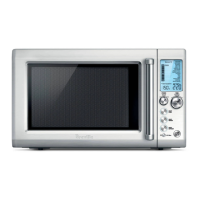
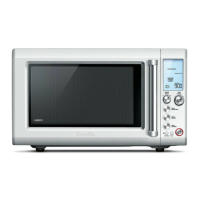
Breville BMO700 Quick Touch Crisp - User Manual

Breville BMO700 Quick Touch Crisp
44 pages
Print Icon
To Next Page IconTo Next Page
Loading...
Breville is a registered trademark of Breville Pty. Ltd. A.B.N. 98 000 092 928.
Copyright Breville Pty. Ltd. 2015.
Due to continued product improvement, the products illustrated/photographed
in this brochure may vary slightly from the actual product.
BMO700 ANZ Issue - C15
www.breville.com.au
www.breville.co.nz
Australian Customers
Mail: Locked Bag 2000
Botany NSW 1455
AUSTRALIA
Phone: 1300 139 798
Fax: (02) 9700 1342
Email:
Customer Service:
askus@breville.com.au
New Zealand Customers
Mail: Private Bag 94411
Botany Manukau 2163
Auckland NEW ZEALAND
Phone:
0800 273 845
Fax: 0800 288 513
Email:
Customer Service:
askus@breville.co.nz
Breville Customer Service Centre

Questions and Answers

  • J
    Judy ColeAug 11, 2025
    How to fix glass turntable noise in Breville BMO700 Quick Touch Crisp?
    • J
      joshuafitzpatrickAug 11, 2025
      If the glass turntable in your Breville Microwave Oven is making noise during operation, the turntable roller may not be assembled properly or may need to be cleaned. Reset it and clean if necessary.
  • J
    Joseph AyersAug 17, 2025
    What to do if LCD time digit shows 00 then 1 or 0 on Breville BMO700 Quick Touch Crisp?
    • D
      Devin KimAug 17, 2025
      If the LCD time digit on your Breville Microwave Oven shows '00' briefly, then displays '1' or '0' and remains stuck, and if the LCD time digit stays at 0, send the unit back to repair. However, if the LCD time digit stays at 1, press the STOP/CLEAR button to reset the unit to its default mode.
  • C
    Carl MillerAug 23, 2025
    Why does my Breville BMO700 Quick Touch Crisp LCD show EA1A then V1:00?
    • J
      John PhillipsAug 25, 2025
      When the LCD time digit on your Breville Microwave Oven displays 'EA1A' followed by 'V1:00' (or similar) before returning to the default mode, it means that both the A BIT MOREā„¢ and SMART REHEAT buttons were pressed simultaneously in the default mode. No action is required because the LCD is just displaying the model type and software version.
  • E
    Eric KellyAug 29, 2025
    What to do if my Breville BMO700 Quick Touch Crisp Microwave Oven will not start?
    • J
      Jennifer McphersonAug 29, 2025
      If your Breville Microwave Oven won't start, there are a few things to check. First, make sure the power cord is properly plugged in and the outlet is switched on. Try unplugging it, plugging it back in, and switching it on again. If that doesn't work, check your fuse or circuit breaker and replace the fuse or reset the breaker if necessary. Finally, there may be a problem with the outlet itself, so have a professional check it for faults.
  • O
    ovargasSep 4, 2025
    Why is my Breville BMO700 Quick Touch Crisp Microwave Oven interfering with my radio or TV?
    • S
      Shari WoodSep 5, 2025
      If your Breville Microwave Oven is interfering with radio, TV, or similar equipment, try these steps: Clean the door and sealing surface of the oven. Reorient the receiving antenna of the radio or television. Relocate the microwave oven with respect to the receiver. Move the microwave oven away from the receiver. Plug the microwave oven into a different outlet so that the microwave oven and receiver are on different branch circuits.

Breville BMO700 Quick Touch Crisp Specifications

General IconGeneral
ModelBMO700
TypeMicrowave Oven
TurntableYes
Smart Cook Auto MenusYes
Capacity0.7 cu. ft.
FeaturesDefrost

Related product manuals