EasyManua.ls Logo

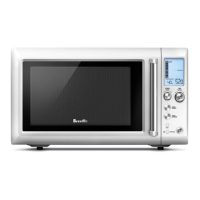
Breville Quick Touch BMO625 - User Manual

Breville Quick Touch BMO625
40 pages
Print Icon
To Next Page IconTo Next Page
Loading...
Breville is a registered trademark of Breville Pty. Ltd. A.B.N. 98 000 092 928.
Copyright Breville Pty. Ltd. 2014.
Due to continued product improvement, the products illustrated/photographed
in this brochure may vary slightly from the actual product.
BMO625 Issue - A14
Australian Customers
Mail: PO Box 22
Botany NSW 2019
AUSTRALIA
Phone: 1300 139 798
Fax: (02) 9384 9601
Email:
Customer Service:
askus@breville.com.au
New Zealand Customers
Mail: Private Bag 94411
Botany Manukau 2163
Auckland NEW ZEALAND
Phone:
0800 273 845
Fax: 0800 288 513
Email:
Customer Service:
askus@breville.co.nz
Breville Customer Service Centre
www.breville.com.au
www.breville.co.nz

Questions and Answers

  • J
    Jennifer HowardAug 1, 2025
    What to do if my Breville Quick Touch BMO625 Microwave Oven will not start?
    • H
      Heather DeanAug 2, 2025
      If your Breville Microwave Oven won't start, make sure the power cord is correctly plugged in and switched on. If the issue persists, check for a blown fuse or a tripped circuit breaker and replace or reset it as needed. As a last step, have a professional inspect the outlet to ensure it's functioning correctly.
  • S
    sharonmaxwellAug 7, 2025
    Why does my Breville Quick Touch BMO625 Microwave Oven LCD show EA1A then V1:00?
    • M
      Mark MarshallAug 7, 2025
      If the LCD time digit on your Breville Microwave Oven displays 'EA1A' followed by 'V1:00' (or similar) before reverting to default mode, this is normal. The LCD is simply showing the model type and software version, and no action is needed.
  • W
    William GillespieAug 13, 2025
    What to do if Breville Quick Touch BMO625 Microwave Oven LCD shows 00 then 1 or 0?
    • C
      Carolyn BookerAug 13, 2025
      If the LCD time digit on your Breville Microwave Oven shows '00' briefly then displays '1' or '0' and remains stuck, and if the LCD time digit stays at 0, send the unit back to repair. If the digit stays at '1', press the STOP/CLEAR button to return the unit to its default mode.
  • W
    walkershelleyAug 19, 2025
    Why is my Breville Quick Touch BMO625 interfering with my radio or TV?
    • T
      tarawernerAug 19, 2025
      If your Breville Microwave Oven is interfering with radio or TV equipment, try these steps: * Clean the door and sealing surface of the oven. * Reorient the receiving antenna of the radio or television. * Relocate the microwave oven in relation to the receiver. * Move the microwave oven further away from the receiver. * Plug the microwave oven into a different outlet, ensuring the oven and receiver are on separate branch circuits.
  • R
    rmurrayAug 25, 2025
    Why does the glass turntable in my Breville Quick Touch BMO625 Microwave Oven make noise?
    • C
      cindy94Aug 26, 2025
      If the glass turntable in your Breville Microwave Oven is noisy during operation, the turntable roller may not be assembled correctly or may need cleaning. Try resetting the turntable roller and clean if necessary.

Summary

IMPORTANT SAFETY INSTRUCTIONS

IMPORTANT SAFEGUARDS FOR ALL ELECTRICAL APPLIANCES

SPECIAL SAFETY INSTRUCTIONS FOR YOUR MICROWAVE OVEN

KNOW YOUR BREVILLE PRODUCT

ASSEMBLING YOUR BREVILLE PRODUCT

BEFORE FIRST USE

Remove all promotional stickers and packaging material. Clean the interior and exterior before first use.

ASSEMBLING THE GLASS TURNTABLE

Insert the turntable roller into position and place the glass turntable on top.

TIME & POWER LEVEL ADJUSTMENT

MANUAL POWER & TIME ADJUSTMENT

+30 SEC INSTANT START

STOP;CLEAR

OPERATING YOUR SMART REHEAT SETTING

OPERATING YOUR SMART DEFROST SETTING

A BIT MORE

CARE & CLEANING

TROUBLESHOOTING

TROUBLESHOOTING COMMON ISSUES

Provides solutions for common problems like interference, dim light, and unit not starting.

Breville Quick Touch BMO625 Specifications

General IconGeneral
BrandBreville
ModelQuick Touch BMO625
CategoryMicrowave Oven
LanguageEnglish

Related product manuals