18
OPERATING YOUR SMART REHEAT SETTING
SMART SETTINGS
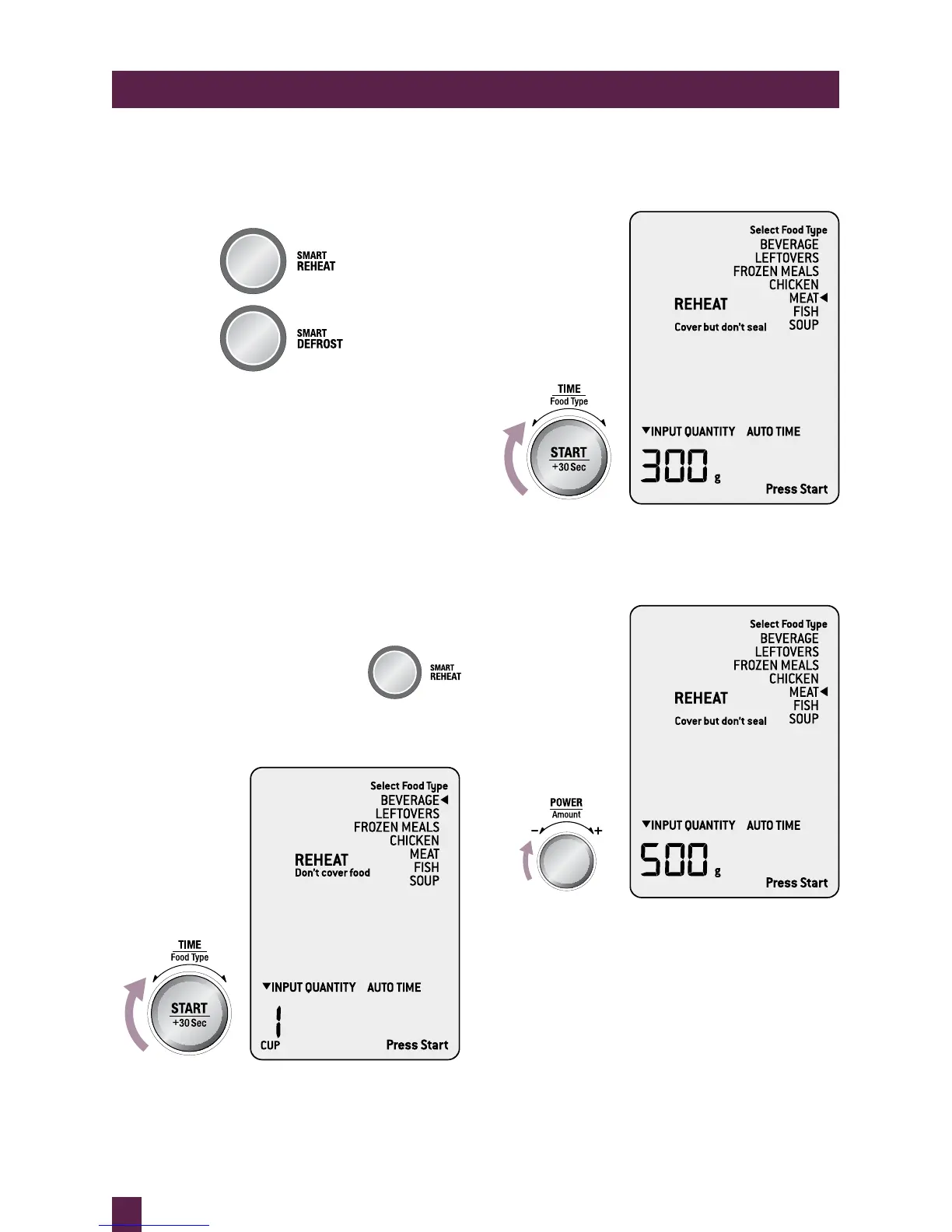
Choose from SMART REHEAT and
SMART DEFROST.
Then select from a list of commonly used food
types and press START. The microwave will
automatically set the time and power level for
the selected quantity.
SMART REHEAT
The SMART REHEAT setting uses lower
power levels to gently reheat food without
drying or overcooking.
SMART REHEAT setting will heat your food to
perfect serving temperatures.
Press SMART REHEAT button to
enter SMART REHEAT settings,
the microwave will beep once.
Turn TIME/FOOD TYPE dial to select
food type.
As the TIME/FOOD TYPE dial is turned
the arrow shifts and points to what food type
is selected.
Once you have chosen FOOD TYPE, turn
AMOUNT dial to adjust quantity or weight.



 To Next Page