35
OPERATING YOUR SHORTCUTS PANEL
Beverage
The shortcuts BEVERAGE setting is suitable
to reheat hot drinks such as coffee and tea
that may have become cold. The BEVERAGE
setting will warm your drink to approx.
60–65°C which is suitable to drink right away.
1. It is based on 200ml of beverage at room
temperature.
2. Position cups around the outside of the
turntable.
3. Press the BEVERAGE
button on the
shortcuts panel inside the door.
4. Turn the AMOUNT dial to select the
number of cups and press START to begin
cooking.
5. At the end of the reheat cycle, stir heated
drinks and allow to stand for 1–2 minutes
before consuming. Be aware, that
overheating drinks may scold or burn.
Baked beans
The shortcuts BAKED BEANS setting is
programed to reheat baked beans to serving
temperatures without splattering and breaking
up of the beans.
1. Place beans into a suitable microwave-safe
bowl and do not cover.
2. Press the BAKED BEANS
button on
shortcuts panel inside the door.
3. Turn AMOUNT DIAL to select weight and
press START button to begin heating.
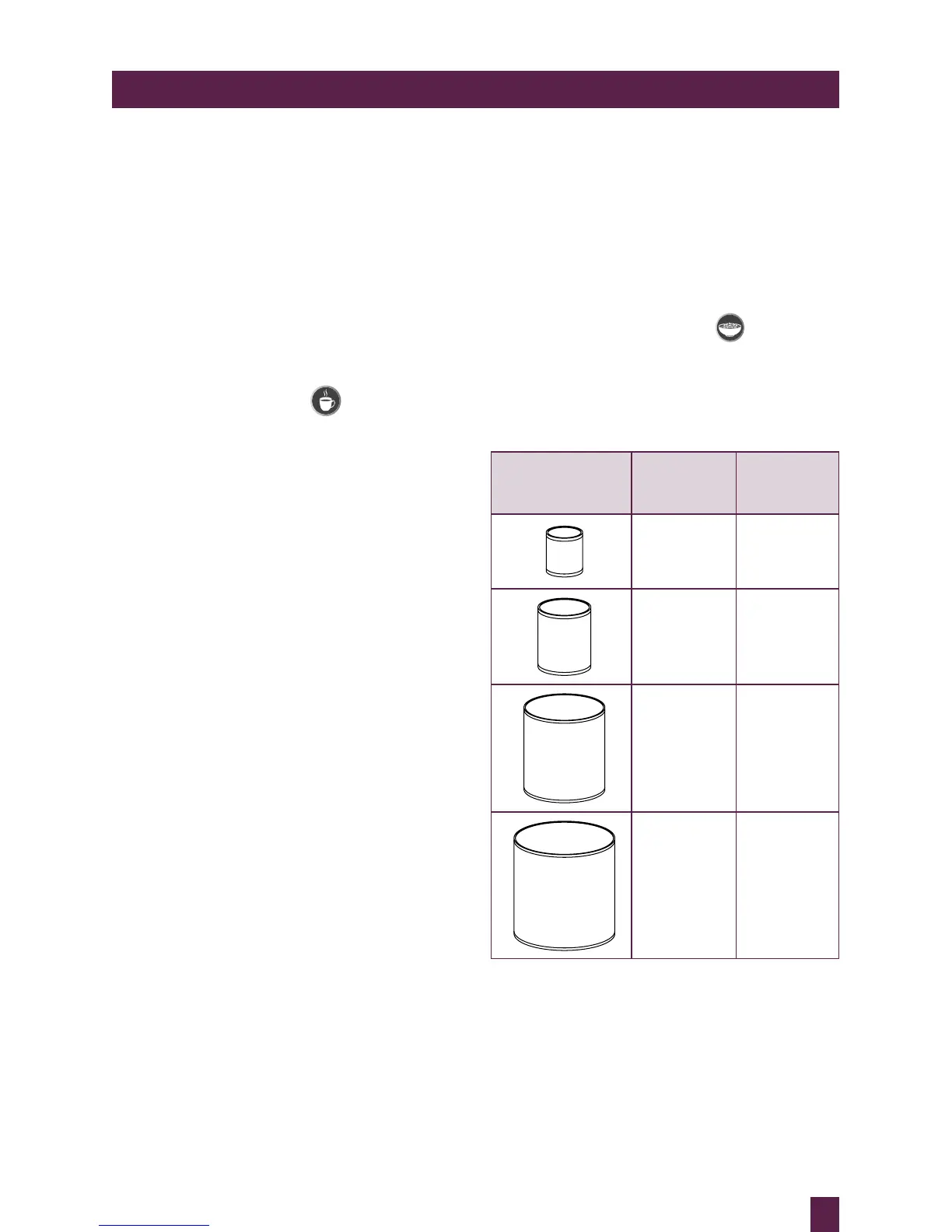
COMMON
CAN SIZES
COMMON
CAN WEIGHT
SELECTED
WEIGHT ON
MICROWAVE
120g–130g 120g
220g 220g
420g–425g 425g
820g–850g 850g



 To Next Page