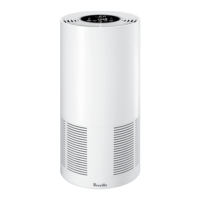
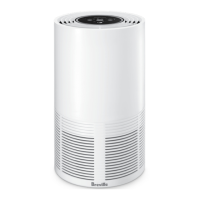
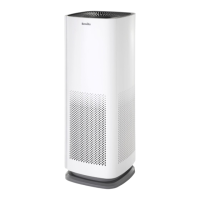
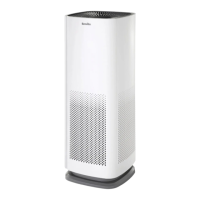
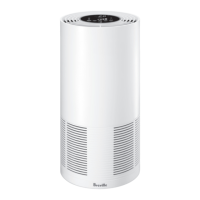
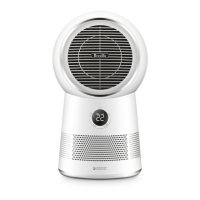
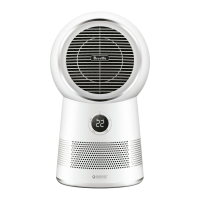
The Breville AirRounder Plus™ Connect (LPH708) is a versatile appliance that combines an air purifier, heater, and cooling fan into a single unit, designed to improve indoor air quality and maintain a comfortable room temperature.
Function Description:
The device operates as an air purifier with a 3-layer filtration system:
- Pre-Filter: Captures larger airborne particles such as human hair, pet dander, and dust.
- True HEPA Filter: Traps up to 99.97% of fine particles, allergens, and airborne contaminants down to 0.3 microns, including bacteria, viruses, mould spores, plant spores, and pollen.
- Activated Carbon Membrane: Assists in capturing dust, smoke, pollen, and other allergens, while also neutralising odours and eliminating fumes from household products and volatile organic compounds (VOCs).
As a heater, it offers three heat settings (LOW, MEDIUM, HIGH) and allows users to set a desired temperature. The unit will automatically maintain the room ambient temperature to the set temperature. In heating mode, a red light ring illuminates around the head of the unit.
As a cooling fan, it also provides three fan settings (LOW, MEDIUM, HIGH). In cooling mode, a blue light ring illuminates.
The AirRounder Plus™ Connect features a SensAir System™ Live Purity Monitor with a built-in air quality sensor that detects changes in air quality. The LED display screen provides real-time indication of PM2.5 concentration, and the air quality pattern on the display changes colours (Blue for Very Good, Bright Purple for Good, Orange for Fair, Red for Poor) according to the Australian Air National Environment Protection Measure (NEPM) standard.
A room ambient temperature sensor detects and displays the current room temperature in °C on the LED screen.
Important Technical Specifications:
- Filter Life: Approximately 9 months.
- Product Dimensions (HxWxL): 591.5 x 253.8 x 253.8 mm.
- For Room Size: 30 to 40m².
- Noise Level (Max): 60dBA.
- Power Consumption: 2100W.
- Weight: Approximately 5.4kg.
- OS Compatibility: Android® 5.0 or later and iOS 9.0 or later.
- Power Supply: Connects to a 230V or 240V power outlet.
- Remote Control Battery: 1 x CR2032 3V Lithium battery.
Usage Features:
The device can be controlled via a touch control panel on the unit or a remote control, which features the same controls.
- Power ON/OFF: Activated by touching the power button on the control panel or pressing it on the remote. A chime confirms power status.
- Memory Function: Returns to the last settings when turned off, provided it is not unplugged or switched off at the power point.
- Temperature Setting: Users can set a preferred temperature in heating mode by touching and holding the heating button for 3 seconds, then tapping to increase or decrease.
- Light Ring: Illuminates blue in cooling mode and red in heating mode. Can be switched off by touching and holding the timer button for 3 seconds.
- Night Mode: A light-sensitive sensor automatically dims the LED display and turns off the light ring in dark conditions, operating in the last set mode. Touching any button re-engages the display.
- Auto-Off Timer: Can be set in 1-hour increments up to 7 hours. The unit switches to standby mode after the set time.
- Oscillation: Offers horizontal oscillation at 60°, 120°, or 360° degrees. Activated by repeatedly pressing the oscillation button on the control panel or remote.
- Child Lock: Locks control panel buttons. Activated by touching and holding the cooling button on the control panel or remote until a beep sounds and the child lock icon illuminates.
- Wi-Fi Connectivity: Allows remote operation via the Breville Home Connect™ app. The app is compatible with Android® 5.0+ and iOS 9.0+ devices. The Wi-Fi symbol on the display indicates connection status.
- Safety Tip-Over Cut-Out Switch: Automatically stops operation if the unit is tipped over. Resumes when placed upright.
- ThermoSecure™ Protection: A safety device that switches off the unit in case of overheating. Requires cooling down and inspection for blockages before restarting.
Maintenance Features:
- General Cleaning: The purifier fan heater and filter should be cleaned at least once a month. External surfaces should be cleaned with a clean, dry cloth.
- Filter Replacement: The REPLACE FILTER icon illuminates on the LED display when the filter needs replacement (approximately every 9-12 months depending on usage). The filter is not washable and must be replaced with original Breville filters (LPH040WHT for LPH408WHT model, LPH070WHT for LPH708WHT model).
- To replace: Remove the rear housing cover, pull out the used filter using the tabs, remove packaging from the new filter, insert it with pull tabs facing the opening, and replace the housing cover.
- To reset the filter indicator: Press and hold the filter reset button on the control panel for 10 seconds.
- Pre-Filter Cleaning: The pre-filter should be vacuumed monthly using a hand-tool attachment.
- Air Quality Sensor Care: The air quality sensor, located above the back vent, should be cleaned monthly by gently vacuuming its cover. For more thorough cleaning (every six months), the cover can be removed with a Philips head screwdriver to vacuum the mesh filter inside. Care must be taken as the sensor is fragile.
- Storage: When not in use, store the unit upright in a cool, clean, and dry location.

 Need help?
 General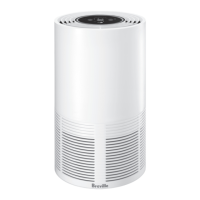



 To Next Page