EasyManua.ls Logo

Breville VCF117 - User Manual

Breville VCF117
9 pages
Print Icon
To Next Page IconTo Next Page
Loading...
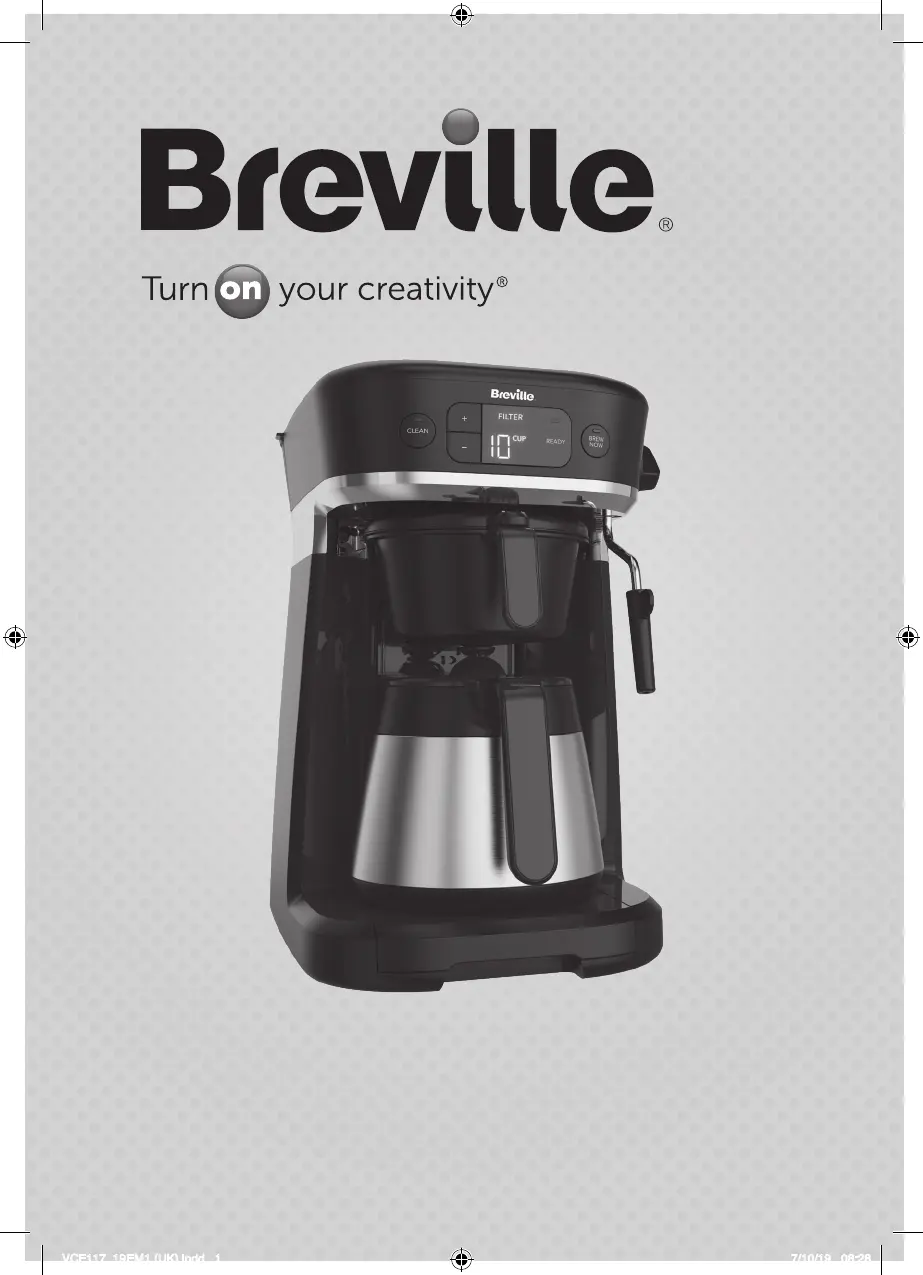
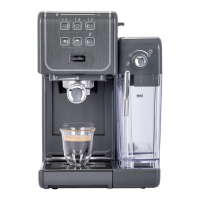
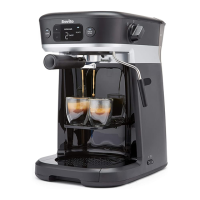
All in One Coffee House
VCF117
VCF117_19EM1 (UK).indd 1 7/10/19 08:28

Questions and Answers

  • A
    Alexis MendozaAug 14, 2025
    Why is coffee not coming out of my Breville VCF117 when brewing espresso?
    • M
      Mr. David SmithAug 14, 2025
      If coffee isn't coming out, or is coming out too quickly or weakly when brewing espresso with your Breville Coffee Maker, here's what might be happening: * **No water:** Add water to the tank and wait about 35 seconds in the standby position before brewing. * **Grind issues:** Your coffee might be too finely or coarsely ground. Adjust the grind to espresso level fineness. * **Tamping:** You might be tamping the espresso too hard. Use less pressure. * **Too much coffee:** Reduce the amount of coffee in the filter. * **Clogged filter:** Clean the filter. * **Not turned ON:** Ensure the Coffee House is plugged in and turned on. Use finer ground coffee or use more coffee if the coffee comes out too quickly.
  • M
    matthewhawkinsAug 17, 2025
    How to fix no steam from Breville Coffee Maker?
    • B
      Brad MyersAug 17, 2025
      If no steam is being generated by your Breville Coffee Maker, it could be due to a few reasons: 1. **Empty water tank:** Add water to the tank, wait approximately 35 seconds in the standby position, and then try the steam function again. 2. **Appliance not turned on:** Make sure the Coffee House is turned on and follow the operating instructions. 3. **Blocked frothing wand:** * Run the milk frothing wand auto clean cycle. * If that doesn't work, turn off the Coffee House, remove the milk frothing wand cover, and use a needle or toothpick to clear any blockage in the nozzle opening.
  • E
    Erin SandersAug 20, 2025
    Why does the drip tray fill with water on my Breville VCF117?
    • J
      John JamesAug 21, 2025
      If the drip tray of your Breville Coffee Maker fills with water on its own, it's likely because the Coffee House has gone through a few automatic cool-down cycles. During these cycles, excess water and steam are purged from inside the unit into the drip tray. When the water level indicator rises, pull out the drip tray and discard the water.
  • K
    Kevin SmithAug 25, 2025
    Why is milk not foamy after frothing in Breville VCF117 Coffee Maker?
    • L
      lindseywilsonAug 25, 2025
      If your milk isn't foamy after frothing with your Breville Coffee Maker, consider these points: 1. **Milk Temperature:** Ensure the milk is sufficiently cold before frothing. Chill it prior to steaming. 2. **Wand Depth:** Adjust the milk frothing wand so it's just below the milk surface.
  • J
    Jasmine KnightAug 27, 2025
    Why does my Breville Coffee Maker display '0' and not brew?
    • T
      Tiffany MontoyaAug 27, 2025
      If the display on your Breville Coffee Maker is blank and showing “0” while the ready indicator light is flashing, it means that there is no water in the water tank or the knob was turned directly from the “steam” position to the “brew” position without being in the “standby” position for approximately 35 seconds. Add water to the tank and turn the knob to the “standby” position for approximately 35 seconds. When the ready indicator light turns solid, turn the knob to the “brew” position to continue.
  • C
    Cheryl CunninghamAug 31, 2025
    Why did my Breville Coffee Maker automatically turn off?
    • J
      Julie Jordan DDSAug 31, 2025
      Your Breville Coffee Maker has a 5-minute auto-off function. To reactivate the unit, simply press any button.
  • H
    hayesjosephSep 3, 2025
    Why brew size options don't show up on Breville VCF117 Coffee Maker?
    • P
      Philip WilliamsSep 3, 2025
      If the brew size options aren’t showing up on the display of your Breville Coffee Maker, even with the attachment in the Coffee House, it could be due to these reasons: 1. The attachment may not be correctly placed or fully locked. Reinsert the attachment until it locks properly in a horizontal position. 2. The knob was moved from the “steam” position directly into the “brew” position without first being in the “standby” position for 35 seconds after steaming. Turn the knob to the “standby” position for approximately 35 seconds.
  • B
    Brittany SimmonsSep 6, 2025
    Why is steam coming from the drip tray of my Breville VCF117?
    • M
      Michael GordonSep 6, 2025
      If steam is coming from the drip tray and the pump is operating intermittently on your Breville Coffee Maker, the Coffee House has likely overheated. It has entered an automatic cool-down cycle, during which it releases excess water and steam into the drip tray. The Coffee House will complete this cycle automatically. The ready indicator light will pulse during the cool-down and turn solid when finished.
  • G
    garrettstephenSep 10, 2025
    What to do if Breville VCF117 leaks when brewing capsules?
    • J
      jbrownSep 10, 2025
      If you're experiencing leaks from the Coffee House when brewing Capsule pods with your Breville Coffee Maker, it's likely that the Capsule portafilter isn’t inserted properly. Remove the Capsule portafilter and ensure it is correctly inserted and locked into place at a 90° angle.

Summary

Important Safeguards

General Safety Precautions

Essential safety instructions for operating the appliance to prevent fire, shock, or injury.

Product Notices

Product Usage Guidelines

Important notices regarding appliance placement, operation with empty water tank, and steam escape.

Get to Know Your Coffee House

Coffee House Components

Identification of the main parts of the coffee house appliance.

Control Panel Overview

Explanation of the buttons, indicators, and display on the control panel.

Knob Functionality

Description of the knob's functions for steaming, standby, and brewing.

Included Attachments

List of accessories and parts included with the coffee house appliance.

Quick Start Guide

Brewing Quick Start

Concise steps to begin brewing coffee using the appliance.

User Manual Operations

Getting Started and Preparation

Initial setup procedures including unpacking, placement, and cleaning before first use.

Brewing a Pot of Coffee

Step-by-step instructions for brewing a full pot of coffee.

Brewing Espresso Shots

Detailed guide for brewing single or double shots of espresso.

Brewing Capsule Coffee

Instructions for brewing coffee using compatible capsules.

How to Steam Milk

Milk Steaming Process

Detailed instructions on how to steam milk using the frothing wand.

Routine Cleaning Procedures

Cleaning Filter Coffee Components

Instructions for cleaning the brew basket, pot, and lid.

Cleaning Capsule Portafilter

Steps to rinse and dry the capsule portafilter.

Cleaning Espresso Components

Guide for cleaning the espresso portafilter and filter.

Cleaning Milk Frothing Wand

Procedures for cleaning the milk frothing wand and its cover.

Deep Cleaning Espresso Filters

Instructions for deep cleaning espresso filters every 90 days.

Emptying the Drip Tray

How to remove, empty, and reinsert the drip tray.

Descaling the Coffee House

Descaling Process Steps

Detailed steps for descaling the coffee house using vinegar and water.

Troubleshooting Guide

Brew Size Display Issues

Troubleshooting when brew size options are not visible on the display.

Capsule Leaks

Resolving leaks when brewing capsule pods.

No Steam Generated

Diagnosing and fixing issues with steam generation.

Milk Not Foamy

Tips for achieving foamy milk during steaming.

Espresso Brewing Problems

Solutions for common espresso brewing issues like no coffee or weak coffee.

Display and Indicator Errors

Troubleshooting blank displays or flashing ready indicator lights.

Steam and Pump Operation Issues

Addressing steam from drip tray and intermittent pump operation.

Drip Tray Water Fill-up

Investigating why the drip tray fills with water on its own.

Automatic Unit Shut-off

Understanding and resolving automatic unit shut-off.

Electrical Safety Information

Earthing and Plug Requirements

Guidelines for proper earthing and plug usage.

After Sales Service and Guarantee

Troubleshooting Unit Failure

Steps to take if the unit fails to operate.

Returning the Appliance

Instructions for returning the appliance for service or replacement.

Warranty Terms and Conditions

Details of the product guarantee and its coverage.

Breville VCF117 Specifications

General IconGeneral
TypeEspresso Machine
Pump Pressure15 bar
ModelVCF117
BrandBreville
ColorBlack
Capacity1.5 liters
Special FeatureMilk Frother
Coffee Maker TypeEspresso Machine
MaterialStainless Steel
Wattage1100 watts
Voltage220-240V
Included ComponentsTamper, Milk Jug
Water Tank Capacity1.5 liters
Power1100 watts

Related product manuals