7
5. DMX-512 Control Connections
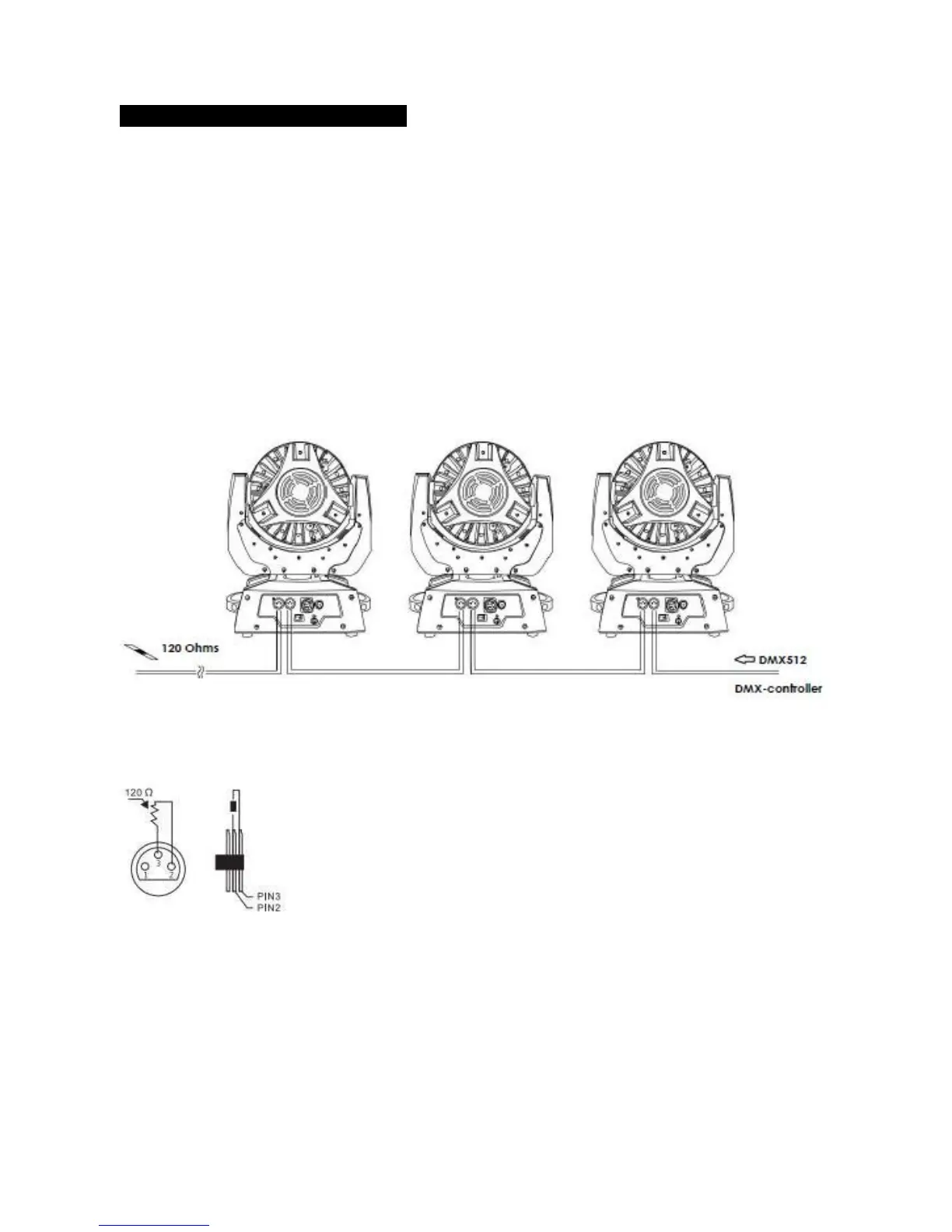
Connection between controller and projector and between one projector and another must be made
with a 2 core-screened cable, with each core having at least a 0.5mm diameter. Connection to and
from the projector is via cannon 3 pin XLR plugs and sockets. The XLR's are connected as shown in
the figure above.
Note: Ensure that none of the pins touch the metallic body of the plug or each other. The body of
the plug is not connected in any way. The projector accepts digital control signals in protocol
DMX512 (1990).
Connect the controller’s output to the first fixture’s input, and connect the first fixture’s output to
the second fixture’s input and connect the rest fixtures in the same way. Eventually connect the last
fixture’s output to a DMX terminator as shown in the figure below.
TERMINATOR:



 To Next Page