8
6. Menu
Setting DMX Start Address
Each projector must be given a DMX start address, so that, the correct projector responds to the
correct control signals. This DMX start address is the channel number from which the projector
starts to “listen” to the digital control information being sent out from the controller. The fixture
have 3 DMX modes. There are simple mode, standard mode and extended mode. For example
standard mode has 15 channels, so set the No. 1 projector’s address 001, No. 2 projector’s address
016, No. 3 projector’s address 031, No. 4 projector’s address 046 and so on.
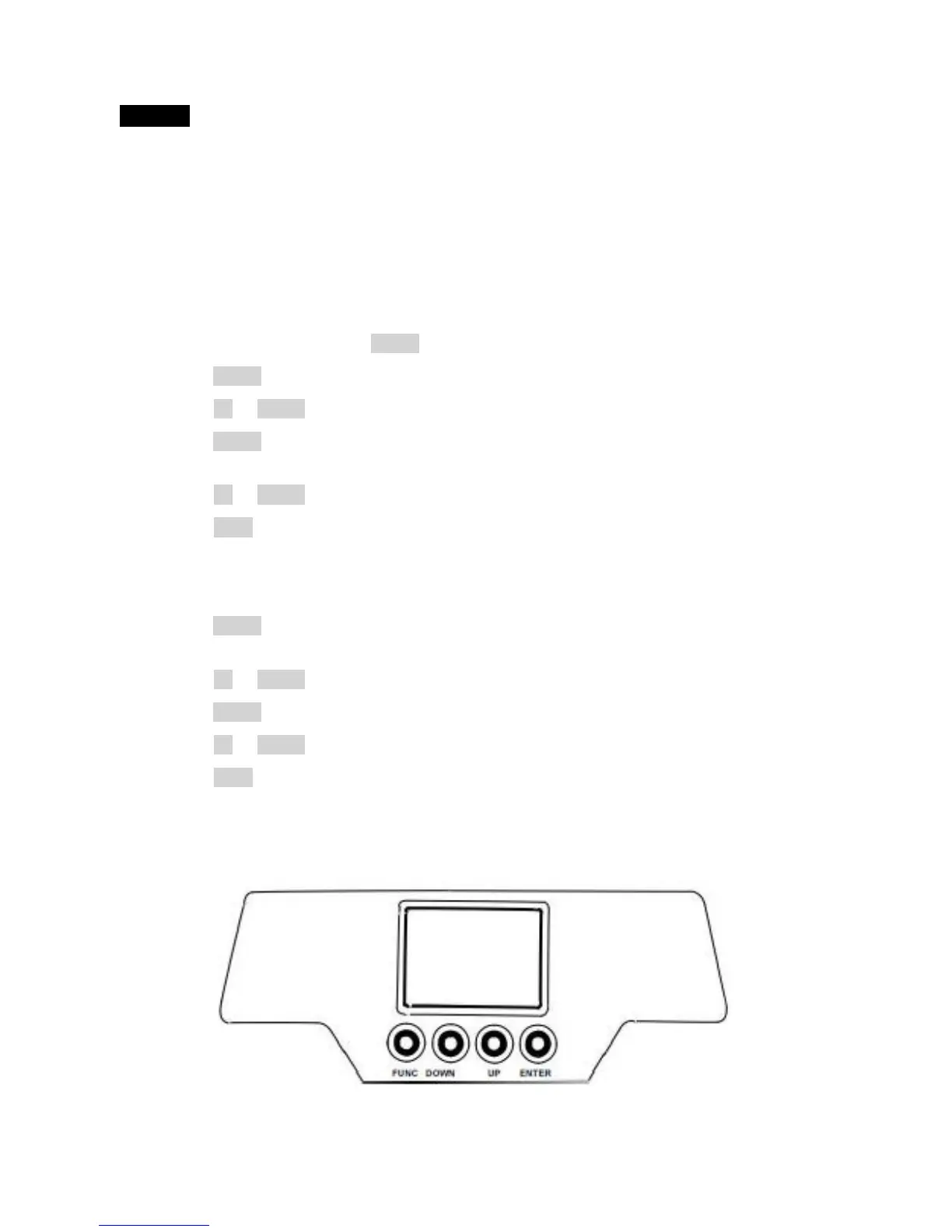
Launch the projector. Press button ENTER more than 5 seconds to unlock panel.
Press button ENTER to display DMX address.
Press button UP or DOWN , you can set the address.
Press button ENTER to confirm, which means the projector has saved the Start Address
automatically, when powered on next time, it will display the value saved last time.
Press button UP or DOWN to change values (add or subtract).
Press button FUNC, to return to the upper menu one by one.
Configuration:
Press button ENTER to unlock panel. Menu will be displayed on the screen. Each menu has its own
sub-menu. Each menu has specific function. Please refer to “Operation Menu” below for details.
Press button UP or DOWN if you want to browse or change through the various Setup Options.
Press button ENTER to save your settings or enter the next menu.
Press button UP or DOWN to change values.(Add or subtract)
Press button FUNC , it will return to the upper menu one by one.



 To Next Page