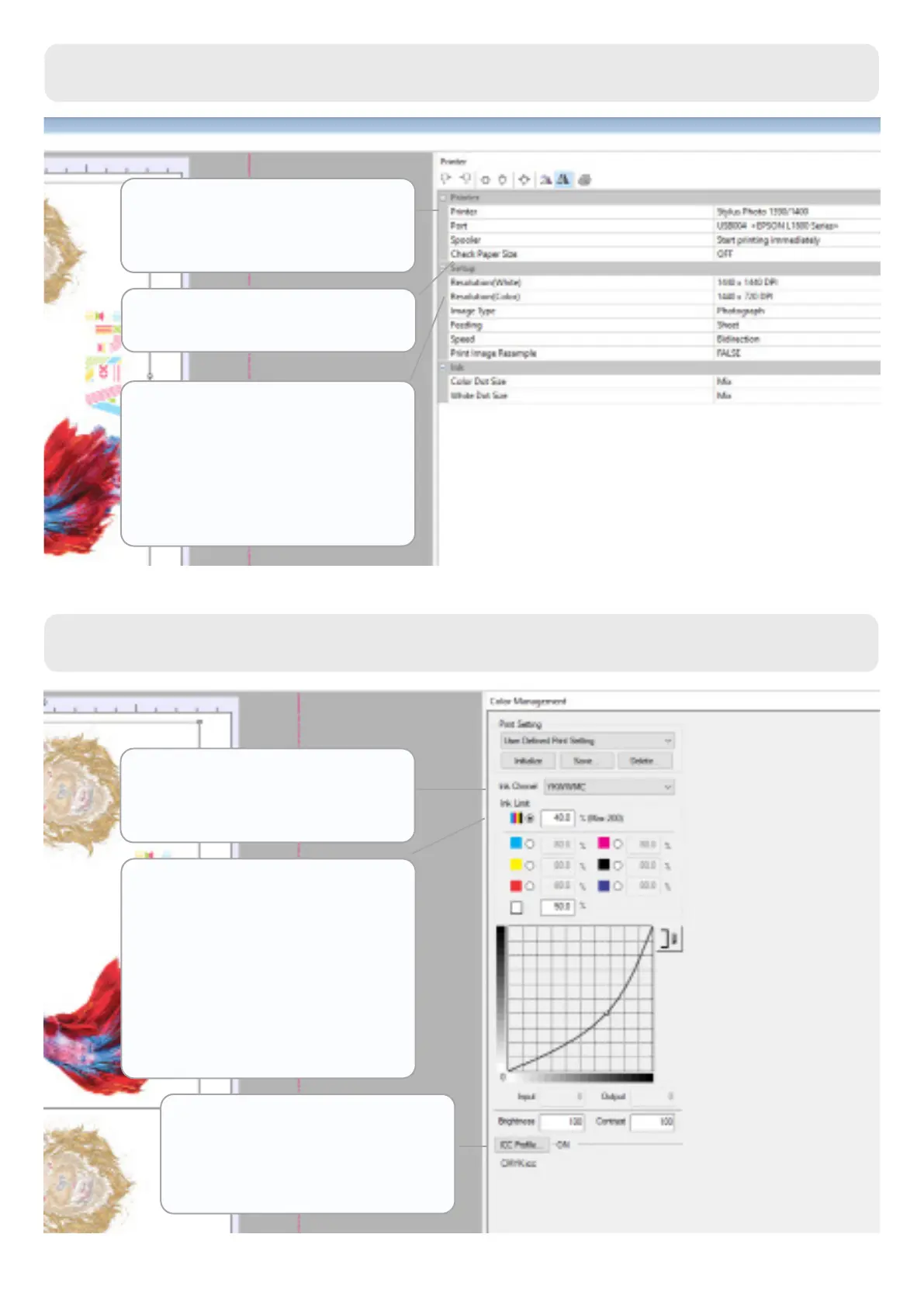
You must choose the Stylus
Photo 1390/1400 printer ,and
under Port, your selected
printer
Check paper size must be OFF
The recommended white and
colour resolution is 1440x720
DPI, but you can increase it for
white to get more opacity
Under Ink Channel, you must
select YKWWMC for it to
interpret white properly
Ink limit allows you to choose
the percentage of colour and
white ink you want to print. You
can also choose the percentage
per colour.
We recommend starting at 40%
for colour and 50% for white.
Watch out for excess ink!
The colour prole we will use
is CMYK.icc. Select it to ensure
accurate printing.
Color Management Tab
Printer Tab
12
www.brildor.com/en/



 To Next Page