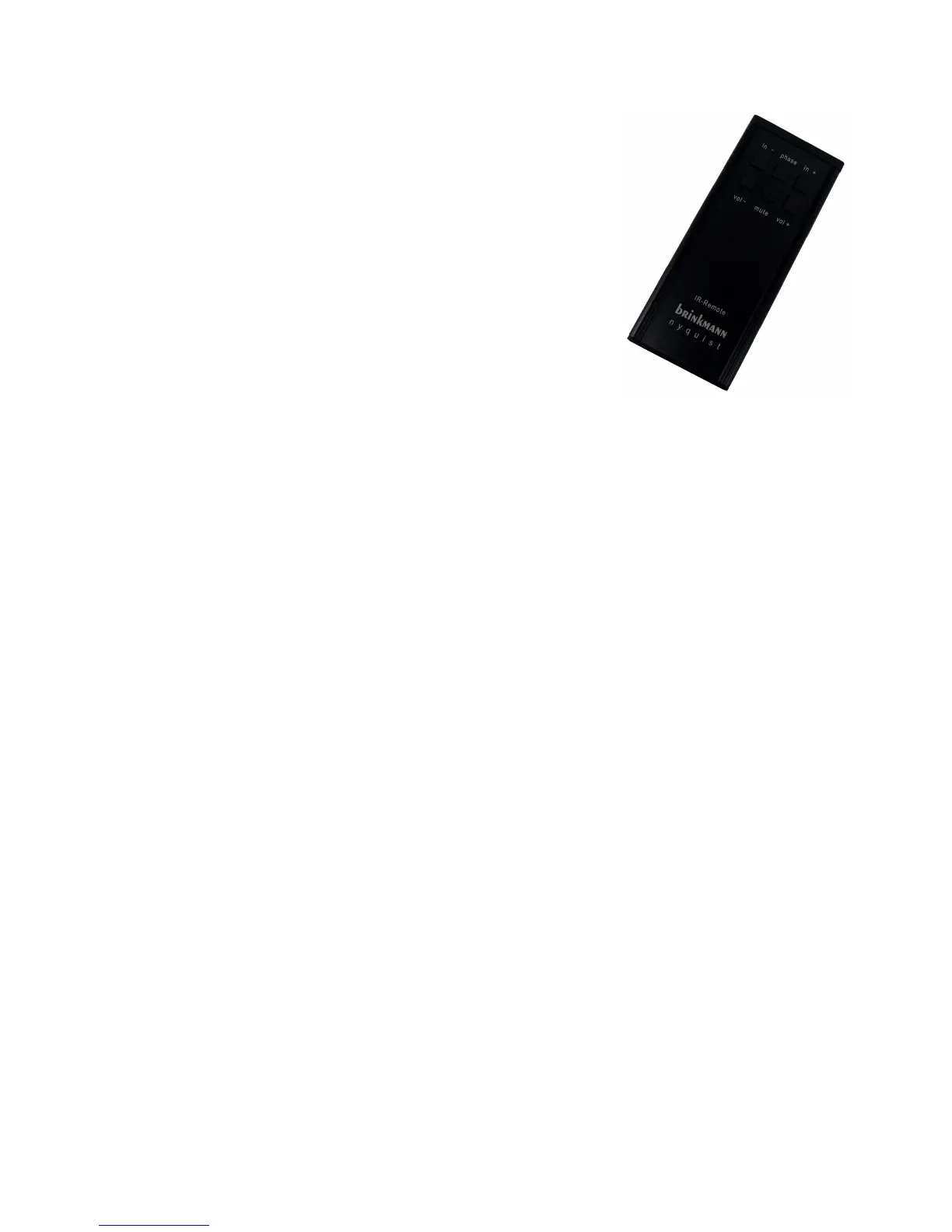
REMOTE CONTROL
The remote control works with an IR sensor and needs approx.
20cm free space above Nyquist to allow for awless “Line of sight”
funcon.
The top three buons on the remote control are for input selecon
(le and right) and for phase selecon (middle).
The three buons in the second row are for gain / headphone volu-
me (le and right) and for mute (middle).
Pushing the „mute“ buon twice while the headphone output is ac-
vated switches back to regular playback and un-mutes the output.
HEADPHONE OPERATION
Nyquist features a headphone output on the le side of the front panel.
The headphone output gets acvated and the regular output muted aer connecng the headpho-
ne and pushing the “headphone” buon directly above the output.
Pushing the “headphone” buon again switches back to regular playback but the output is sll mu-
ted and needs to be acvated by pushing “mute” either on the front panel or the remote control.
Pushing the “mute” buon on Nyquist while the headphone output is acvated will switch back to
unmuted regular playback.
Pushing the „mute“ buon on the remote control twice while the headphone output is acvated
switches back to regular playback and de-mutes the output.
UNPACKING
Your Nyquist D/A Converter is delivered in a double-carton shipping box with highly protecve inter-
nal packaging material. In the event that your DAC needs to be shipped in the future, this packaging
will protect Nyquist and the power supply from shipping damage. Please keep the packaging, inclu-
ding internal protecve packaging material in order to assure maximum shipping safety for your
product!
Please nd in the top layer of the protecve packaging inlay:
-This Owner’s Manual
-Nyquist D/A Converter including the digital module (installed)
-Remote Handset
-Power Supply including connecon cable with 7-pole plug
In the boom layer:
-USB sck containing this manual and the USB Driver for Windows
-Granite base for the D/A Converter
-AC Power Cord
6



 To Next Page