OPERATION
Pushing the “on-o” switch lights up both the display and the red LED at the “mute” switch. The
“mute” switch is disabled as long as the display shows “Nyquist”. During this me the tubes are hea-
ted to operang temperature.
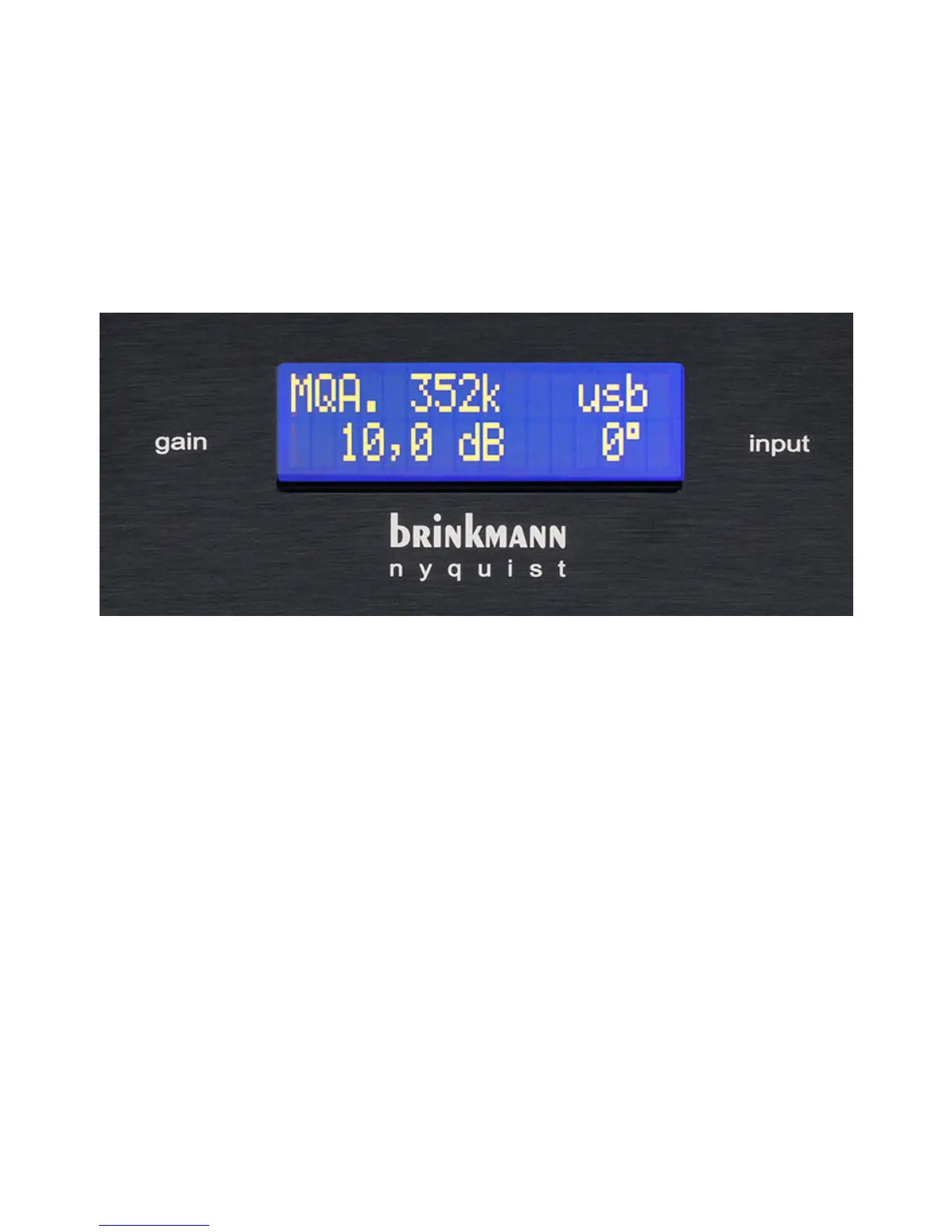
Approximately one minute aer turn-on, the display shows the following (le to right, top to bot-
tom) and Nyquist can be de-muted:
1. Actual Format (PCM, DSD or MQA.)
2. Actual sample frequency
(44/48/88/96/176/192/352/384 for MQA and PCM or 64/128/256 for DSD)
3. Input name
aes, coax, usb, tos or ethn
4. Output Gain (0…10 dB) or Headphone Volume (0…99)
5. Phase (0° or 180°)
Since there are no dierences in volume between the dierent digital inputs, Nyquist’s gain and
phase stay the same when switching from one input to another.
Gain selecon changes to headphone volume as soon as the headphone output is acvated.
The rotary knob on the le side of the front panel changes gain / headphone volume and the rotary
knob on the right side of the front panel selects the input.
9



 To Next Page