12 ENGLISH
For models WD 3030 and WD 3040 only
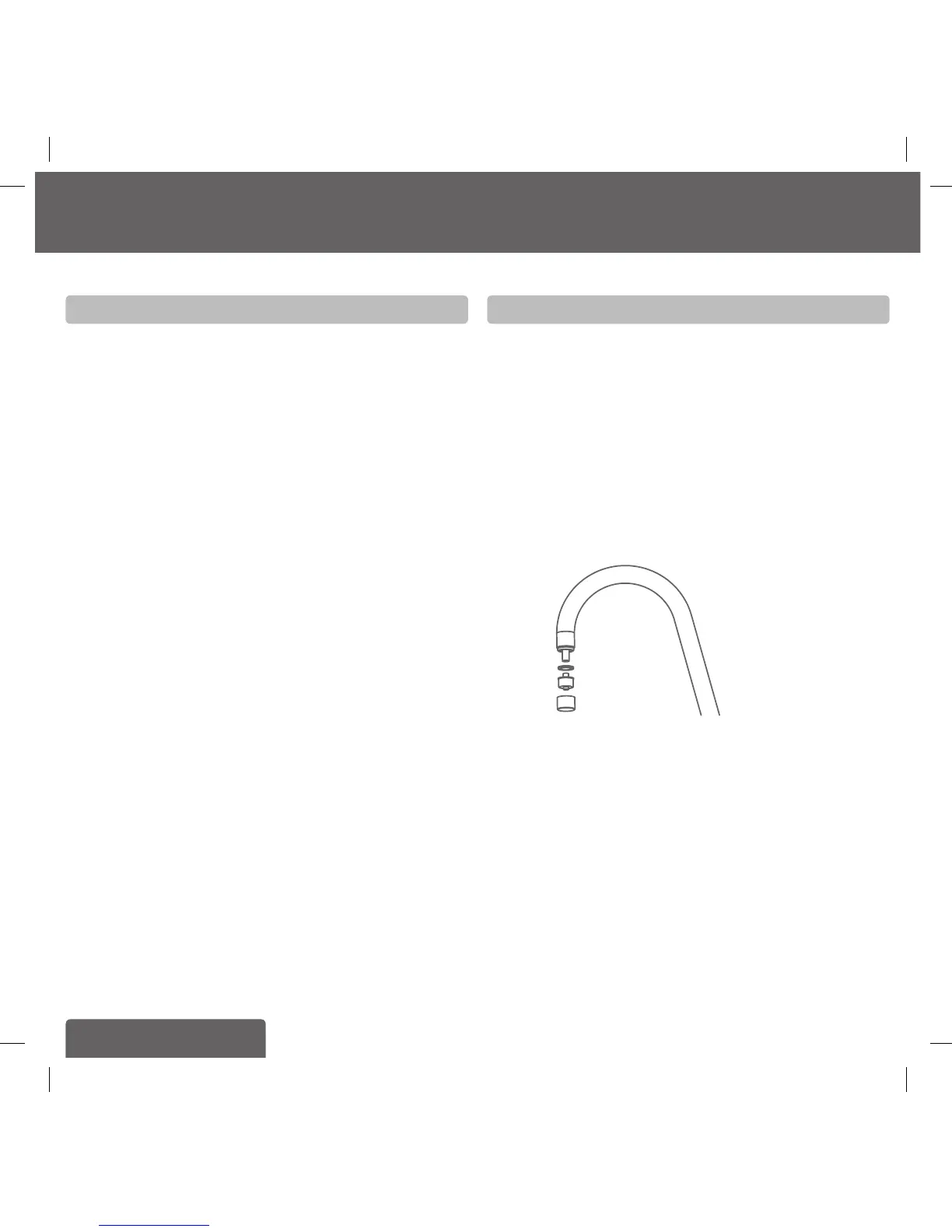
These models have an aerator with two integrated outlets. The
Inner one is for BRITA filtered water, the outer area for hot and cold
water. As with every tap aerator, there can be limescale build-up in
the outer area. Therefore it is recommended to clean the aerator
on a regular basis. For cleaning: Unscrew the cap on the end of the
dispensers neck. The aerator is connected to a silicon hose. Detach
it carefully and clean the aerator (e.g. with vinegar). After cleaning
connect the long, thin part on the back of the aerator carefully with
the silicon hose. Place the cap over the aerator and screw it tight.
Make sure that the gasket in the cap is seated correctly. When
installed correctly there should not be any leaks whilst running hot,
cold or BRITA filtered water.
If you want to replace the aerator with a new one, you can order
it from BRITA. You can find the contact details for your BRITA
customer service team next to your country code on the back of this
booklet.
(fig. 12)
8 Troubleshooting
A No water flow
Cause: Water intake closed.
Troubleshooting: Open the water intake at the upstream shut-off
valve or by closing the locking handle (3) on the
filter head (5). Check hoses for kinks.
B No or low water flow in spite of open water intake
Cause: Mains pressure too low.
Troubleshooting: Check mains pressure. If the fault continues,
check the filter system and filter cartridge and
replace if necessary. Check hoses for kinks.
Cause: Filter head not mounted in direction of water
flow / hoses wrongly connected.
Troubleshooting: Dismantle filter head and hoses and install in
direction of water flow (chapter 3.4).
C Leak
Cause: Screwed connections not fitted correctly.
Troubleshooting: Check mains pressure. Check all screwed
connections and mount as described in
chapter 3.4.
D No LED indication by usage
Cause: Battery is not inserted in a correct way or is
used up.
Troubleshooting: Check if battery is inserted properly.
If necessary, replace the battery.
1014662-002_GA_BRITA_Tap_CE.indb 12 04.04.16 11:27


 To Next Page