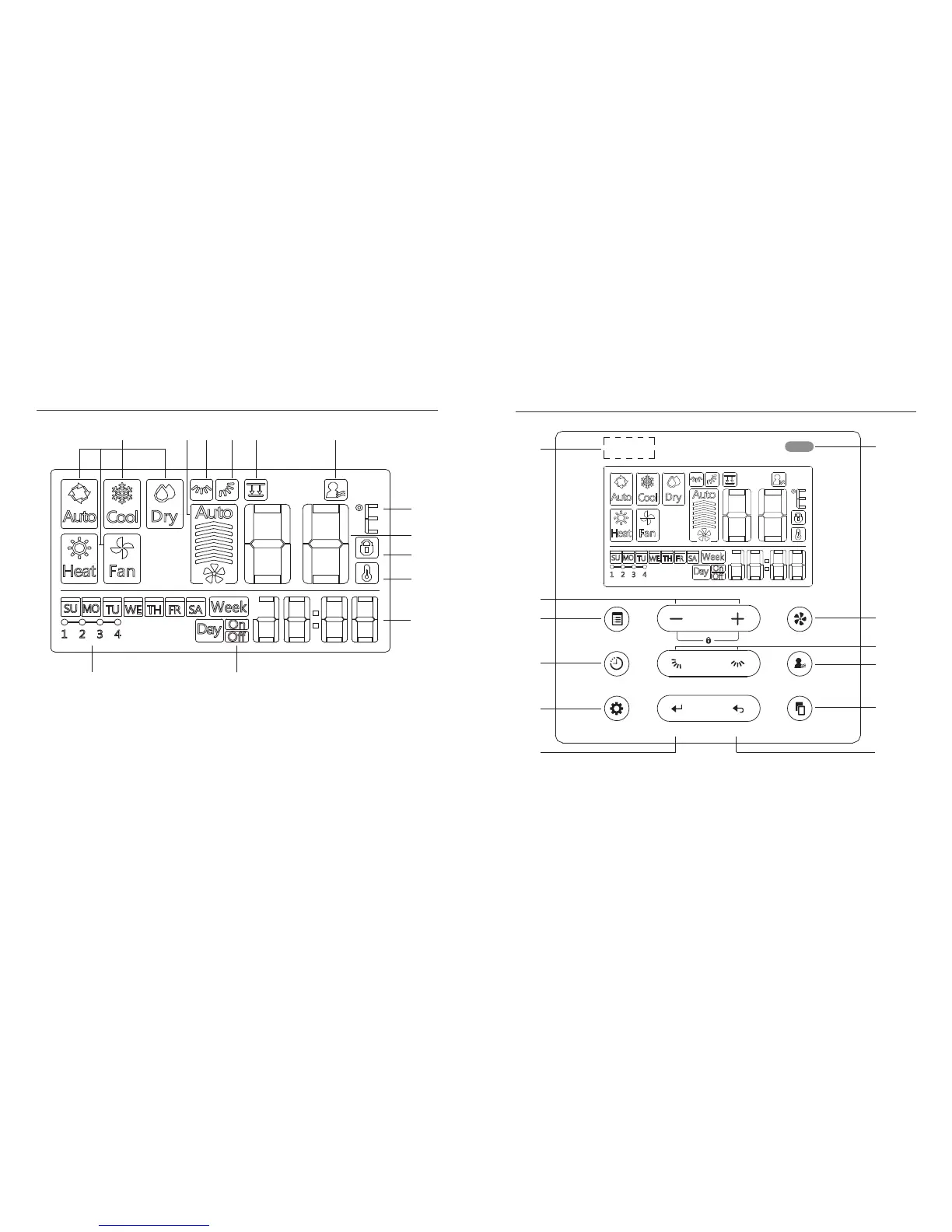
7. BUTTON DESCRIPTION
1 Operating mode indicator
2 Fan speed indicator
3 Left-right swing indicator
4 Vertical swing indicator
5 Function not applicable
6 Follow me indicator
7 Temperature C°/F° indicator
1 2 3 4 5 6
7
8
9
10
11
13 12
8 Temperature display
9 Lock indicator
10 Room temperature indicator
11 Clock display
12 On/Off timer
13 Timer display
1
2
3
4
5, 6
7
8
9
10
11
POWER
MODE
12
FAN SPEED
TIMER SWING SWING FOLLOW ME
DELAY/DAY OFF CONFIRM BACK COPY
6. LCD DISPLAY LAYOUT
9 10
13



 To Next Page