2 MODE
3 Adjustment up and down
4 FAN SPEED
5 Vertical airow direction and swing
6 Horizontal swing
7 FOLLOW ME
8 TIMER
9 DELAY/DAY OFF
10 CONFIRM
11 BACK
12 COPY
13 Remote receiver (some models)
8. PREPARATORY OPERATION
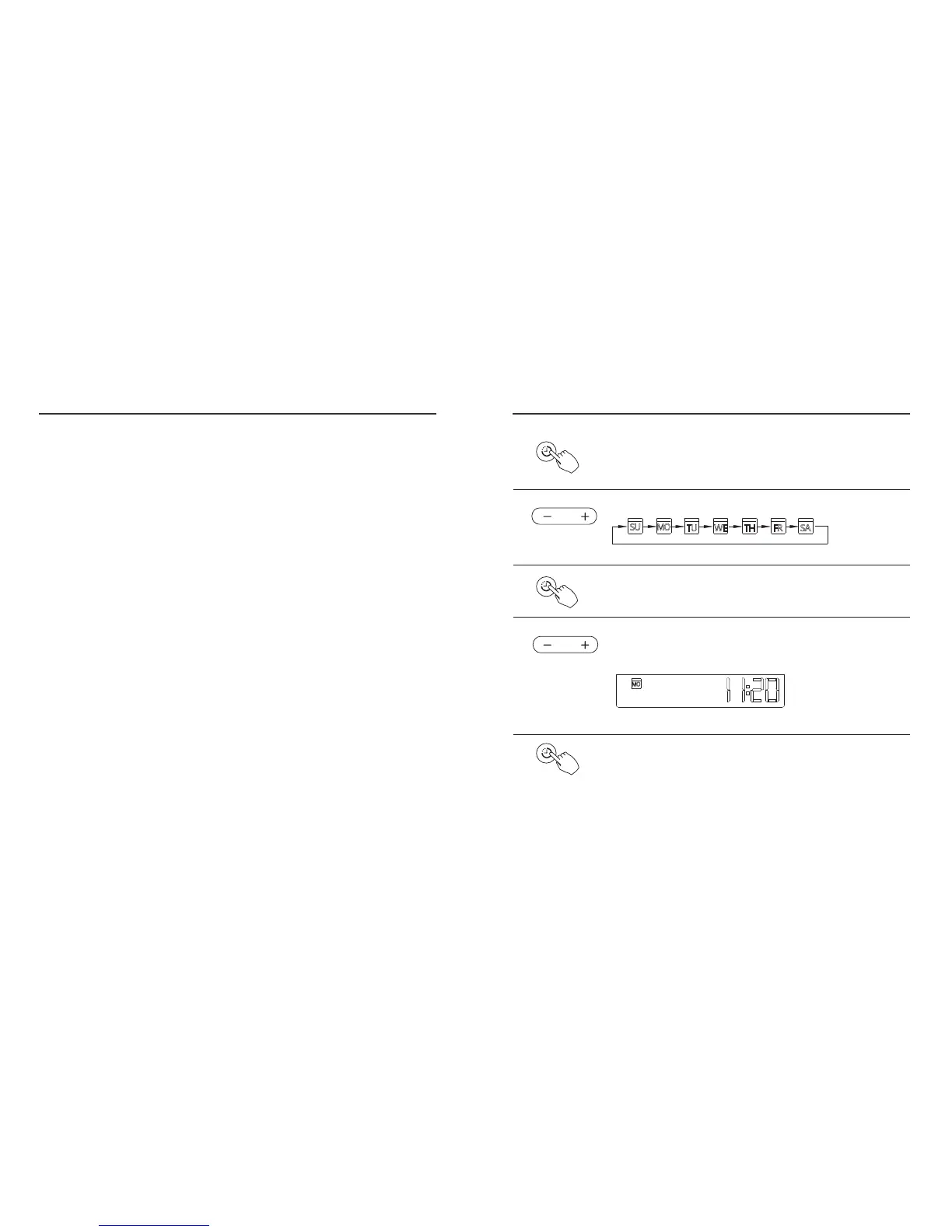
Press the TIMER button for 3 seconds or more.
The timer display will ash.
Press the “+” or “-” adjust buttons to set the current time.
Press repeatedly to adjust the time in 1 minute increments.
Press and hold to adjust the time rapidly.
ex.Monday AM 11:20
1
2
3
4
5
Press the “ + ” or “ - ” adjust buttons to set the date.
The selected date will ash.
After setting the day and time, press the TIMER button to exit. The
control will exit if no buttons are pressed within 10 seconds.
The setting is complete after pressing TIMER button or if no
buttons are pressed within 10 seconds.
Set the current day and time
TIMER
TIMER
11
7. WIRED CONTROL BUTTON DESCRIPTION
12



 To Next Page