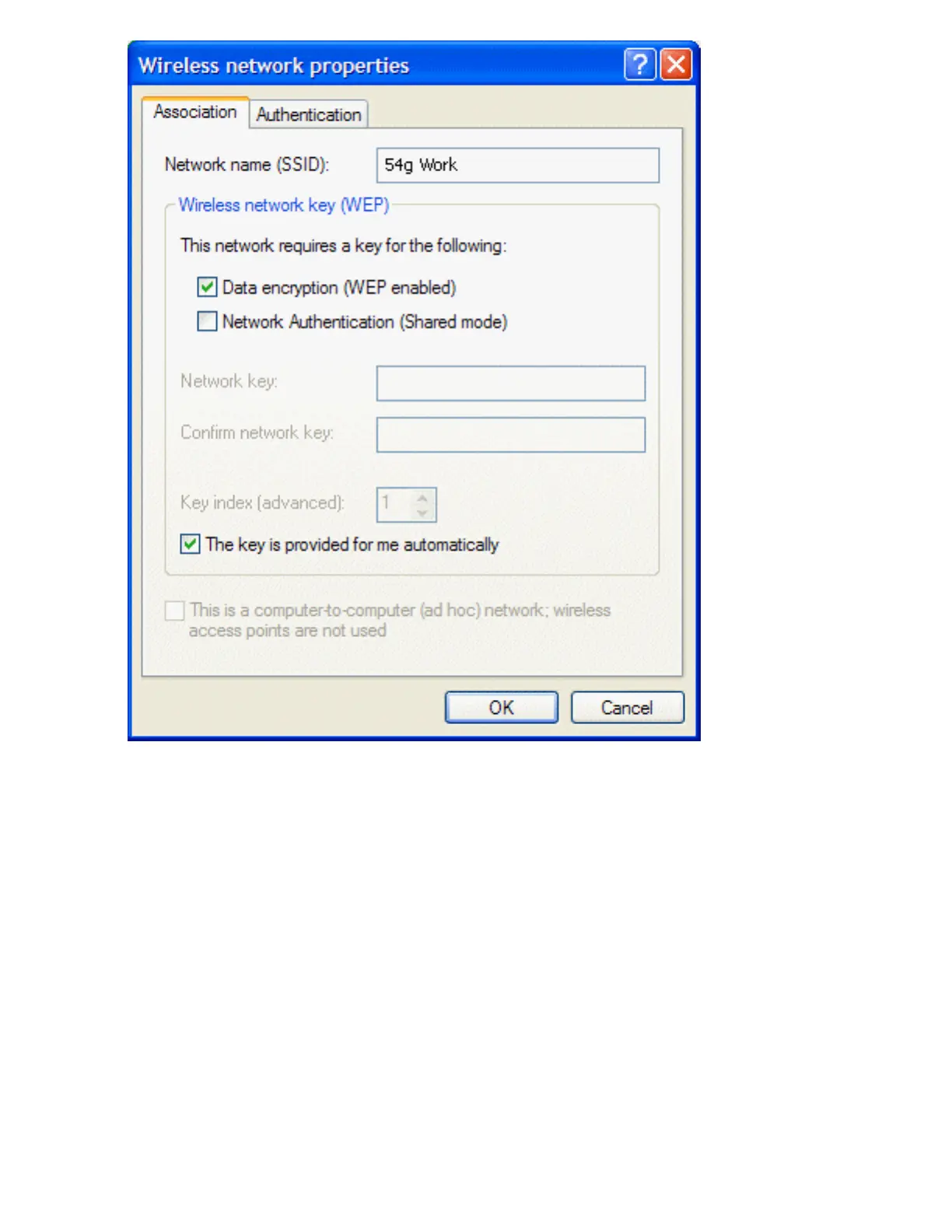
4. Select the Data encryption (WEP enabled) box.
5. Clear the The key is provided for me automatically box.
6. Type the network key in the Network key box and again in the Confirm network key box.
NOTE—It is not necessary to select the Key format or the Key length before typing the network key. These
settings automatically change to the appropriate setting as the network key is typed.
7. Click OK. The network name and icon appear at the top of the list under Preferred networks.
file:///P|/User%20Manuals/HP%20XP%20WLAN%20Card/setup.htm (8 of 15) [1/30/03 10:11:18 PM]



 To Next Page