
 Need help?
Do you have a question about the Brocade Communications Systems Brocade VDX 6740 and is the answer not in the manual?
Provides an overview of the Brocade VDX 6740 switches, their features, and capabilities.
Outlines crucial safety precautions and general considerations for installing the switch.
Explains the text formatting conventions used in the manual for clarity.
Details the conventions used for presenting command syntax examples.
Describes the different types of notices used to highlight important information and potential hazards.
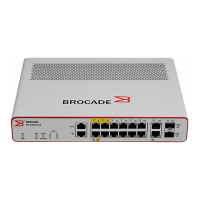
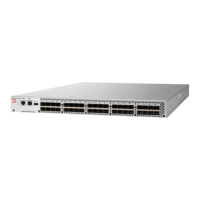
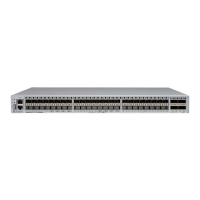
Illustrates the port-side and non-port-side views of the switches and their components.
Lists the standard items included with the Brocade VDX 6740 switches upon shipment.
Explains the steps required to connect and provide power to the Brocade VDX 6740 switches.
Explains how to configure the Brocade VDX 6740 switches, including VCS mode and logical chassis concepts.
Details the steps to establish a serial connection from a workstation or terminal to the switch for configuration.
Recommends changing default passwords and provides steps for password management.
Guides users on configuring static IP addresses or using DHCP for switch IP address management.
Explains how to change the RBridge ID, which is required for fabrics with multiple switches.
Details how to change the VCS ID, which is necessary for multiple VCS fabrics.
Covers setting and synchronizing the date and time on the switch for logging and troubleshooting.
Provides guidance on connecting network devices, including cable types and testing connectivity.
Explains Brocade trunking between adjacent switches in VCS mode and port group configurations.
Explains how to interpret the status and activity indicated by the LEDs on the switches.
Details the Power-On Self-Test (POST) process and boot specifications for the switches.
Shows the locations of LEDs on the port and non-port sides of the Brocade VDX 6740 switches.
Describes the port-side LED patterns during normal operation and their corresponding hardware status and actions.
Guides users on determining if POST completed successfully and identifying any detected errors.
Provides essential preparatory steps and cautions before performing FRU replacements.
Details the procedure for replacing combined power supply and fan assemblies in the Brocade VDX 6740.
Explains how to replace power supplies in the Brocade VDX 6740T and 6740T-1G models.
Provides instructions for replacing fan assemblies in the Brocade VDX 6740T and 6740T-1G models.
Lists the general specifications for the Brocade VDX 6740 switches, including architecture and processor details.
Provides the weight and physical dimensions for the Brocade VDX 6740 switches.
Outlines the electrical, thermal, and rack facility requirements for installing the Brocade VDX 6740.
Details the input voltage, frequency, and power output specifications for the switch power supplies.
Lists the acceptable ambient temperature, humidity, and altitude ranges for switch operation.
Details the types and sizes of memory devices used in the Brocade VDX 6740 switches.
Describes various regulatory compliance requirements, including FCC, CE, and country-specific statements.
Lists cautions related to equipment hazards, procedures, and potential damage.
Highlights dangers that can cause injury or death, including service personnel requirements and laser safety.
 General
| Brand | Brocade Communications Systems |
|---|---|
| Model | Brocade VDX 6740 |
| Category | Switch |
| Language | English |





 To Next Page