
 Need help?
Do you have a question about the Brocade Communications Systems 300 and is the answer not in the manual?
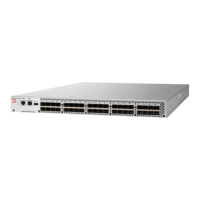
Highlights the key features and capabilities of the Brocade 300 switch.
General safety and procedural guidelines before starting the installation.
Important warnings and cautions for personnel performing the installation.
Specific safety measures related to electrical power connections.
Safety guidelines for working with devices that use Class 1 lasers.
Lists the environmental and physical requirements for installation.
Details airflow, temperature, and humidity requirements for proper operation.
Step-by-step guide for installing the switch on a flat surface.
Instructions for mounting using a mid-mount kit in two-post racks.
Requirements for successful installation in an EIA rack, including grounding and airflow.
Guide for installing using a fixed-mount kit in four-post racks.
Instructions for installing using a slide rack mount kit.
Instructions for mounting using a non-port side fixed-mount kit in four-post racks.
Steps to connect the switch to a power source and initial power-on procedure.
Guide to establishing a serial connection for configuration.
Procedures for configuring the switch's IP address using DHCP or static IP.
Details enclosure, power, fans, architecture, and processor specifications.
Lists specifications for Fibre Channel ports, protocols, and modes.
Details input voltage, current, and frequency for the power supply.
Important warnings about operating temperature and airflow.
Safety measures before plugging in cables to prevent static discharge.
Warnings for qualified service personnel and potential hazards.
Warnings about power source grounding, high voltage, and battery risks.
Specific warnings related to Class 1 and Class 1M laser radiation from fiber optics.
 General
| Brand | Brocade Communications Systems |
|---|---|
| Model | 300 |
| Category | Switch |
| Language | English |




 To Next Page

