Contents
About This Document........................................................................................................................................................................................................7
Supported hardware and software......................................................................................................................................................................................................7
What’s new in this document................................................................................................................................................................................................................ 7
Document conventions............................................................................................................................................................................................................................7
Notes, cautions, and warnings.....................................................................................................................................................................................................7
Text formatting conventions.........................................................................................................................................................................................................8
Command syntax conventions....................................................................................................................................................................................................8
Document feedback..................................................................................................................................................................................................................................8
Device Overview..................................................................................................................................................................................................................9
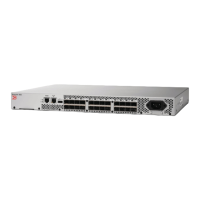
Brocade 300 features..............................................................................................................................................................................................................................9
Port side of the Brocade 300............................................................................................................................................................................................................10
Non-port side of the Brocade 300.................................................................................................................................................................................................10
Supported fabric congurations....................................................................................................................................................................................................... 11
Ports on Demand license.................................................................................................................................................................................................................... 11
ISL trunking groups................................................................................................................................................................................................................................11
Managing the Brocade 300...............................................................................................................................................................................................................12
Preparing for Installation.................................................................................................................................................................................................13
Installation precautions......................................................................................................................................................................................................................... 13
General precautions......................................................................................................................................................................................................................13
Power precautions.........................................................................................................................................................................................................................13
RTC battery precautions............................................................................................................................................................................................................. 14
Laser precautions.......................................................................................................................................................................................................................... 14
Facility requirements..............................................................................................................................................................................................................................14
Environmental considerations............................................................................................................................................................................................................15
Recommendations for cable management..................................................................................................................................................................................15
Items included with the Brocade 300............................................................................................................................................................................................15
Mounting the Device........................................................................................................................................................................................................17
Mounting options....................................................................................................................................................................................................................................17
Installing a standalone Brocade 300..............................................................................................................................................................................................17
EIA rack installation for a Brocade 300.........................................................................................................................................................................................17
EIA rack considerations...............................................................................................................................................................................................................18
Installing the 1U, 1.5U, and 2U Mid-Mount Kit for Two-Post Racks (XBR-000165, XBR-000175, and XBR-R000292)................ 18
Time and items required.............................................................................................................................................................................................................18
Parts list............................................................................................................................................................................................................................................. 19
Attaching the front brackets to the device........................................................................................................................................................................... 20
Attaching the device to a rack...................................................................................................................................................................................................21
Attaching the rear brackets to the rack..................................................................................................................................................................................21
Attaching the rear brackets to the device.............................................................................................................................................................................22
Installing the 1U and 2U Fixed-Mount Rack Kit for Four-Post Racks (XBR-R000162)........................................................................................23
Time and items required.............................................................................................................................................................................................................23
Parts list............................................................................................................................................................................................................................................. 24
Attaching the front brackets.......................................................................................................................................................................................................26
Installing the device in the rack................................................................................................................................................................................................ 27
Attaching the rear brackets to the front brackets..............................................................................................................................................................28
Attaching the rear brackets to the rack posts.....................................................................................................................................................................29
Brocade 300 Hardware Installation Guide
53-1000862-12 3





 To Next Page